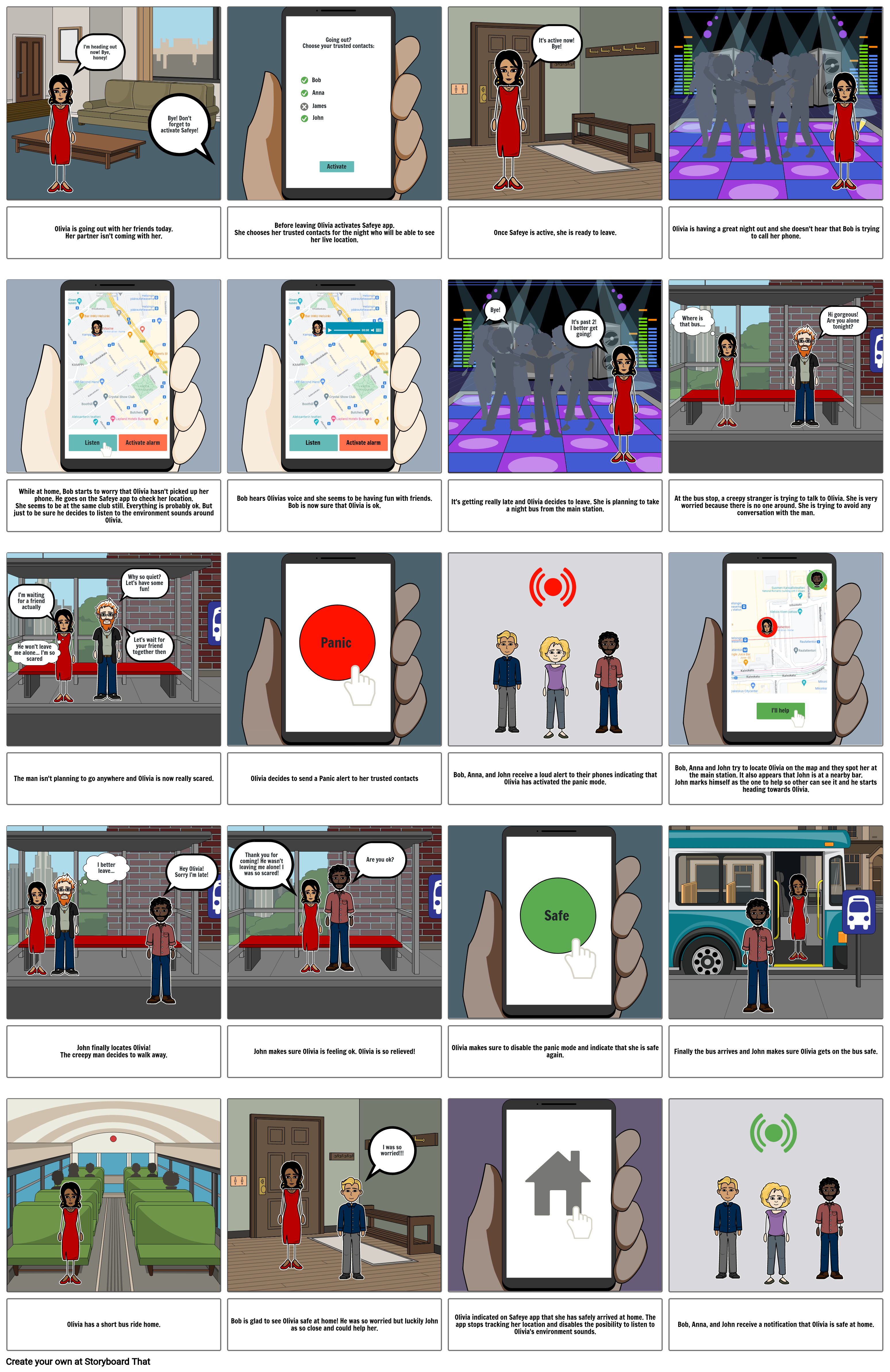
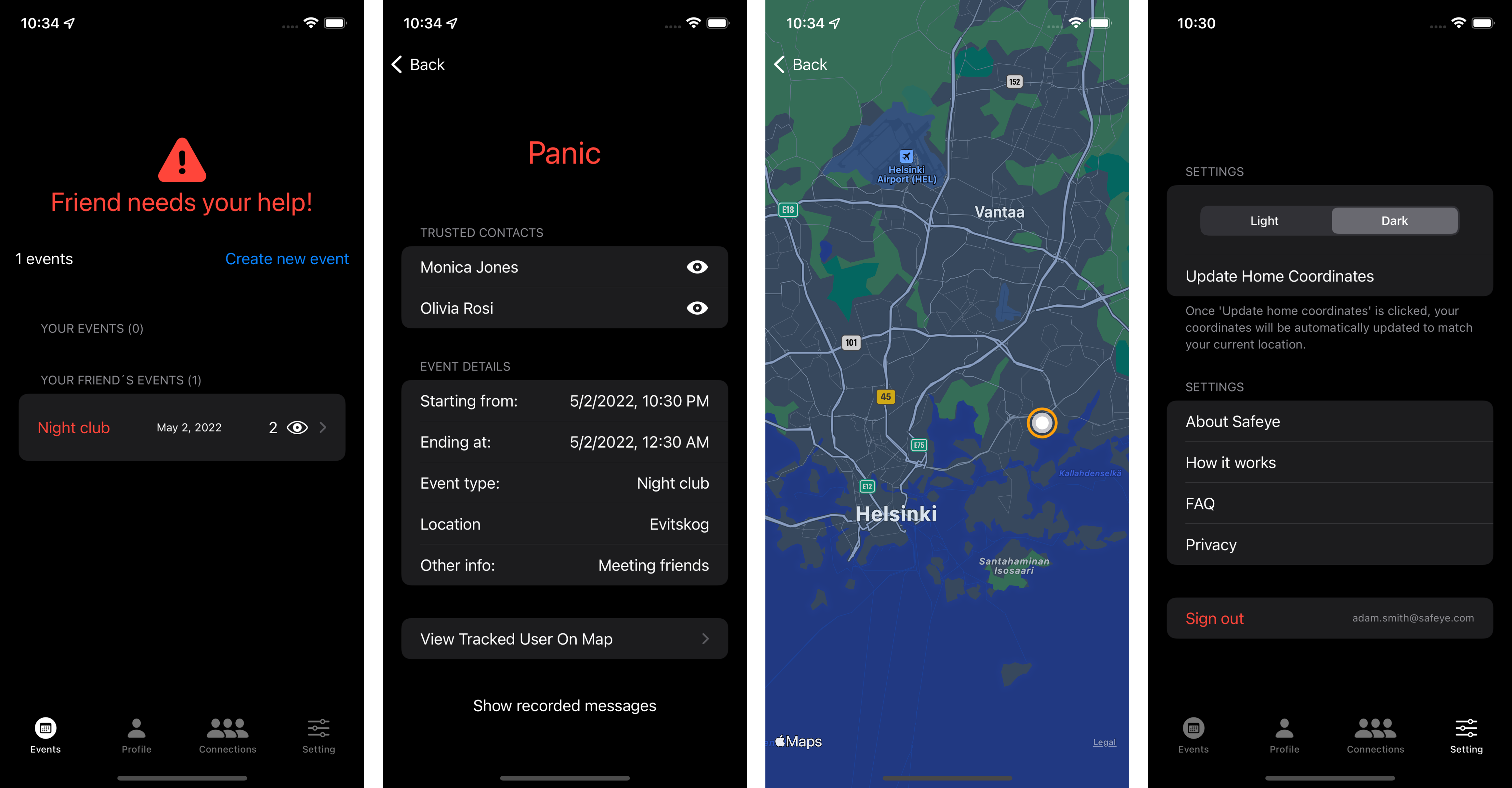
Safeye is an iOS app that lets users keep an eye on their loved ones in emergency situations. This app uses phone's native GPS tracker (Apple's MapKit) to track user's live location and speech recognition technology to record any voices it detects as messages. In case of an emergency, a user can easily send an alert to their contacts on the app who can then view user's live location and read any messages that were recorded. This helps them decide how to best help the user.
Safeye was designed and developed using XCode, SwiftUI, UIKit, Git, and Figma.
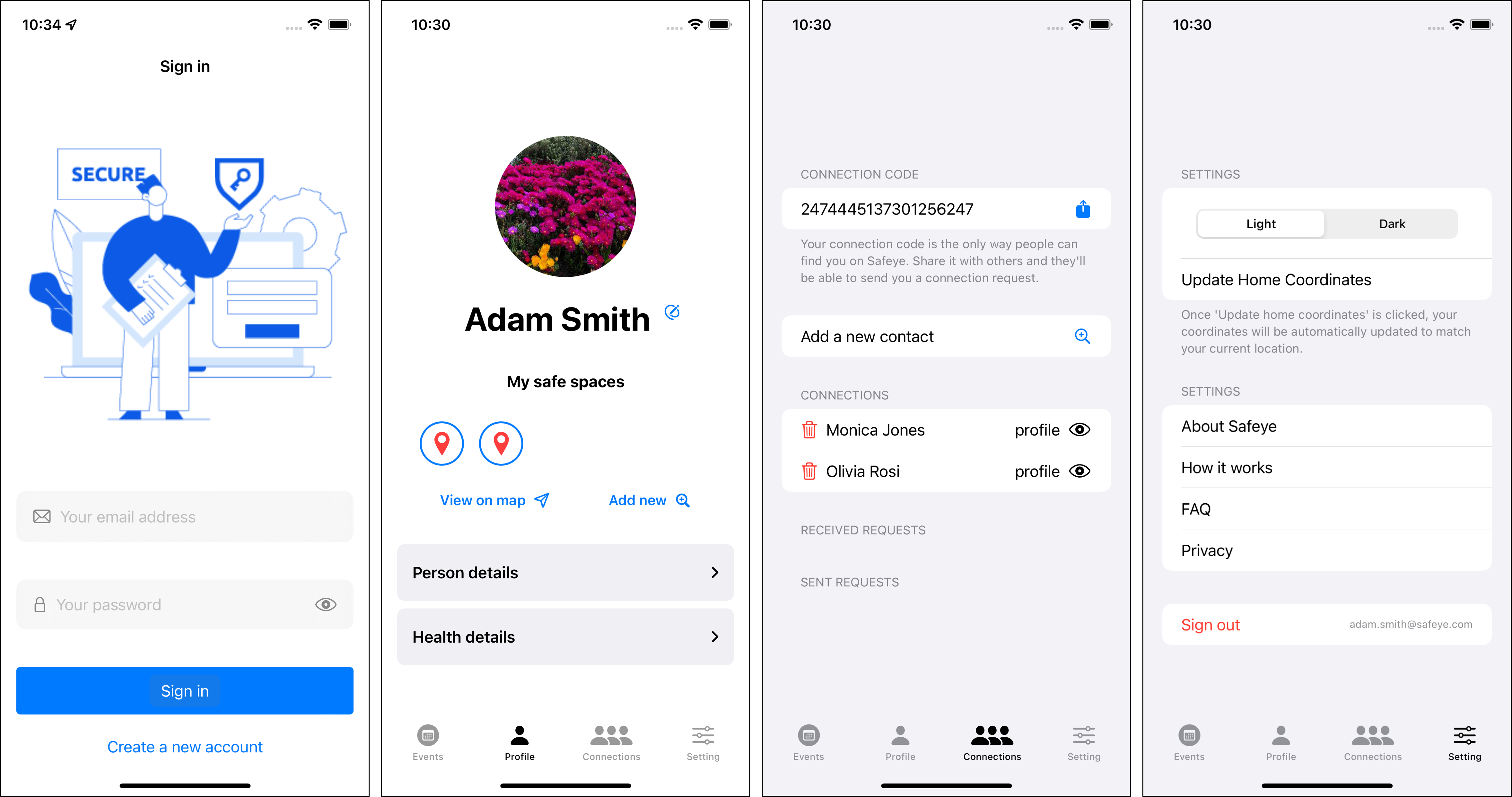
- Registration and authentication
- Upload a profile image
- Edit user profile
- Search for addresses and save them to personal safe spaces list
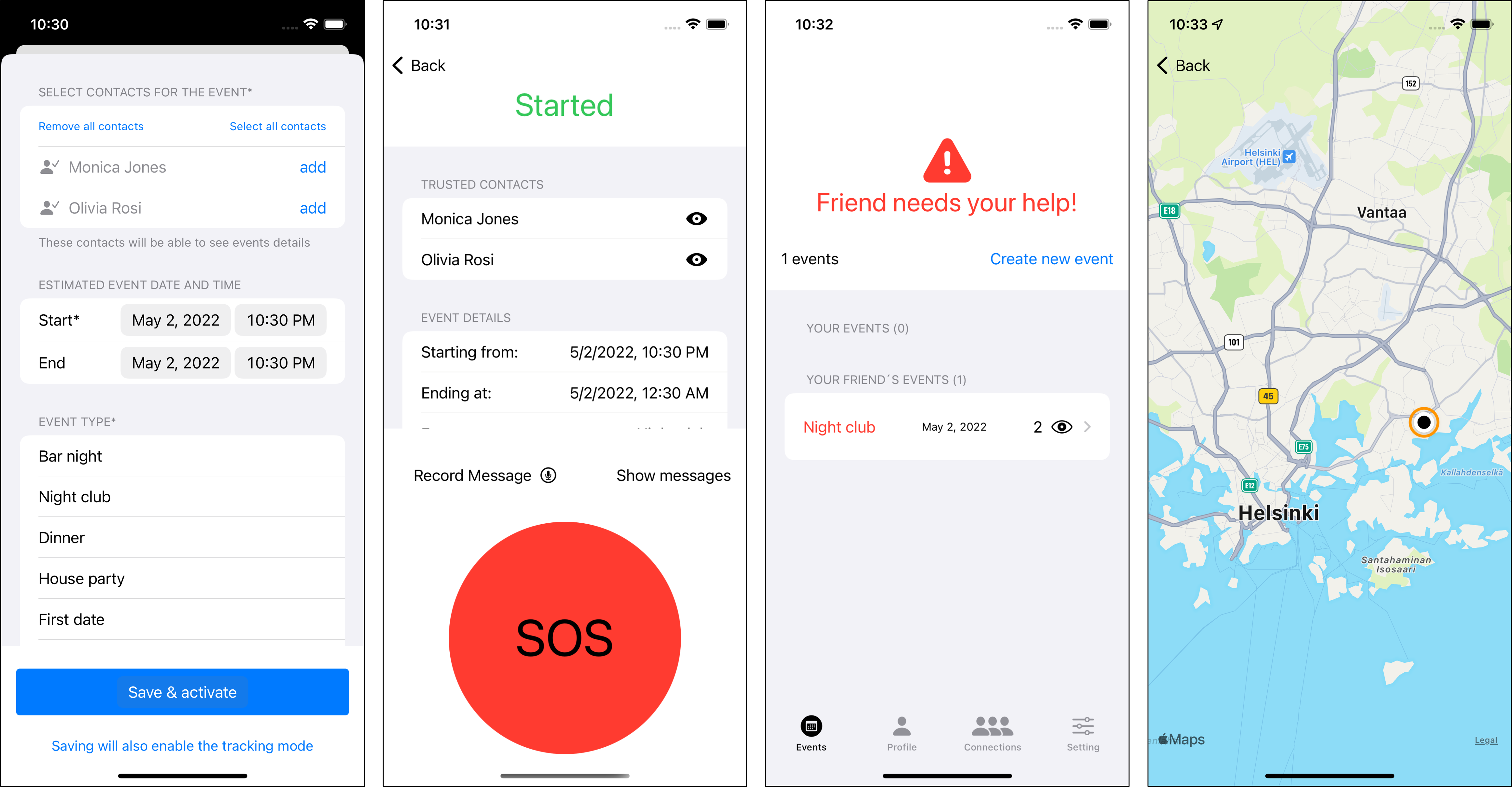
- Create/delete tracked events
- Live location tracking (MapKit)
- Speech recognition to record messages as text
- Enable/disable emergency mode
- Local notifications
- Search for users by personal connection code
- Send/cancel/approve connection requests, delete connections
- Multiple languages through localization
- Light/dark theme


When the user is creating a new event, they have to fill out a few details about the event and select one or more contacts from their Safeye contact list. Only those contacts will be able to see user's location and read any information associated with the event while it is active.

Of course, in case of grave danger, we advise to call 112 or local emergency services.


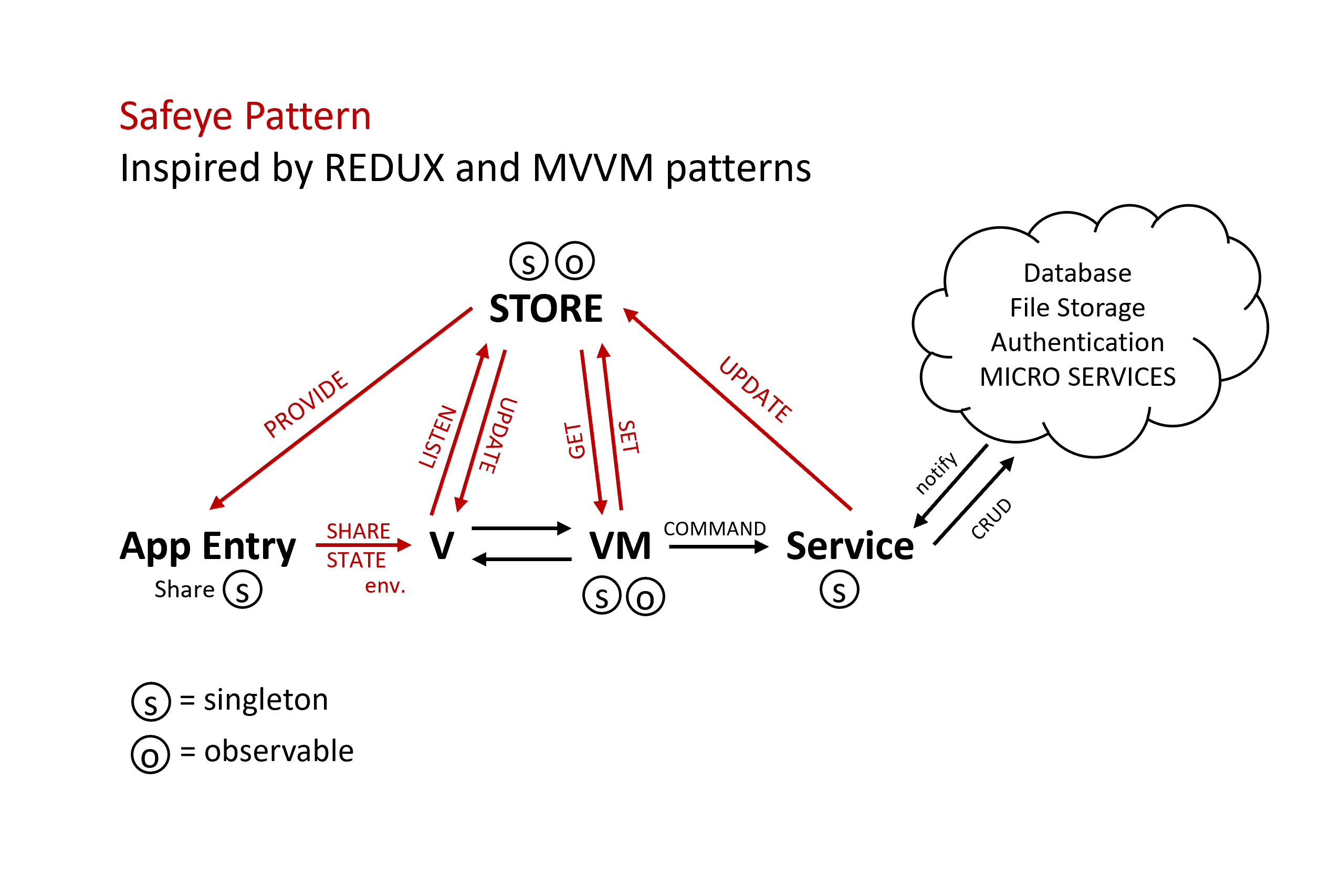
Firebase Authentication, Storage and Firestore Database.
- Application state is not reset upon logout
- Missing or incorrect translations
- Missing cities if user sings in on new device without creating a profile
We had a few users test our prototype during the design process of this application. We have received a lot of valuable feedback and attempted to implement most of the suggested changes in order to improve the user experience. Changes implemented:
- Allowing users to navigate within the entire app even in emergency mode.
- Tracked events are disabled only manualy to prevent the app from stopping location tracking if user's event lasts longer than anticipated.
- Simplified address search.
- Changed 'Panic' button to 'SOS' button.
- Clearer communication: consistency in terms used, explanations/alerts throughout the app, a dedicated information section explaining how the app works and answering some of the questions users might have.
- Curtain view in map view wasn't easily findable for users so we tried to make it more visible.
- Select/de-select all contacts at once in event creation.
- Some design improvements.
- ... and many other small changes.
- Disable emergency mode only with faceID/fingerprint/password etc.
- Siri or button sequency to activate emergency mode quicker
- Widget for the app
- Push notifications with PushKit
- How-to videos on how to use the app
- Adding a loading indicator to all the views
- Changing and reseting password
- Map: pinpointing location on the map
- Map: showing directions to locations