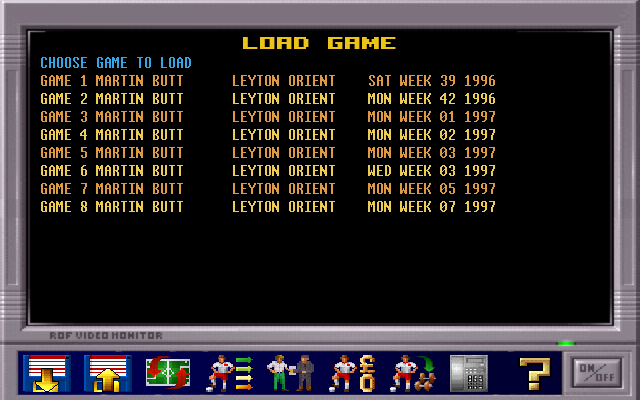
PM3000 is an extension for Premier Manager 3 (Standard or Deluxe) that lets you load your save games and add extra tooling on top of the classic DOS experience.
You must already own an original copy of Premier Manager 3 or Premier Manager 3 Deluxe to use this project. PM3000 reads and manipulates the existing GAMEA/GAMEB/GAMEC files from that installation so it cannot run standalone.
The new features are intended to overcome some of the game's annoyances.
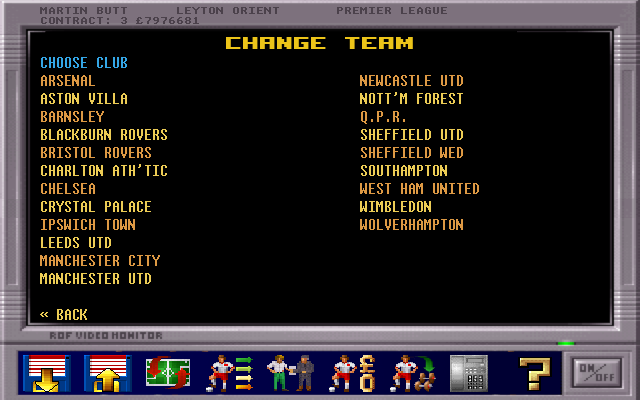
- Change Team - This screen allows you to switch to a new team, unlocking the ability to start the game as your favorite team.
- View Squad - This screen shows your current team for ease of visibility
- Scout - A scout that can see the stats of any player
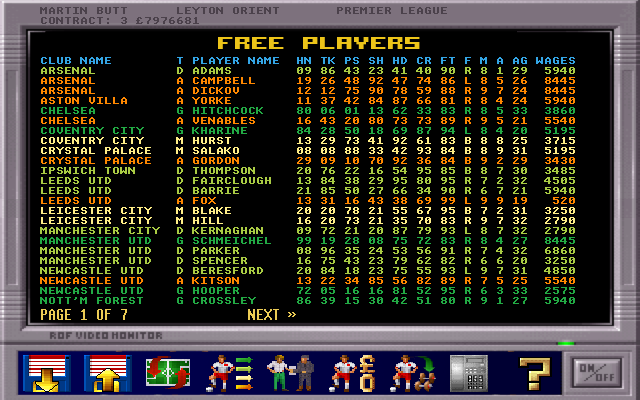
- Free Players - This screen shows all of the out-of-contract players
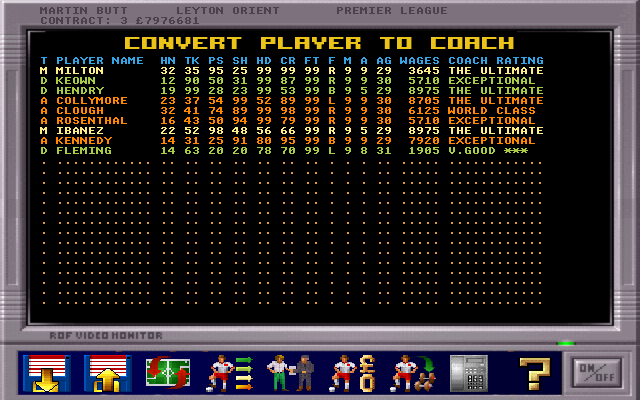
- Convert Player to Coach - This screen allows you to retire a player and convert them into a coach
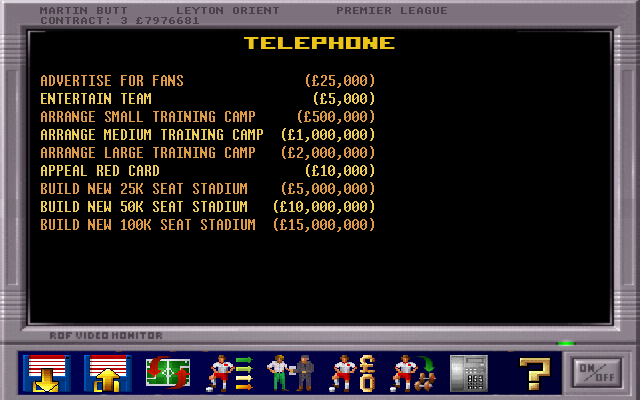
- Telephone - This adds a few new features:
- Advertise for fans - Run an ad campaign and increase your fan base, leading to more attendance
- Entertain team - Take the team for a night out and boost their morale
- Arrange a training camp - Increase the stats of your players
- Appeal red card - Ask the FA to overturn a player ban
- Build new stadium - Save time by building a whole new stadium
This has been tested with Premier Manager 3 running under DOSBox on modern systems. The Amiga version has not been tested, but the data formats are shared, so the UI should still work when pointed at an Amiga save folder.

On Debian/Ubuntu based distributions, use the following command:
sudo apt install git build-essential pkg-config cmake cmake-data libsdl2-dev libsdl2-image-dev libsdl2-ttf-dev libgtk-3-devOn macOS, install the SDL2/SDL2_image/SDL2_ttf bottles so the release binary can load those dylibs from /opt/homebrew/opt.
brew install sdl2 sdl2_image sdl2_ttfgtk+3 is only required when building on Linux (see the Debian/Ubuntu instructions).
If you want to build from source locally, also install the build tooling before running cmake/ninja:
brew install git cmake ninja# Clone this repo
git clone https://gitlab.com/martinbutt/pm3000.git
cd pm3000
# Create a build folder
mkdir build
cd build
# Build
cmake ..
make
# Run
./pm3000After configuring, you can build and run the lightweight unit tests (currently covering PM3 utility pricing logic):
# From the repo root (after cmake ..)
cmake --build build --target pm3_utils_tests
cd build && ctest --output-on-failure
Add more cases under tests/ as you extend the utilities.
Backups of the three PM3 game files (gamedata.dat, clubdata.dat, playdata.dat) or save files (saves/game*) are made automatically in the PM3000/ folder inside the PM3 save directory before any import or save mutation runs.
The FIFA import tool reads a CSV export (e.g. external/FC26_YYYYMMDD.csv) and updates gamedata.dat, clubdata.dat, and playdata.dat for English leagues only. It preserves National League clubs (tier 5), caps squads at 16 players per club, and will generate two Premier League clubs if only 20 are present in the CSV.
# Build the tool
cmake --build build --target fifa_import_tool

# Import into save slot 1
./build/fifa_import_tool --csv external/FC26_20250921.csv --pm3 /path/to/PM3 --game 1 --year 2025
Optional flags:
--import-loansenables loan period data (see TODO: game currently overwrites loan flags on startup).--player-id <id>imports a single CSV player by id for debugging.--debug-player <id>prints mapping details for one player id.--verify-gamedatachecks a read/write roundtrip ofgamedata.dat.--dropped-clubs <path>writes the tier-4 clubs dropped into a CSV.
Note: If you run with
--base --import-loans, the tool will warn that the game currently overwrites loan flags on startup with player bans.
Required CSV columns:
player_id
short_name
overall
player_positions
age
preferred_foot
club_name
club_loaned_from
league_name
league_level
league_id
pace
shooting
passing
dribbling
defending
physic
attacking_heading_accuracy
skill_ball_control
mentality_aggression
mentality_composure
goalkeeping_diving
goalkeeping_handling
goalkeeping_kicking
goalkeeping_positioning
goalkeeping_reflexes
goalkeeping_speed
attacking_crossing
attacking_finishing
attacking_short_passing
attacking_volleys
skill_dribbling
skill_curve
skill_fk_accuracy
skill_long_passing
movement_acceleration
movement_sprint_speed
movement_agility
movement_reactions
movement_balance
power_shot_power
power_jumping
power_stamina
power_strength
power_long_shots
mentality_interceptions
mentality_positioning
mentality_vision
mentality_penalties
defending_marking_awareness
defending_standing_tackle
defending_sliding_tackle
wage_eur
club_contract_valid_until_year
The repo now vendors the SWOS TEAM.008 parser directly (no external checkout needed). A CLI helper ships with the build to import SWOS teams/players into a PM3 save:
# Build the tool
cmake --build build --target swos_import_tool

# Import TEAM.008 into save slot 1 for a PM3 folder
./build/swos_import_tool --team /path/to/TEAM.008 --pm3 /path/to/PM3 --game 1
The same functionality is now exposed from inside the SDL UI—use the Settings screen's Import SWOS Teams entry, which will re-use the currently configured PM3 folder and prompt for a TEAM.xxx file.
Before each import (CLI or UI) the tool copies gamedata.dat, clubdata.dat, and playdata.dat into the PM3000/ backup directory within the selected PM3 folder.
What it does:
- Matches imported teams to existing GAMEB clubs by name and updates league/manager/kit, renaming players role-for-role.
- Any imported teams not found replace unmatched clubs, assign a generic stadium name, copy kit colors, and rename squad players in place.
Note: SWOS and PM3 have different league structures now, so the import is a best effort—team counts per division still differ and some placements/kits get guessed where the source data no longer lines up perfectly.
TEAM.008 is the Sensible World of Soccer squad file that the importer reads. The SWOS2020 project keeps a curated, up-to-date version:
- Download the latest package from https://swos2020.com/downloads. Pick the
.zip/.lhabundle for the team database. - Extract the archive with your favorite tool (
lha,7z, etc.) until you findTEAM.008. - Pass that extracted file to
swos_import_tool --teamto import the newest SWOS rosters into your PM3 save.
inspect_pm3_data is now a lightweight dumper that reads gamedata.dat and prints the core gamea records as plain text for debugging.
# Build the tool
cmake --build build --target inspect_pm3_data

# Dump the gamedata summary
./build/inspect_pm3_data --pm3 /path/to/PM3
This outputs every club_index, top_scorer, and league table entry in a basic, predictable format that can later be grepped or diffed while keeping manual edits minimal.
Special thanks to @eb4x for the https://github.com/eb4x/pm3 project. PM3000 would not exist without it.
Thanks to https://github.com/aminosbh/sdl2-image-sample for the SDL2 scaffold to start the project.