PowerShell module to manage Windows console colors and PSReadline token colors.
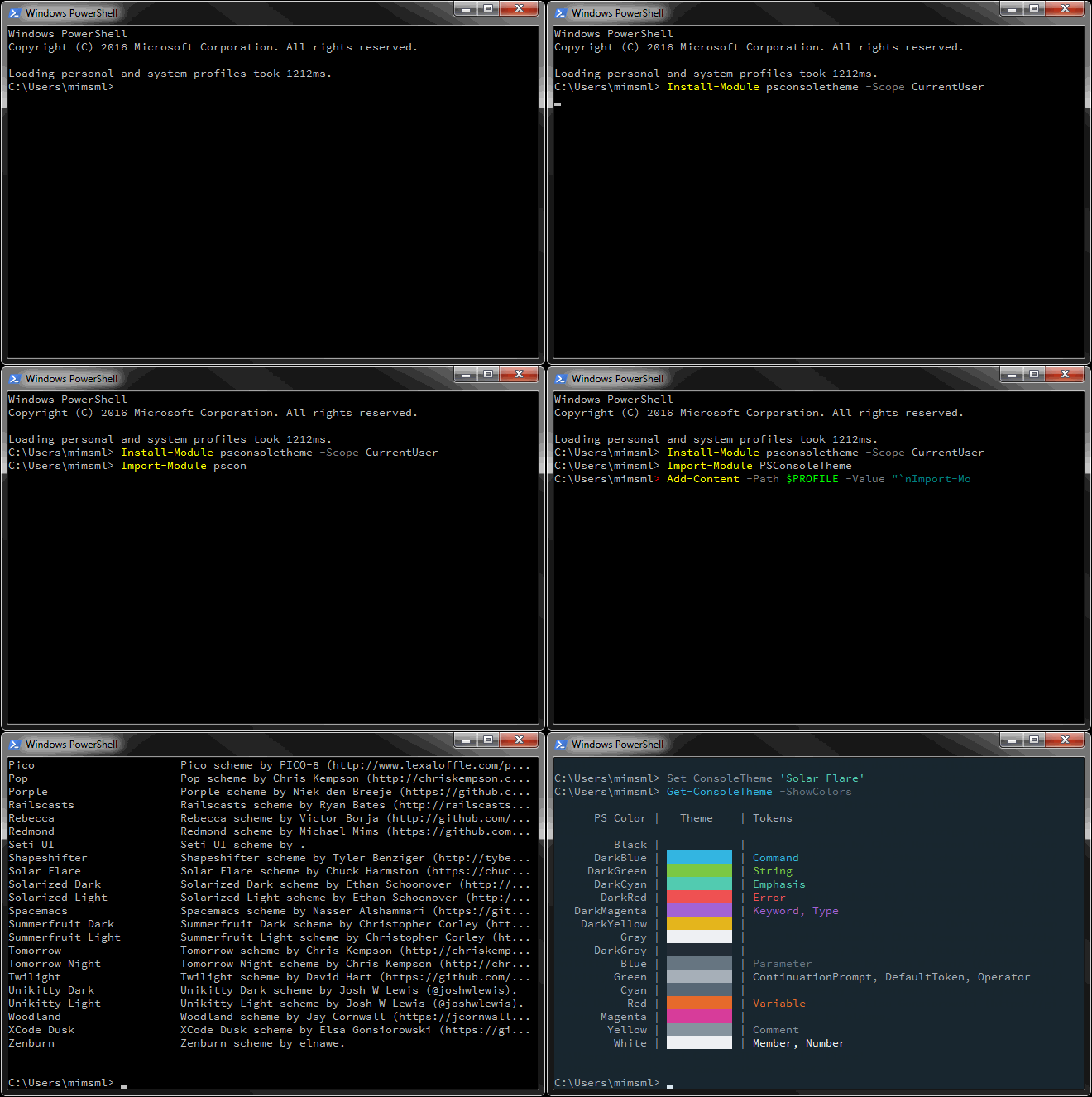
The recommended method for installing PSConsoleTheme is to use PowerShellGet. After the module is installed, there are some additional configuration steps recommended.
PowerShellGet is included in Windows 10 and WMF 5.0+. If you are using PowerShell V4 or V3, you will need to install PowerShellGet.
Once PowerShellGet has been installed, simply run:
Install-Module PSConsoleThemeI would recommend using the PSReadline module for the best PowerShell console experience. This module is included by default on Windows 10 systems. If you are running an older Windows OS, follow the installation instructions from the PSReadline github repository.
The last step is to edit your profile to import the PSConsoleTheme module. This step is optional, but highly recommended if you are also using the PSReadline module. If you are using the PSReadline module and do not add an import statement to your profile, the PSReadline token colors of your selected theme will not be configured when you start a new console session.
PowerShell provides multiple profiles that can be customized. Most users will want to edit the current user PowerShell profile. This profile can be found in the $HOME\[My ]Documents\WindowsPowerShell\Microsoft.PowerShell_profile.ps1 file.
You can open the profile in a PowerShell console using the following command:
notepad $PROFILEThen add the following to the profile:
Import-Module PSConsoleThemeTo upgrade to the latest available version of PSConsoleTheme, simply run:
Update-Module PSConsoleThemeTo start using, just import the module (if it has not already been imported):
Import-Module PSConsoleThemeCheck out the list of available themes:
Get-ConsoleTheme -ListAvailableSet your console colors to your chosen theme:
Set-ConsoleTheme 'Classic Dark'That's it! PSConsoleTheme will set the console color palette for all Windows console host applications (this includes cmd consoles) of the current user. PSConsoleTheme will also set the token foreground colors for PSReadline tokens if you're using a PowerShell console with PSReadline.