MRG: Add support for playback in time_viewer#7200
MRG: Add support for playback in time_viewer#7200larsoner merged 13 commits intomne-tools:masterfrom
Conversation


Codecov Report
@@            Coverage Diff             @@
##           master    #7200      +/-   ##
==========================================
- Coverage   89.76%   89.74%   -0.03%
==========================================
  Files         445      445
  Lines       79874    79960      +86
  Branches    12773    12786      +13
==========================================
+ Hits        71702    71761      +59
- Misses       5374     5398      +24
- Partials 2798 2801 +3 |

|
Nice proof of concept, agree with the todo list |

|
@larsoner I'm not familiar with PySurfer time dilation so I tried the following: A callback checking on the But I'm not sure about the user experience, is it even close to what you expect? |
@GuillaumeFavelier you should try it. There is no interactive element but you can see how the movies get created. Basically a time dilation of 1 plays back in real-time (1 sec of data plays back over 1 sec of viewer time). A time dilation of 10 plays back 10 times slower than real time (0.1 sec of data plays back over 1 sec of viewer time). I would implement the same user interface because it's an intuitive way to think about playback speed. |

mne/viz/_brain/_timeviewer.py
Outdated
| self.playback = False | ||
| self.playback_speed = 1 | ||
| self.time_elapsed = 0 | ||
| self.plotter.add_key_event('t', self.toggle_playback) |

There was a problem hiding this comment.
I would use spacebar, it's what most media players use for play/pause
mne/viz/_brain/_timeviewer.py
Outdated
| self.playback_speed = 1 | ||
| self.time_elapsed = 0 | ||
| self.plotter.add_key_event('t', self.toggle_playback) | ||
| self.plotter.add_callback(self.play, 10) |
There was a problem hiding this comment.
I would use 16.7ms as the interval (about 1./60.)
mne/viz/_brain/_timeviewer.py
Outdated
| times = self.brain._data['time'] | ||
| time_idx = self.brain._data['time_idx'] | ||
| time = times[time_idx] + 1. / self.playback_speed | ||
| idx = np.argmin(np.abs(times - time)) |
There was a problem hiding this comment.
After working out the user-time-to-data-time logic I let interp1d from scipy in 'linear' mode do the work of picking the correct data.
|
Update that introduces button widgets:
|
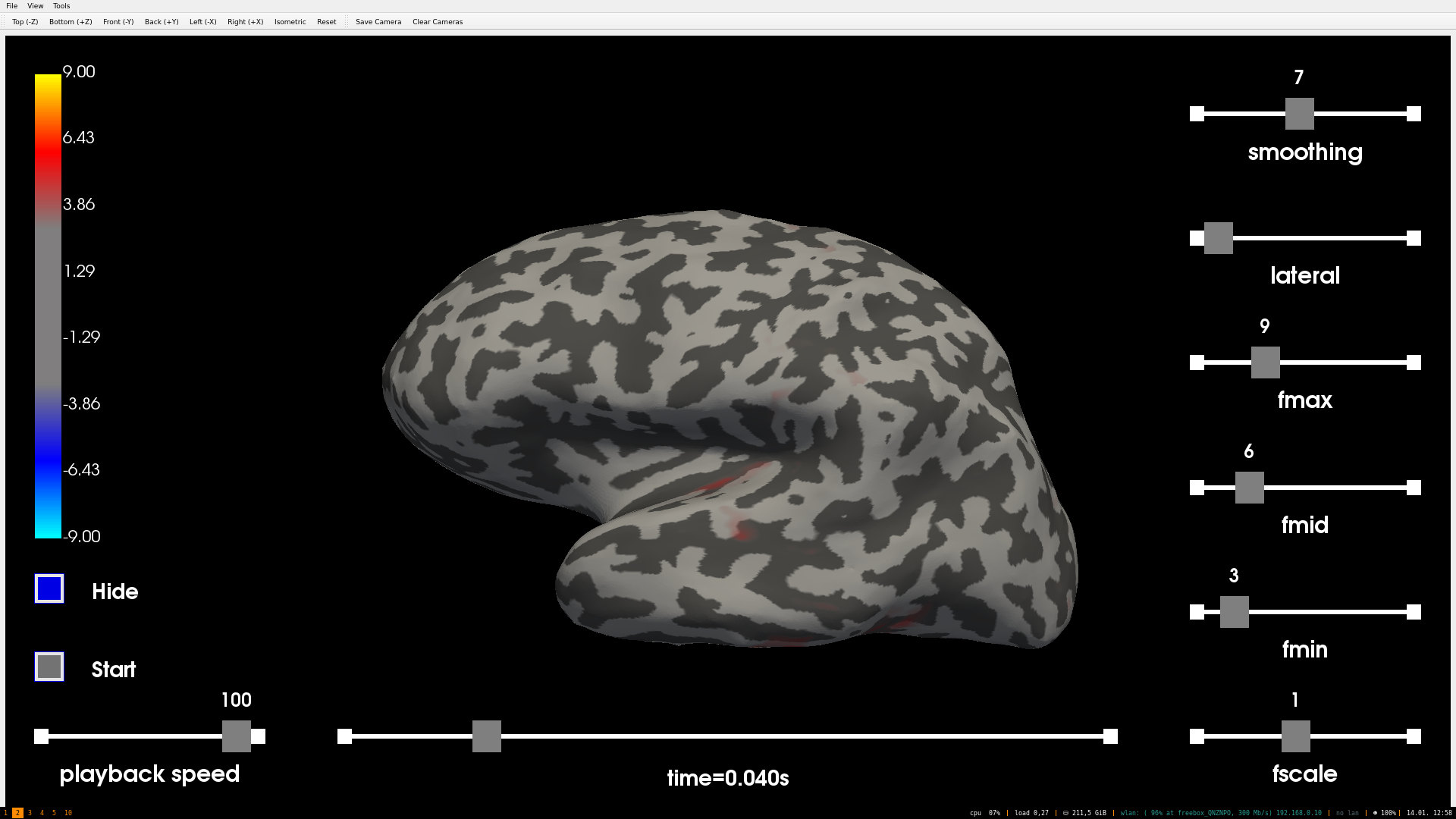
Codecov Report
@@            Coverage Diff             @@
##           master    #7200      +/-   ##
==========================================
+ Coverage   89.76%   89.78%   +0.01%
==========================================
  Files         445      445
  Lines       79874    79943      +69
  Branches    12773    12783      +10
==========================================
+ Hits        71702    71773      +71
+ Misses       5374     5367       -7
- Partials 2798 2803 +5 |
|
This is the latest result:
|
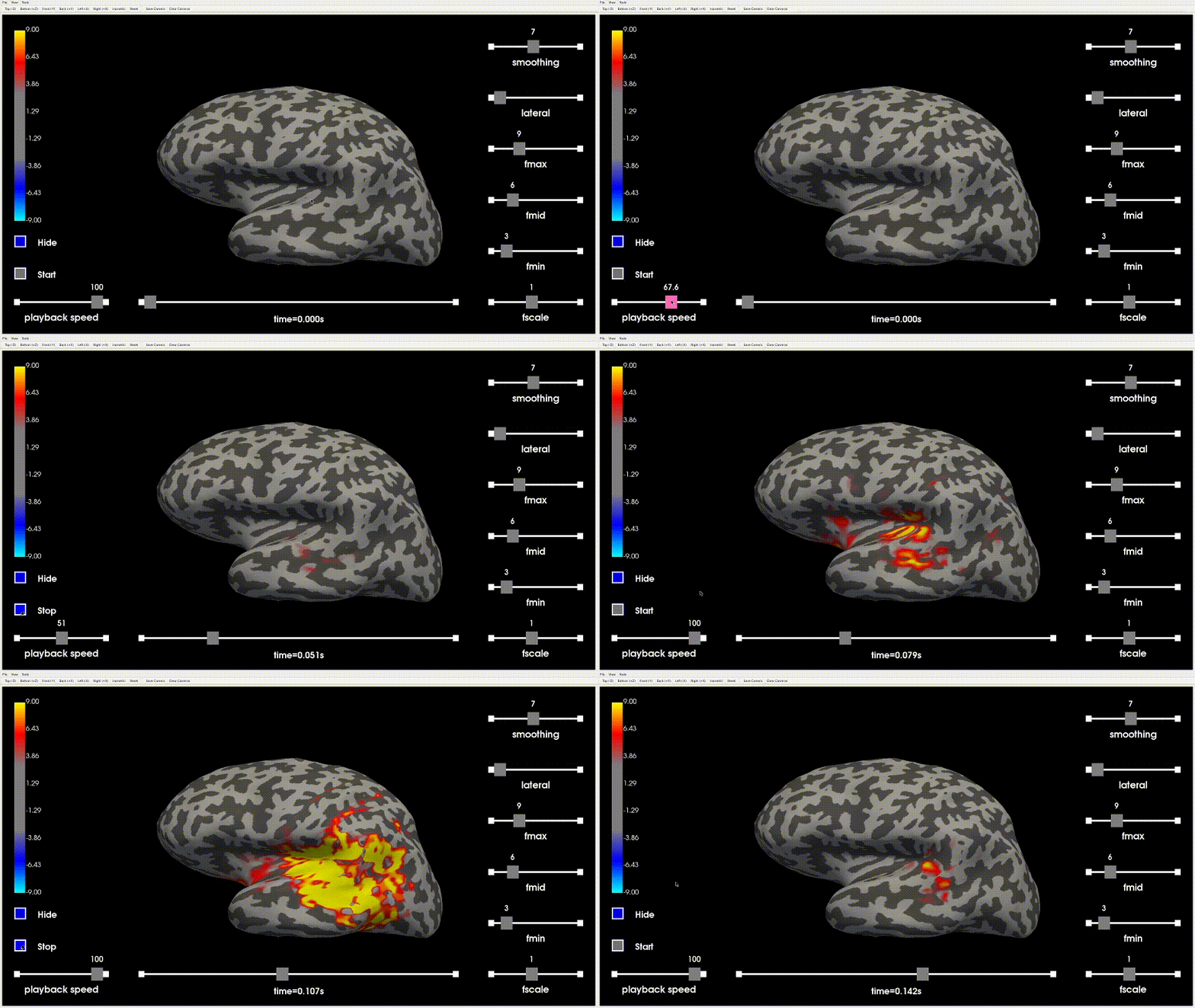
|
If you are going to call it |
|
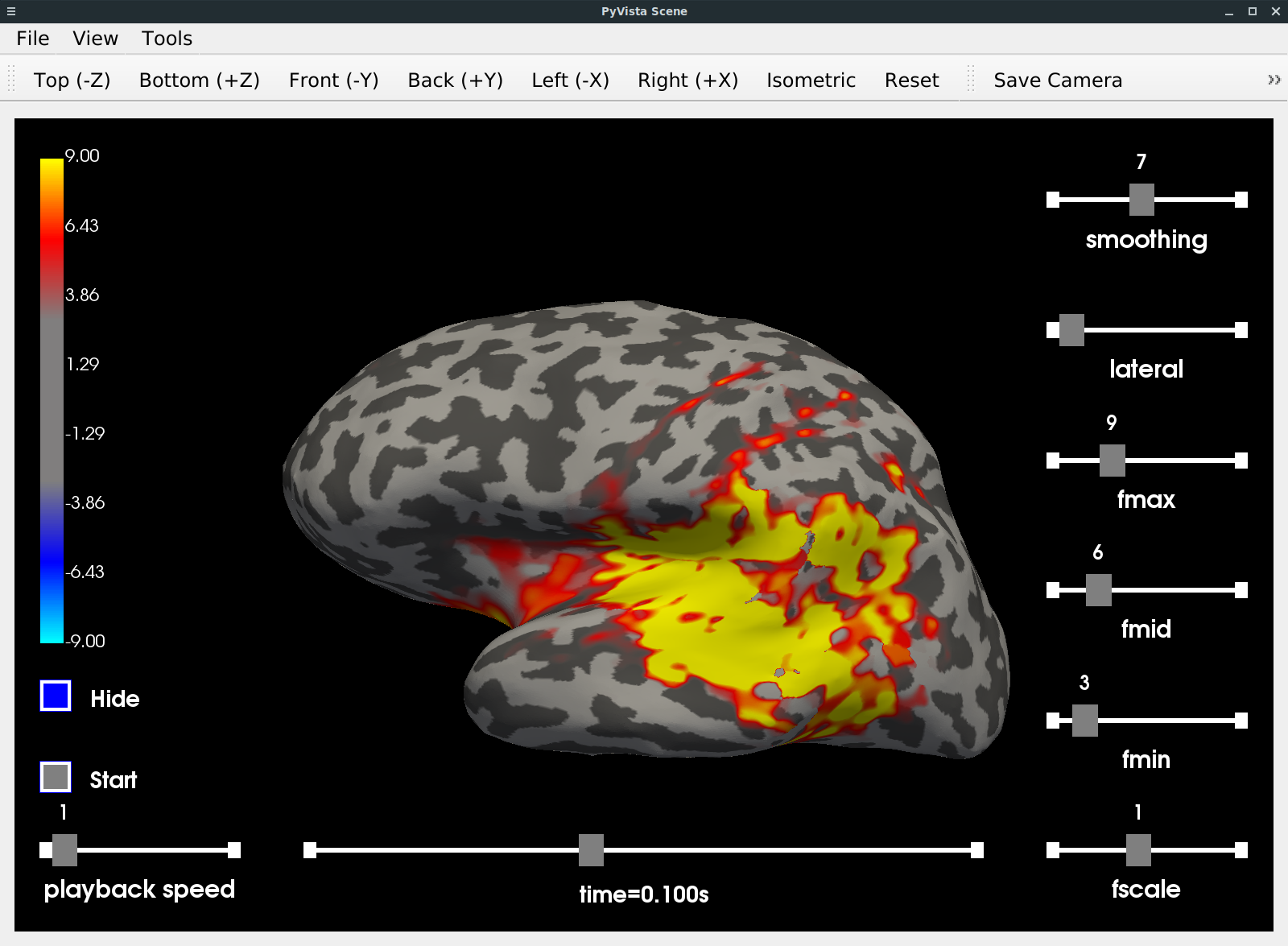
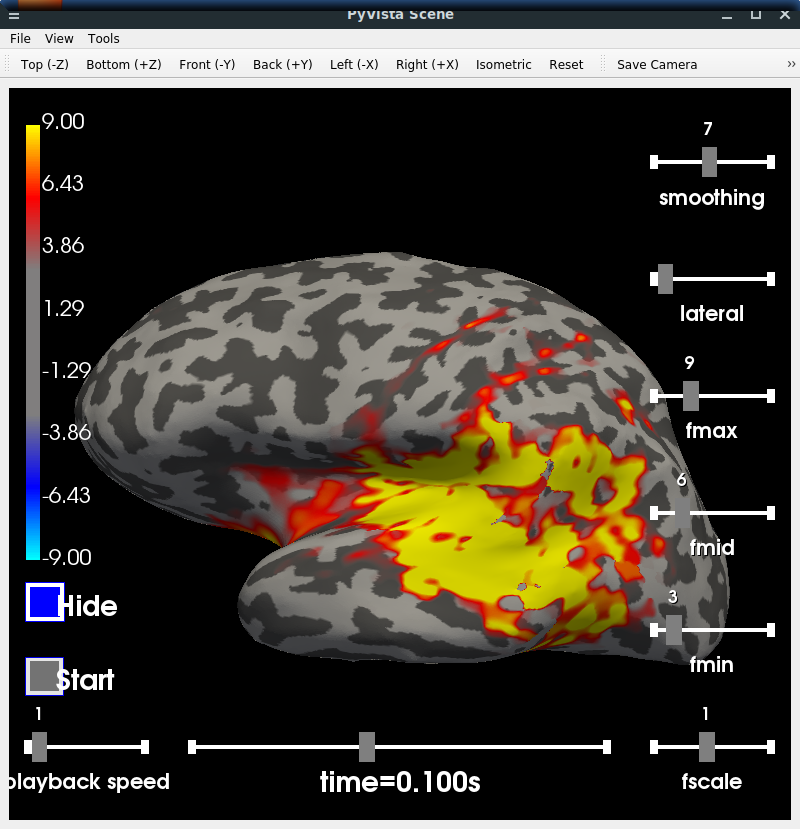
And after using it, a few more:
|
|
Also:
|
I encountered the same bug and I couldn't find a way to hide/show the button widget without first interacting with it. For reference, the temporary solution modifies the opacity of the button.
The properties of this button don't allow it but it would be possible to use an image as a texture for a state of the button (checked/unchecked).
I'm not using a HiDPI display, this type of button uses absolute coordinates in the window space, which is not consistent with the rest of the UI elements using relative coordinates. This means that the button won't get resized and its position to the bottom-left corner won't change either while you resize the window. It is possible to mitigate this with a callback that updates the information of the button accordingly, this is the role of the Thanks for the feedback @larsoner, I think I will rollback to the shortcuts for now in order to move forward with this PR. I will report all your comments on #7162 in case we come back on the buttons again. |
|
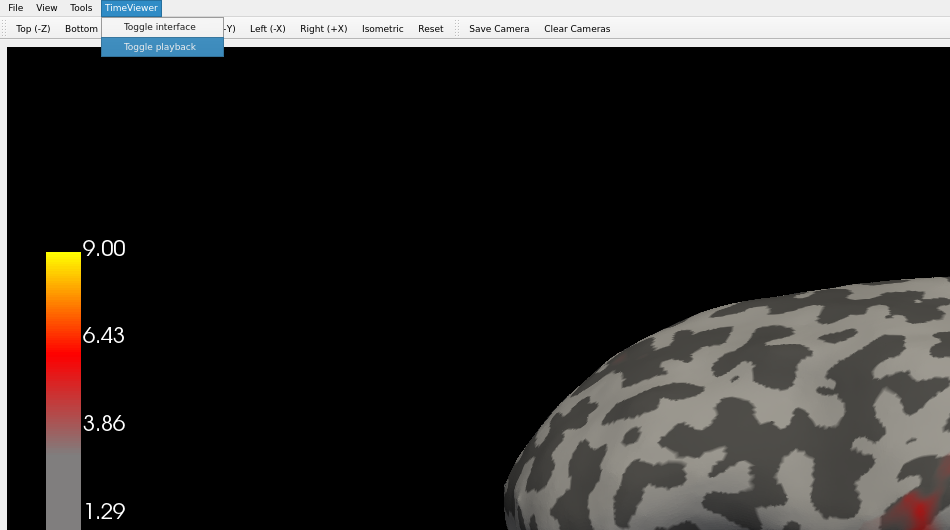
Now that I think about it. We can also use the Qt interface of the plotter itself instead of the rendering view. We could add a menu 'TimeViewer' and put all the toggles in here. What do you think? This is 3 lines of code: menu = self.plotter.main_menu.addMenu('TimeViewer')
menu.addAction('Toggle interface', self.toggle_interface)
menu.addAction('Toggle playback', self.toggle_playback)
Or we could add them in the camera toolbar or create a new toolbar. It's another option. |
 GuillaumeFavelier
changed the title
GuillaumeFavelier
changed the title

|
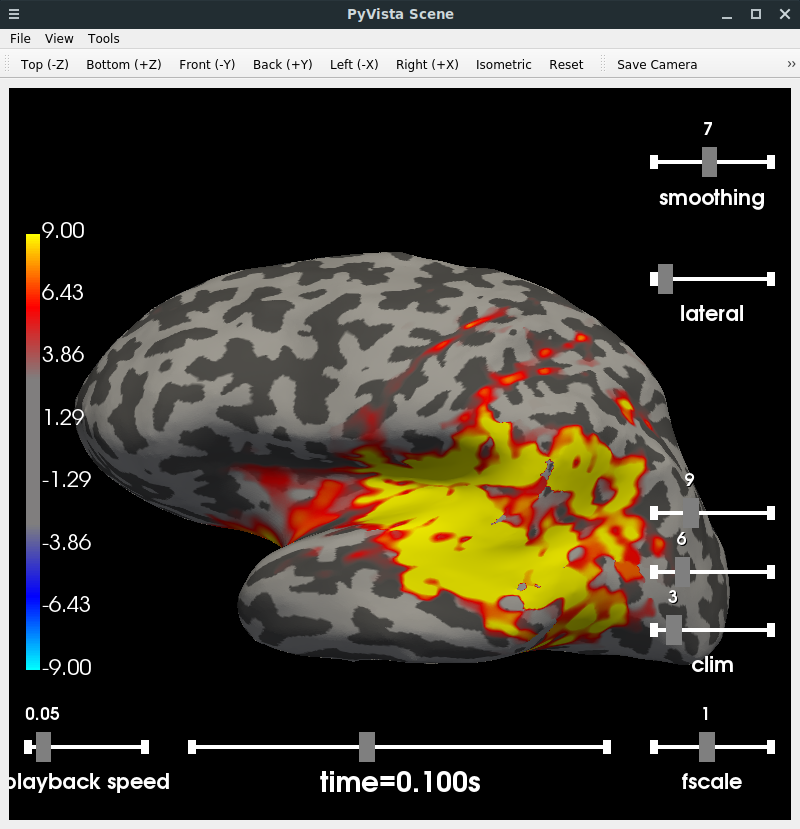
After much tweaking the colorbar limits (including with overlap) I think this is probably the best compromise of usability and compactness:
I also:
I'm very happy with this version! These changes okay with you @GuillaumeFavelier ? |
|
Magnificent! |

mne/viz/_brain/_timeviewer.py
Outdated
| self.playback = False | ||
| self.playback_speed = 1 | ||
| self.playback_speed = default_playback_speed | ||
| self.time_elapsed = 0 |
There was a problem hiding this comment.
We don't need self.time_elapsed anymore
|
Thanks @GuillaumeFavelier ! |

|
🍻 !
… |

* Add basic support for playback

* Try time dilation

* Add button widgets

* Rollback this part

* Add linear time interpolation

* Fix time management

* Fix time dilation

* Update range of playback speed

* Rollback to shortcuts

* Snap fscale back to 1

* Improve coverage

* FIX: Smoother animation

* Remove unused variable

Co-authored-by: Eric Larson <larson.eric.d@gmail.com>
* Add basic support for playback

* Try time dilation

* Add button widgets

* Rollback this part

* Add linear time interpolation

* Fix time management

* Fix time dilation

* Update range of playback speed

* Rollback to shortcuts

* Snap fscale back to 1

* Improve coverage

* FIX: Smoother animation

* Remove unused variable

Co-authored-by: Eric Larson <larson.eric.d@gmail.com>
3 participants


This PR adds basic support for brain/time playback in
_TimeViewer. It's still a work in progress since for now only a simple call toset_time_point()is done every second with an increment ofplayback_speed. I had to modify the UI as well to make room for this new slider. Playback is started/stopped with the shortcutt.ToDo
fscaleback to 1It's an item of #7162
Screenshot
Animation
(
tis pressed twice to start and stop the playback)