Add contributing.md fixes #927 #928
There are no files selected for viewing
| Original file line number | Diff line number | Diff line change |
|---|---|---|
| @@ -0,0 +1,60 @@ | ||
| # Contributing | ||
|
|
||
| When contributing to this repository, please first discuss the change you wish to make via issue, | ||
| email, or any other method with the owners of this repository before making a change. | ||
|
|
||
| ## Code of Conduct | ||
|
|
||
| Please note we have a [https://www.mozilla.org/en-US/about/governance/policies/participation/](Code of Conduct), please follow it in all your interactions with the project. | ||
|
|
||
| ## Filing an Issue | ||
|
|
||
| 1. Look for a similar issue that may already exist. | ||
|
|
||
| 1. If none exists, create a new issue and provide as much description and context as possible. | ||
|
|
||
| 1. Apply any relevant labels to the issue and set the milestone to Backlog. | ||
|
|
||
| ## Pull Request Process | ||
|
|
||
| 1. Find the issue you want to work on. If no relevant issue exists, see above and file an | ||
| issue, then continue to the next step. | ||
|
|
||
| 1. Assign the issue to yourself, and change the milestone from Backlog to the currently active | ||
| milestone. | ||
|
|
||
| 1. Create a branch in your local fork with the issue number in the name. | ||
|
|
||
| 1. Implement the code changes described by the issue. All Python code changes should | ||
| be accompanied by any relevant tests, either by modifying existing ones or adding new | ||
| ones. Front-end changes (HTML/CSS/JS), and infrastructure changes (Docker related things) | ||
| do not require tests. | ||
|
|
||
| 1. When all your changes are complete to your satisfaction: | ||
| - Run `make check` to run the full test, linting, formatting, and coverage suites. | ||
| - Fix any linting issues by running `make code_format` or by hand if the auto formatter is unable to fix it. | ||
| - Fix any broken tests | ||
| - Ensure coverage remains at 100% by adding new tests for any uncovered lines. | ||
|
|
||
| 1. When all tests and checks are passing, commit all your changes into a single commit and name | ||
| the commit with a brief description of the change and `fixes #123` where `#123` is the issue number. | ||
| You can add any additional descriptive information to the message body of the commit, but the issue | ||
| number must be present in the first line of the commit. Example: `Add new dashboard link fixes #123` | ||
|
|
||
| 1. Push your branch up to your fork and submit a pull request on to master. Add any additional | ||
| information you'd like to the pull request body, including descriptions of changes, screenshots | ||
| of any UI changes, special instructions for testing, etc. | ||
|
|
||
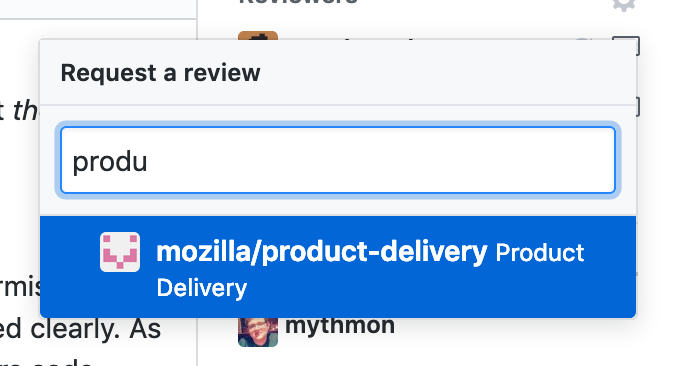
| 1. Find a reviewer. If you're not sure who should review, please contact us on #experimenter on | ||
|
Contributor
There was a problem hiding this comment. I'm not sure you can assign a reviewer if you don't have elevated permission to the repo. Right? So if you're a contributor all you can do is create the PR and if, by some luck, you know who should look at it you can get their attention with a @ mention in the description. So, we could say "Request a reviewer if you have access to do so. If not, leave the reviewer unset and the core team will triage it and assign a reviewer." Also, an interesting topic is for the core team; if you have a PR but don't really care about who does it as long as it's anybody-but-self. What do you do? Leave it unset? Or request a review from all other core team members hoping that the first one to react starts reviewing. Actually, I think, if I request a review from you, and him, and her, I expect that they all review. And that's a big ask.
Collaborator
Author
There was a problem hiding this comment. @peterbe Yeah I see what you mean, but I think if someone doesn't have permissions for the repo then just going to IRC and asking is their only recourse and it's stated clearly. As far as the more nuanced matter of who on the team should review each others code, always assign to me and if I can't do it I will throw it to @mythmon and run away before he can refuse.
Contributor
There was a problem hiding this comment. Github also has a feature where you can request/require review from a certain team or set of users, without individually requesting it. That might be a more scalable solution we can explore in the future. |
||
| [IRC](https://wiki.mozilla.org/IRC). | ||
|
jaredlockhart marked this conversation as resolved.
Outdated
|
||
|
|
||
| 1. If you receive feedback that requires changes to your pull request, make the changes locally, | ||
| run `make check` again to ensure all tests and linting are passing, and then create a new commit | ||
| that describes what feedback was addressed. This commit can be formatted however you like, it will | ||
| be squashed before it is merged into master. | ||
|
|
||
| 1. When your pull request is approved, it can be closed by using the 'Squash and Merge' button to | ||
| squash all of the commits into a single one that refers to both the issue and the pull request and | ||
| contains any additional descriptive information. | ||
|
|
||
| 1. Thank you for submitting changes to Experimenter :D | ||


There was a problem hiding this comment.
Choose a reason for hiding this comment
The reason will be displayed to describe this comment to others. Learn more.
It would help to decide how we plan on organizing work. Milestones? Projects? Both?
I prefer we stick to just projects right now. They can do what milestones do (show progress) and give us a trello like view. I think our goals are small enough that we don't need to have to use both. The contributing docs should point this out.
If we have a really huge project, then we can break it down into milestones. Though I'm not quite sure how elegant that is with GH.
There was a problem hiding this comment.
Choose a reason for hiding this comment
The reason will be displayed to describe this comment to others. Learn more.
@mostlygeek I've been using Projects to track large bodies of work and Milestones to track releases. That's worked well for me so far. Using milestones to track releases makes it easy to reflect to QA which issues were closed in a given release, and to historically reconstruct when things were deployed.