Again conflict file versions are not removed from failed uploads after choosing file version and upload #6963

Description

Steps to reproduce
1. File version conflict appears, in this case three files from WhatsApp-Folder (ok)
see here:
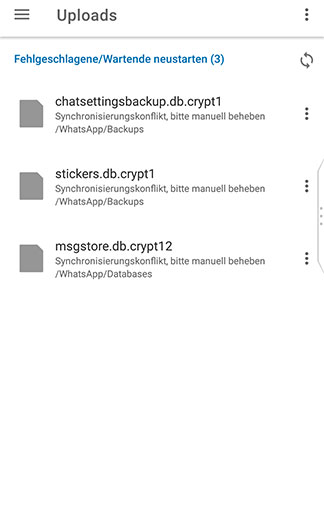
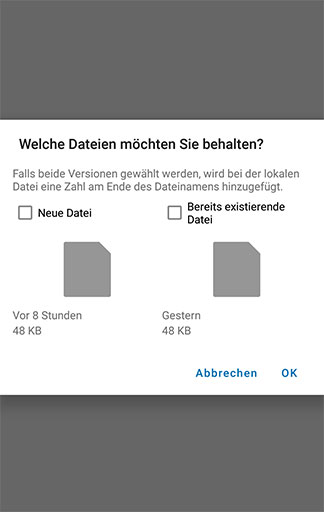
2. Choose which file you want to keep, in my case the newer one (ok)
see here:
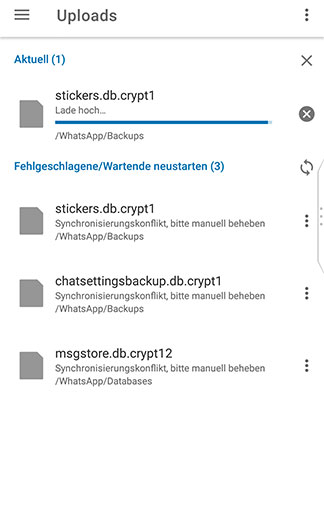
3. The newer file will be uploaded (ok)
see here:
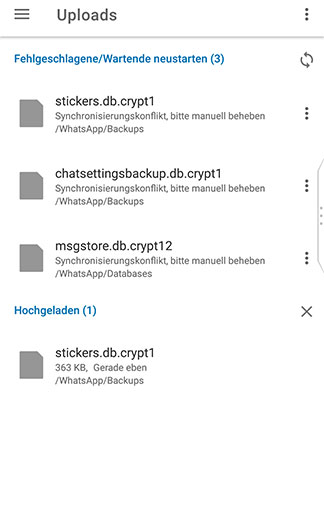
4. The file version conflict is not removed from the list and still appears (this is the error...)
see here:
5. Additional information: If you reupload the existing files from the failed uploads list, you will see that both file versions are equal.
see here:
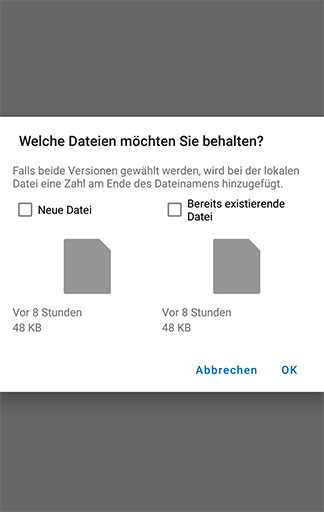
The problem is not the file version conflict. The problem is that the file version conflict popup reappears, even when the version conflict is solved and there are no different versions. When the app is open you can watch the file still remain in the section "failed uploads"
This error occured since last ver 3.13 (maybe June). Even with the new ver 3.13.1 from today/yesterday that error still occures.
The solution by hand is to upload the conflict files, then clear the "failed-uploads-section" (remove failed uploads) and all information popups.
I get the error with different mobile phones, Blackberry (Android), Samsung Galaxy 5 and 7 and 9 and different Android versions.