small things, usability: card view and board view syncing #406

Description

tested with deck 0.3.0, NC 13.0.0 RC 1
1. Autosave lets disappear assigned user in card view
Steps to reproduce
1.1. Assign a user -> the user is shown in board view and card view correctly:
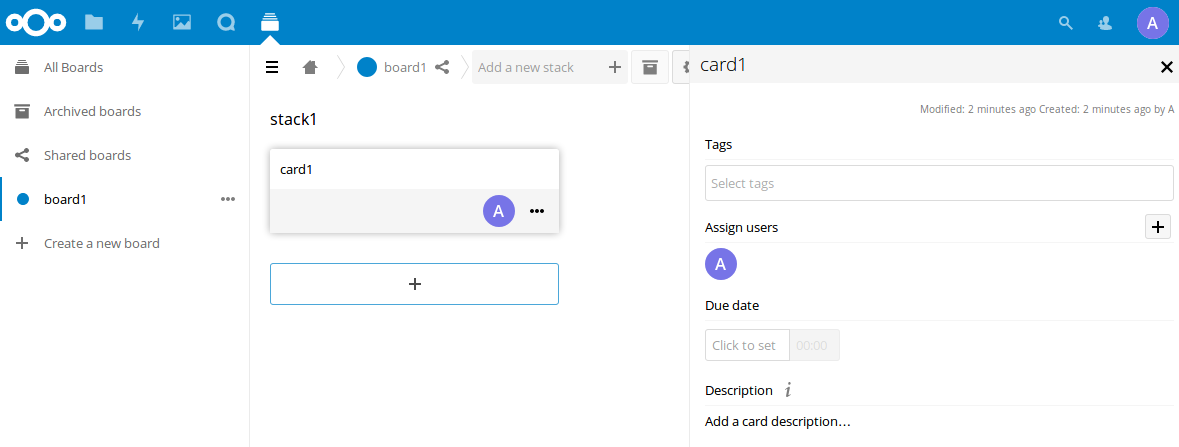
1.2. Edit description, wait till autosave
Actual behaviour
The assigned user is not shown in card view (only in board view):
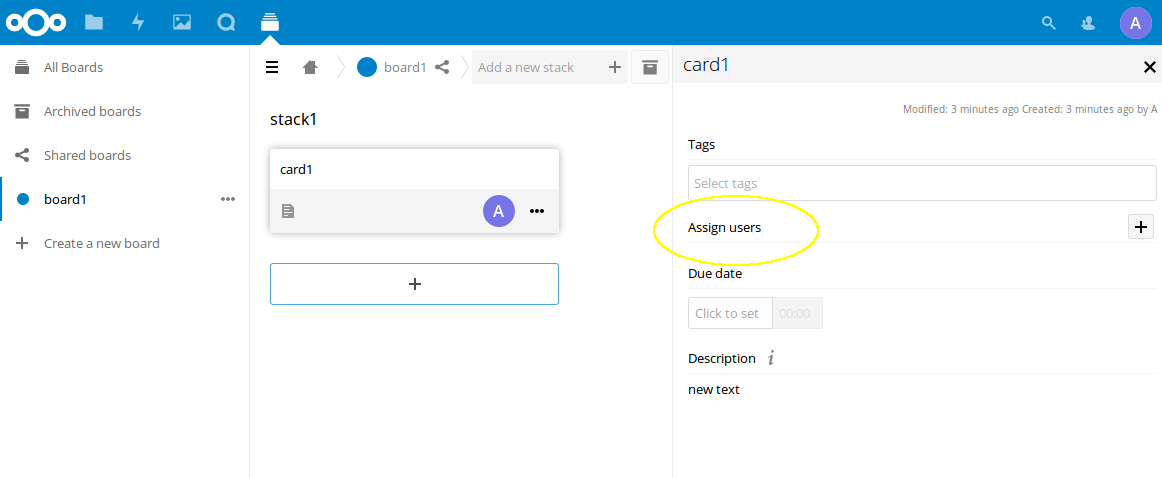
Workaround
Just close and reopen card view -> the assigned user is displayed correctly in card view
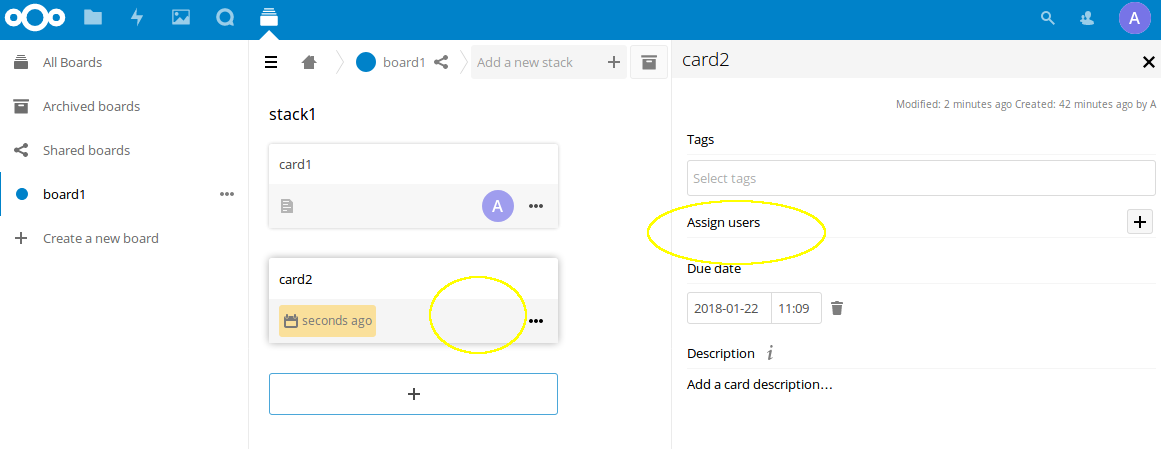
2. Due date lets disappear assigned user in card view and board view
Steps to reproduce
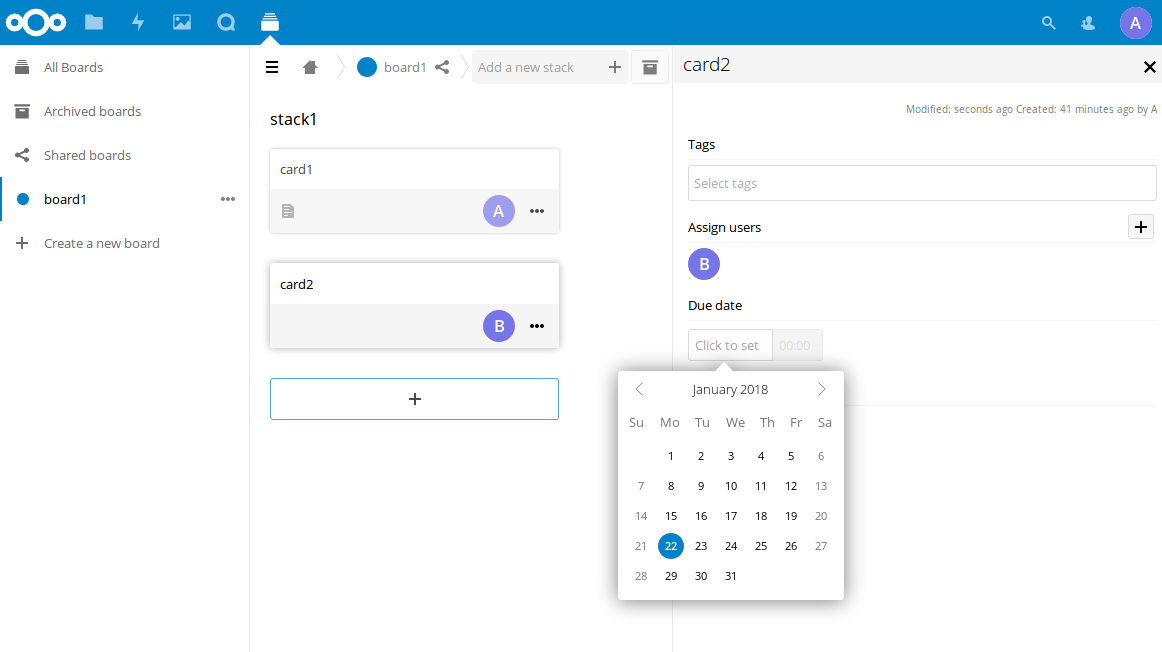
2.1. Assign a user -> the user is shown in board view and card view correctly
2.2 chose due date:
Actual behaviour
After setting the due date the assigned user is whether shown in board view and card view:
Workaround
Close and reopen (just close is not enough) the card view -> in board view the assigned user is displayed correctly
Note
When adding or deleting tags, the card view and board view sync immediately like expected