A virtual TV channel generator built on top of Jellyfin. JellyStream creates 24/7 streaming channels with persistent, genre-based schedules, generates M3U playlists and XMLTV EPG data, and proxies video through ffmpeg with time-offset support — so viewers always tune in mid-show at the correct position, just like a real TV channel.
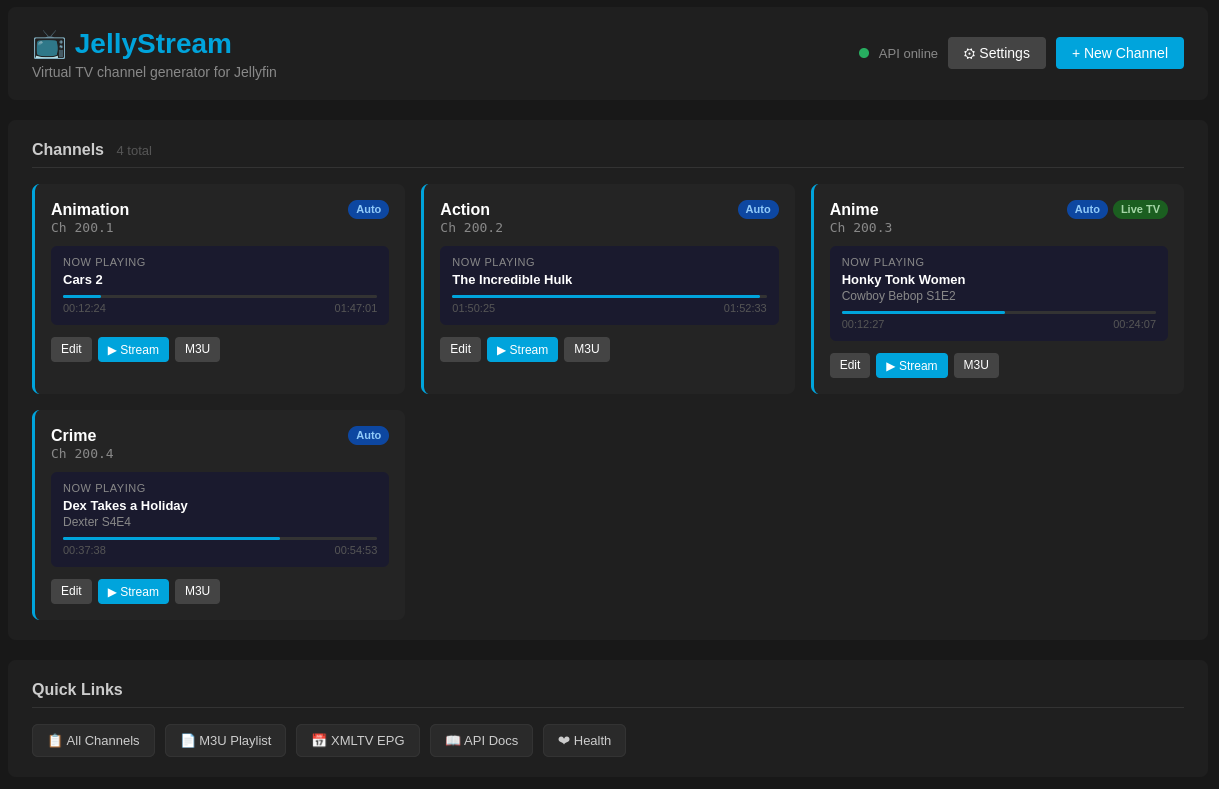
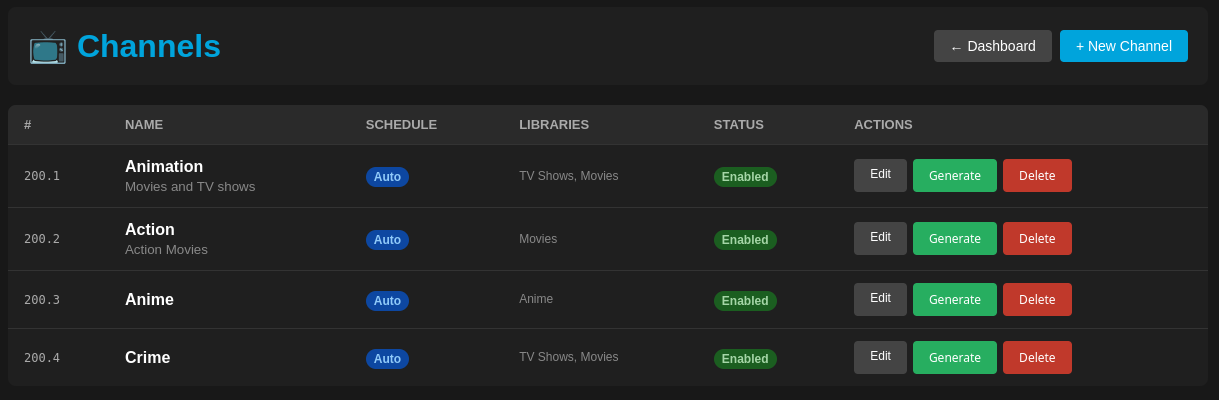
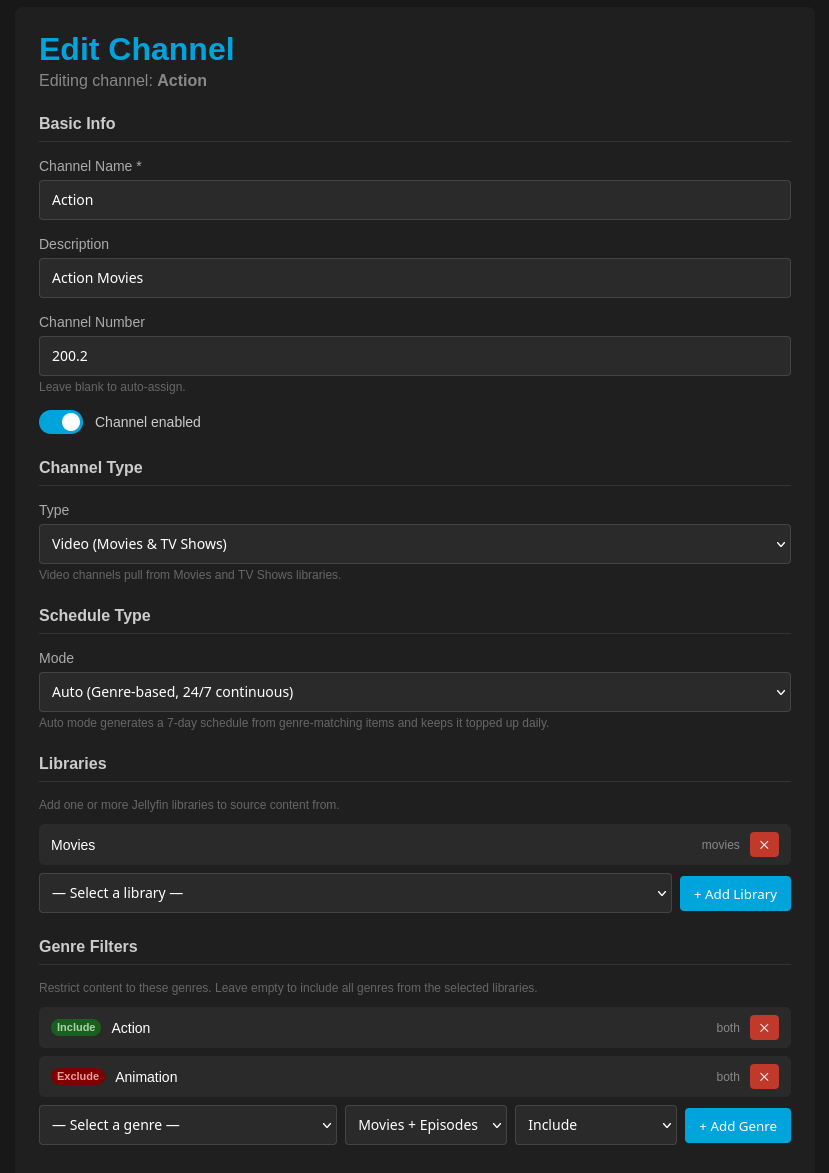
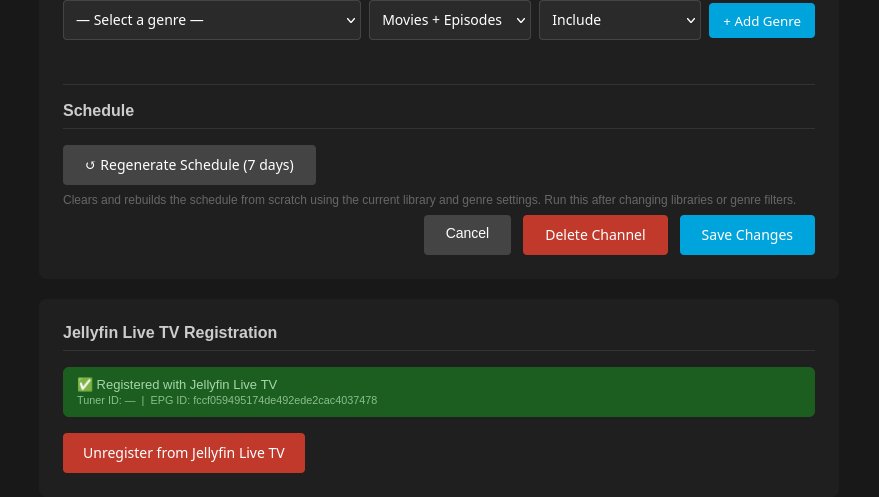
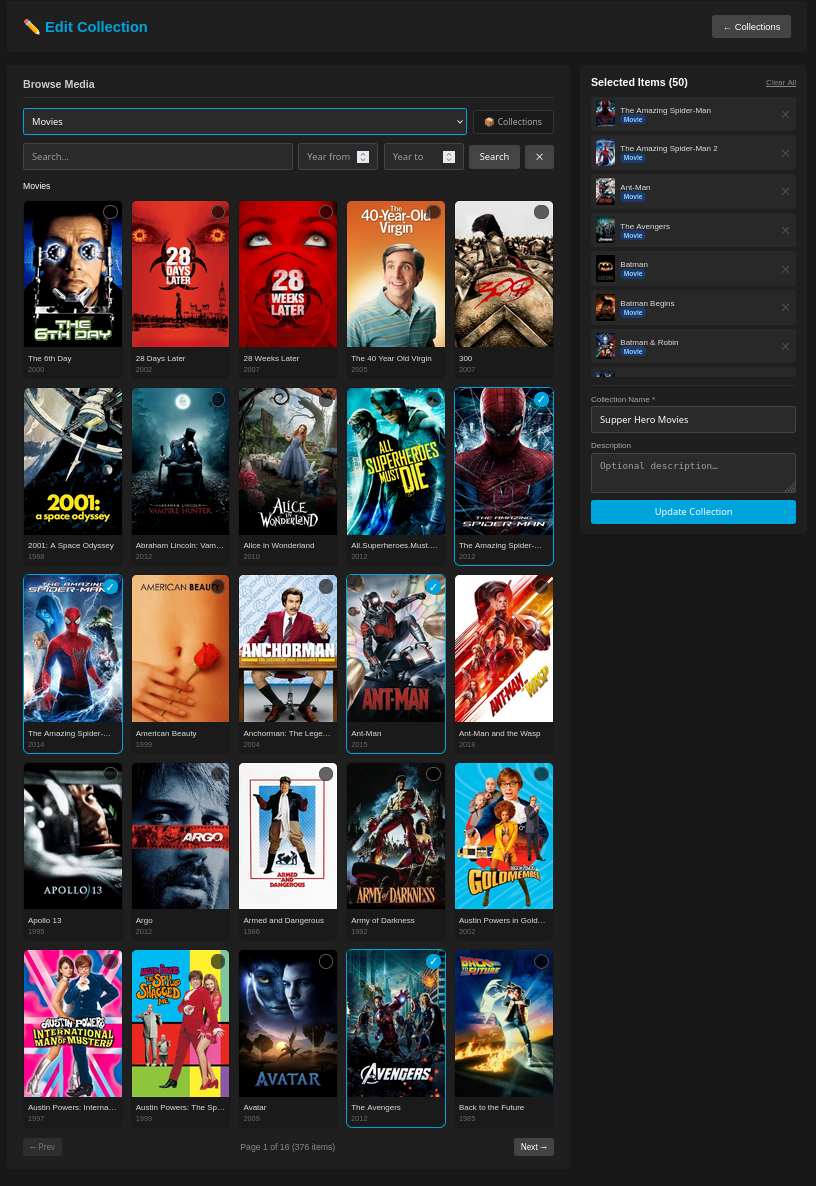
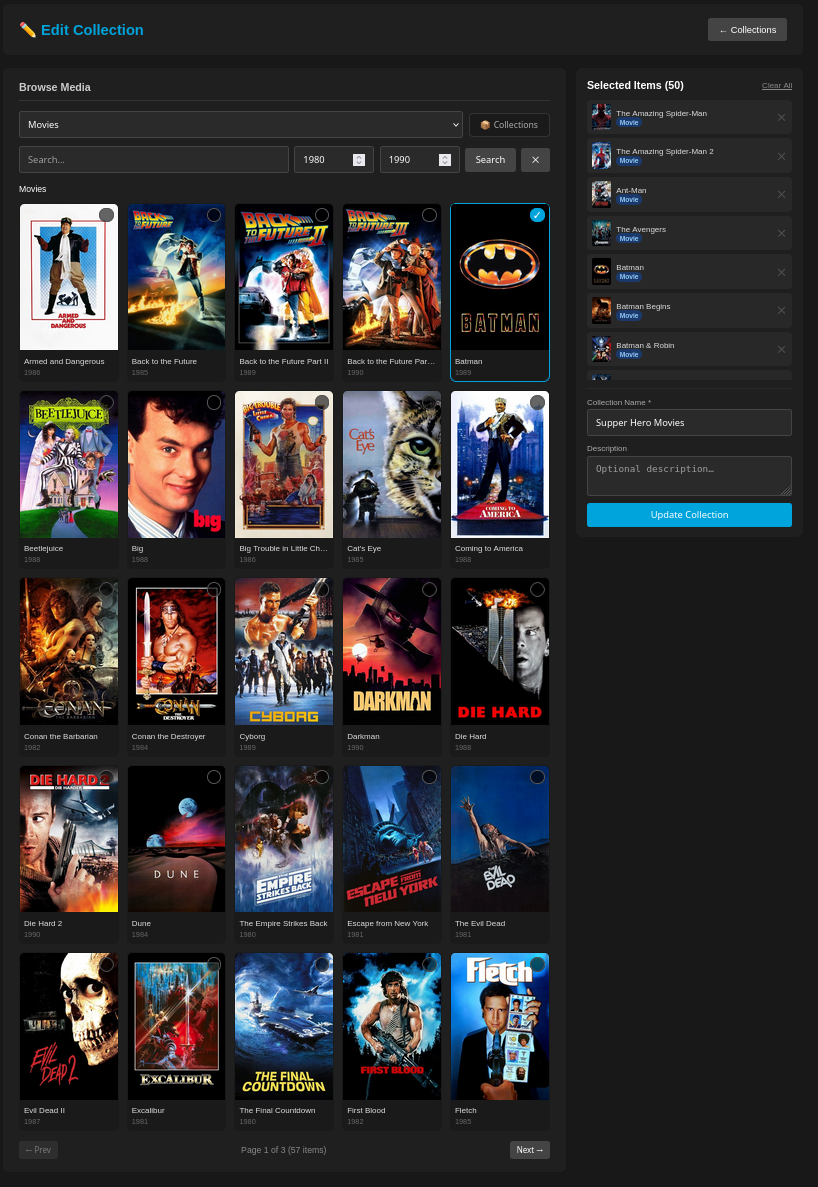
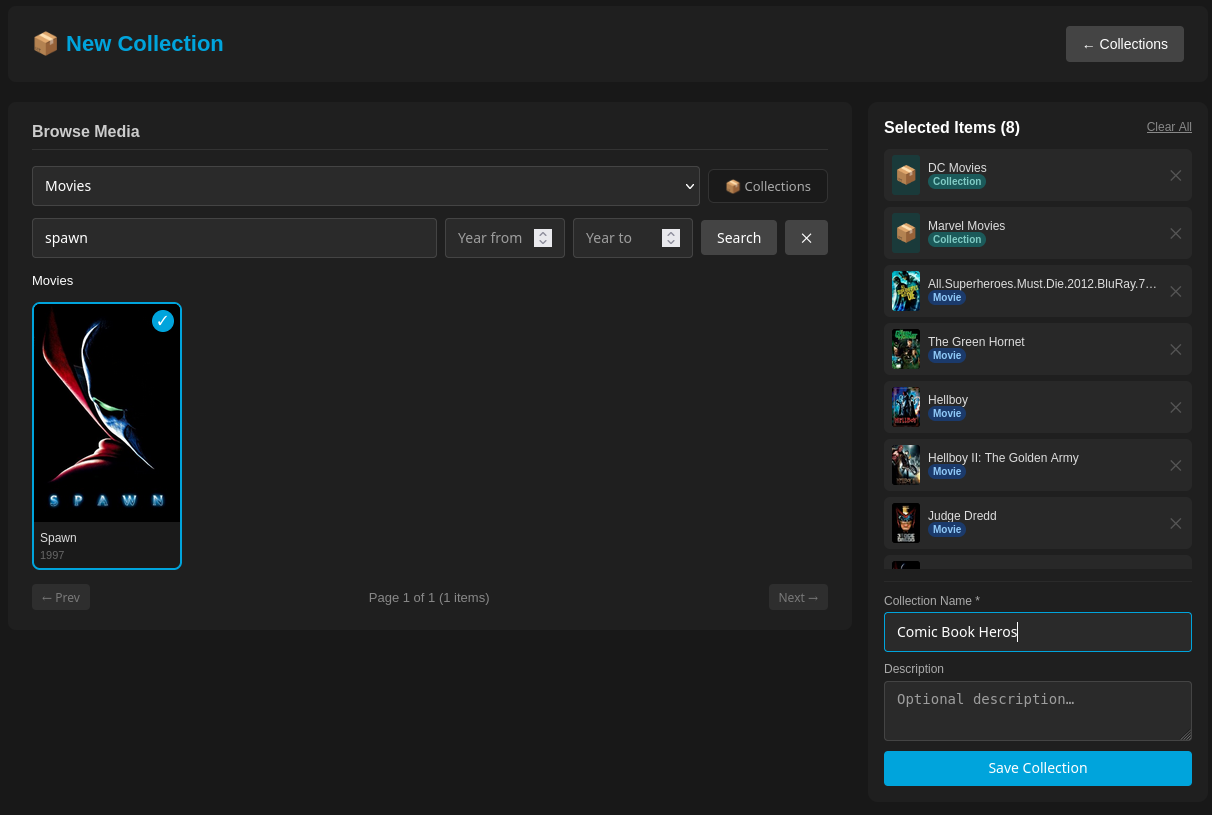
- Create a Channel and assign one or more Jellyfin libraries to it
- Optionally add a Collection as an additional content source (see Collections below)
- Add genre filters to include only matching content (and optionally exclude genres)
- JellyStream auto-generates a 7-day schedule from matching Jellyfin items
- The schedule is persistent — the same content plays at the same time on every device
- Point Jellyfin Live TV (or any IPTV player) at the M3U and XMLTV endpoints
- When a viewer tunes in, ffmpeg seeks to the correct time offset — no restarting from the beginning
- A background scheduler (APScheduler) runs nightly to keep schedules 48+ hours ahead
- Genre-based auto-scheduling — fills 7 days forward from Jellyfin content matching your genre filters
- Genre include/exclude — include genres you want, exclude genres you don't (e.g. Action channel that excludes Animation)
- Multiple libraries per channel — mix Movies and TV Shows on one channel
- Collections — curate hand-picked sets of movies, series, seasons, or episodes; use them as channel content sources alongside or instead of libraries
- Collection browser — browse your Jellyfin libraries in a visual grid, drill into series/seasons/episodes, and build collections with a shopping-cart UI
- Jellyfin boxset import — import an existing Jellyfin boxset as a JellyStream collection in one click
- Collection verify — check which collection items are still on disk, have moved, or have been deleted from Jellyfin
- Persistent EPG — schedules stored in SQLite; same time slot = same content regardless of viewer
- M3U + XMLTV endpoints — 3-hour lookback, 7-day forward window for full EPG coverage
- ffmpeg stream proxy with time-offset —
-ssseek so viewers join at the correct position - Preferred audio language — configurable ISO 639-2 code (e.g.
eng,jpn); falls back to first track - Jellyfin Live TV registration — register the M3U tuner and XMLTV listing provider directly from the UI
- APScheduler background job — daily 2 AM job extends schedules for channels running low
- Web interface — PHP + Lighttpd frontend for managing channels, collections, and schedules
- Comprehensive logging — daily rotating log files with configurable level
- Python 3.11+
- Jellyfin server with API key
- ffmpeg and ffprobe (required for stream proxy and audio language detection)
- PHP 8.x + Lighttpd (for the web interface; included in Docker)
git clone <repository-url>
cd jellystream
./setup.sh
setup.sh will:
- Install system packages (python3-venv, ffmpeg on Debian/Ubuntu)
- Create a virtual environment and install Python dependencies
- Copy
.env.example→.envand prompt for Jellyfin URL and API key
Then start the application:
./start.shpython3 -m venv venv
source venv/bin/activate
pip install -r requirements.txt
cp .env.example .env
# Edit .env — set JELLYFIN_URL and JELLYFIN_API_KEY at minimum
python3 run.pycp .env.example .env
# Edit .env with your Jellyfin details
docker compose up -dThe API is on port 8000, the web interface on port 8080.
Copy .env.example to .env and set the values for your environment. Minimum required:
JELLYFIN_URL=http://your-jellyfin-server:8096
JELLYFIN_API_KEY=your_api_key_here
JELLYSTREAM_PUBLIC_URL=http://your-jellystream-host:8000  # must be reachable by Jellyfin
Key optional settings:
| Variable | Default | Description |
|---|---|---|
PREFERRED_AUDIO_LANGUAGE |
eng |
ISO 639-2 code for preferred audio track (eng, jpn, fre, …) |
MEDIA_PATH_MAP |
(empty) | Remap Jellyfin file paths for direct local access (/jf/prefix:/local/prefix) |
SCHEDULER_ENABLED |
True |
Enable/disable the nightly schedule-extension job |
LOG_LEVEL |
INFO |
DEBUG, INFO, WARNING, ERROR, or CRITICAL |
See .env.example for the full list.
Once running:
| URL | Description |
|---|---|
http://localhost:8000/ |
Web interface (served via PHP/Lighttpd on port 8080 in Docker) |
http://localhost:8000/docs |
Swagger API documentation |
http://localhost:8000/api/livetv/m3u/all |
M3U playlist (all channels) |
http://localhost:8000/api/livetv/xmltv/all |
XMLTV EPG (all channels) |
http://localhost:8000/api/livetv/stream/{id} |
Live stream for channel {id} |
Collections are curated sets of media items — movies, TV series, seasons, or individual episodes — that you assemble manually from your Jellyfin libraries. Once created, a collection can be attached to one or more channels as a content source, giving you precise control over what plays on a channel.
- Go to Collections in the web UI and click New Collection
- Use the browser panel to pick a library, filter by type (Movies / Series) or search by title
- Drill into a series to browse seasons, then into a season to select individual episodes
- Click items to add them to the Selected Items cart on the right
- Give the collection a name and click Save Collection
On the Collections list page, click Import Boxset to pull in an existing Jellyfin boxset. JellyStream fetches all items from the boxset, enriches them with NFO metadata and thumbnail paths, and saves them as a local collection.
In the Channel editor, scroll to Collection Sources and pick a collection from the dropdown. The collection's items are merged into the channel's content pool alongside any library-sourced items. Genre filters apply to both sources using the stored genre metadata — no extra Jellyfin queries needed at schedule generation time.
A channel can use libraries only, collections only, or both together.
On the Collections list page, click Verify next to any collection. JellyStream checks each item's file path on disk and reports:
| Status | Meaning |
|---|---|
| ✓ ok | File exists at the stored path |
| ⚠ moved | File is missing locally but Jellyfin reports a new path |
| ✗ deleted | File is missing and Jellyfin has no record of it |
| ? no path | Item has no stored file path (stream-only content) |
jellystream/
├── app/
│   ├── api/              # FastAPI route handlers
│   │   ├── channels.py       # Channel CRUD (JSON body, Pydantic)
│   │   ├── collections.py    # Collection CRUD + import + verify
│   │   ├── schedules.py      # Schedule entries + "now playing"
│   │   ├── livetv.py         # M3U, XMLTV, stream proxy route
│   │   ├── jellyfin.py       # Jellyfin library/genre/browse endpoints
│   │   └── schemas.py        # Pydantic request/response models
│   ├── core/             # Config, database init, logging
│   ├── integrations/     # JellyfinClient (auth, items, stream URL, browse)
│   ├── models/           # SQLAlchemy models
│   │   ├── channel.py
│   │   ├── channel_library.py
│   │   ├── channel_collection_source.py  # Channel ↔ Collection join
│   │   ├── collection.py
│   │   ├── collection_item.py
│   │   ├── genre_filter.py
│   │   └── schedule_entry.py
│   ├── services/         # Business logic
│   │   ├── collection_service.py  # NFO/thumbnail enrichment + verify
│   │   ├── schedule_generator.py  # Genre-based 7-day schedule builder
│   │   ├── stream_proxy.py        # ffmpeg proxy with time-offset + language selection
│   │   └── scheduler.py           # APScheduler daily job
│   └── web/
│       └── php/          # Lighttpd + PHP web interface
│           └── pages/
│               ├── channels.php
│               ├── channel_edit.php
│               ├── collections.php
│               └── collection_edit.php
├── data/
│   ├── database/         # SQLite database (auto-created)
│   ├── commercials/      # (reserved for future filler content)
│   └── logos/            # (reserved for future channel logos)
├── docker/               # Docker build files
├── docs/                 # API documentation
├── logs/                 # Rotating log files (auto-created)
├── .env.example          # Configuration template
├── docker-compose.yml
├── requirements.txt
├── run.py                # Application launcher
├── setup.sh              # Automated setup script
└── start.sh              # Quick start with venv activation
- In the JellyStream web UI, open a channel and click Register with Jellyfin Live TV
- Enter the public JellyStream URL (must be reachable from the Jellyfin server, e.g.
http://192.168.1.100:8000) - JellyStream registers a single M3U tuner and XMLTV listing provider in Jellyfin — all channels are covered by one registration
- In Jellyfin → Dashboard → Live TV, refresh the guide and all JellyStream channels will appear
- Filler content: commercials, bumpers, static images between shows
- Channel logo watermark (ffmpeg overlay)
- Episode/movie deselection per channel
- Holiday schedule overrides
- User authentication for the web interface
Interactive Swagger docs are available at http://localhost:8000/docs when the server is running. See docs/API.md for static documentation.
MIT License