
Build Micro Apps with No Code
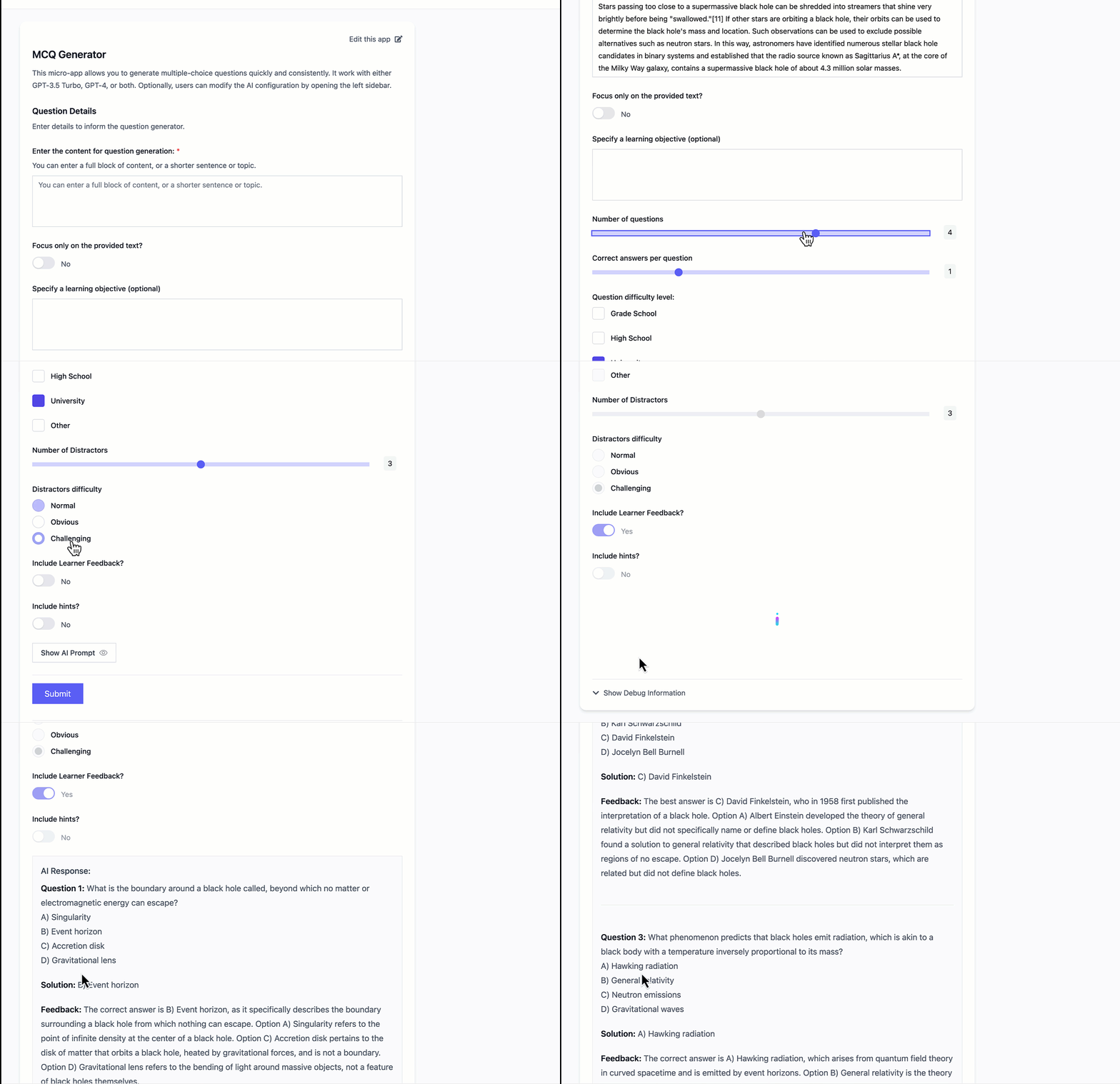
OnMicro.AI is a user-friendly platform that allows educators to build and deploy AI applications as easily as creating a Google form. The platform's mission is to provide agency over AI for educators through accessible tools and research, putting them in the driver's seat rather than treating AI as a black box of complex algorithms.
- No-Code App Builder: Create AI-powered educational applications using a drag-and-drop editor without writing any code
- Educational Focus: Build applications that leverage AI to accelerate course development, scale feedback, or automate assessment while protecting your pedagogical approach
- Instant Sharing: Share applications seamlessly with colleagues, students, or the public
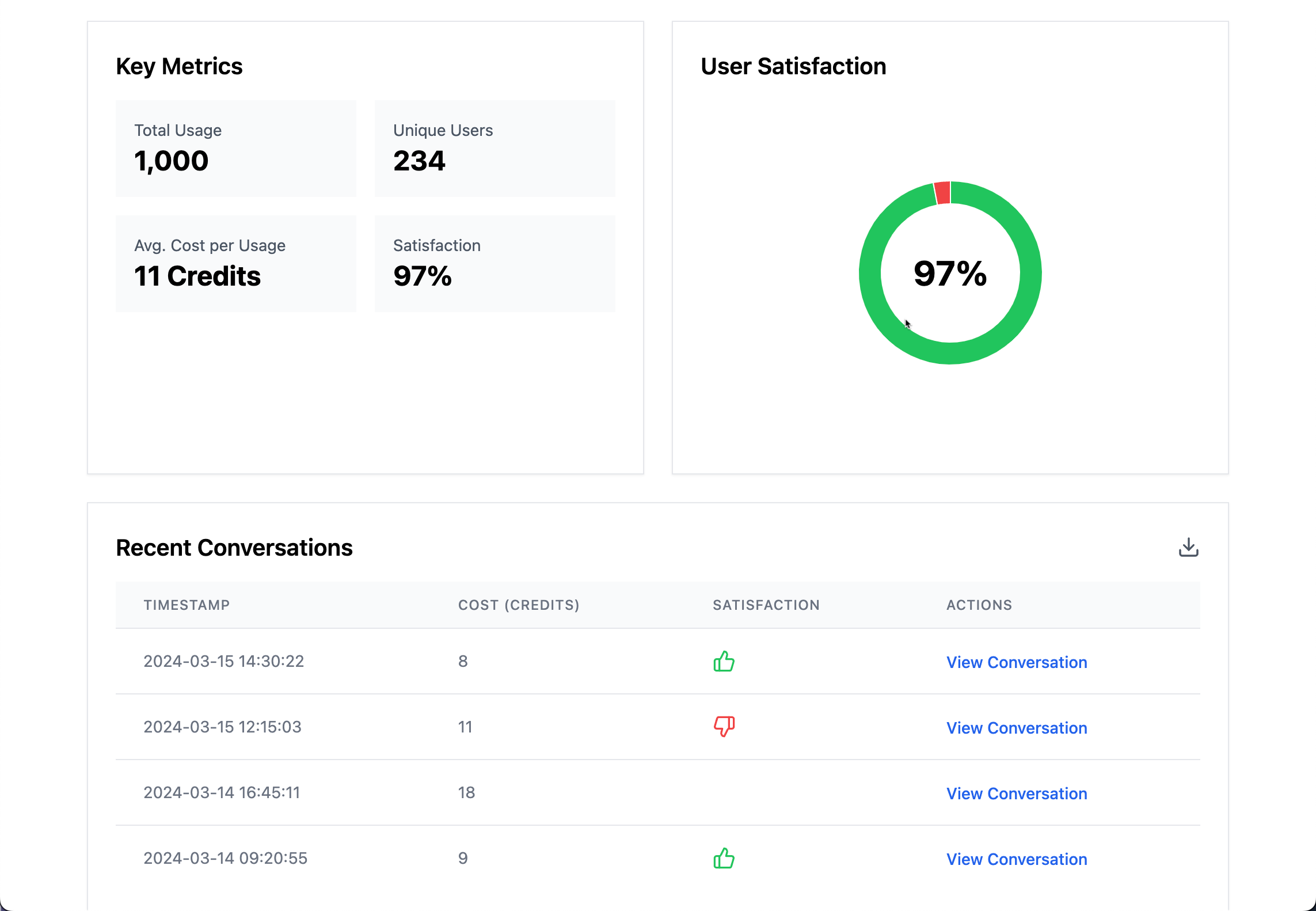
- Data Analysis: Gather valuable metrics about usage, cost, satisfaction, and accuracy to make informed decisions about AI implementation
- Diverse AI Models: Access to various AI models including GPT 4o-mini, Claude Haiku, Google Gemini Flash, and more advanced options in higher tiers

Before you begin, make sure you have the following installed:
- Docker - Version 20.10 or higher
- Docker Compose - Version 2.0 or higher
- Clone the Repository
git clone https://github.com/onmicroai/micro_ai.git
cd micro_ai- Environment Setup
The application will automatically create a
.envfile with default settings. If you need to customize the environment variables, you can edit the.envfile.
For test-fly do
cp .env.example .env
- Start the Application
docker-compose up -dThis command will:
- Build and start all necessary containers (Frontend, Backend, Database, etc.)
- Run database migrations
- Start the development servers
- Access the Application Once all containers are running, you can access:
- Main application: http://localhost
- Admin interface: http://localhost:8000/admin
- API documentation: http://localhost:8000/api/schema/
The project consists of several components:
frontend/: Next.js frontend applicationbackend/: Django backend applicationnginx/: Nginx configuration for serving the applicationdocker-compose.yml: Docker configuration for all services
If you encounter any issues:
- Make sure all required ports (80, 8000, 5432) are available on your system
- Check if Docker and Docker Compose are running properly
- Try stopping and removing all containers:
docker compose down- Rebuild the containers:
docker compose build
docker compose upFor support, please:
- Open an issue in the GitHub repository
- Contact the development team at john@onmicro.ai
We welcome contributions to OnMicro.AI! Here's how you can help:
-
Fork the Repository
- Go to https://github.com/onmicroai/micro_ai
- Click the "Fork" button in the top-right corner
- Clone your forked repository locally
-
Create a Feature Branch
git checkout -b feature/your-feature-name # or git checkout -b fix/your-fix-name -
Make Your Changes
- Write clear, descriptive commit messages
- Follow the existing code style
- Add tests for new features
- Update documentation as needed
-
Submit a Pull Request
- Push your changes to your fork
- Go to the original repository
- Click "New Pull Request"
- Select your feature branch
- Fill out the pull request template
- Submit and wait for review
-
Code Review Process
- Address any feedback from reviewers
- Make requested changes
- Ensure all tests pass
- Keep the PR up to date with the main branch
- Follow PEP 8 style guide for Python code
- Use ESLint and Prettier for JavaScript/TypeScript code
- Write meaningful commit messages following Conventional Commits specification:
<type>: #<issue-number> <description> [optional body]- Types:
feat: New feature (correlates with MINOR in SemVer)fix: Bug fix (correlates with PATCH in SemVer)docs: Documentation changesstyle: Code style changes (formatting, etc.)refactor: Code changes that neither fix a bug nor add a featureperf: Performance improvementstest: Adding or modifying testsbuild: Changes that affect the build systemci: Changes to CI configuration fileschore: Other changes that don't modify source or test files
- Breaking changes must be indicated with
!after type/scope or withBREAKING CHANGE:footer - Always include the issue number in the commit message using
#<issue-number> - Examples:
feat: #123 change authentication method to OAuth2 #123fix: #111 handle null response from external service #456docs: #115 update installation instructions #789
- Types:
- Include tests for new features and bug fixes
- Update documentation for any changes