MCKIN-12203 AF#91-MRQ-Ensure custom controls are keyboard accessible #249
Conversation


|
@xitij2000 Please review. |
|
@xitij2000 Reminder: to review this one, thanks. |

|
@nasirhjafri, I am reviewing this today and hope to have a review pass done before my EOD today. |

|
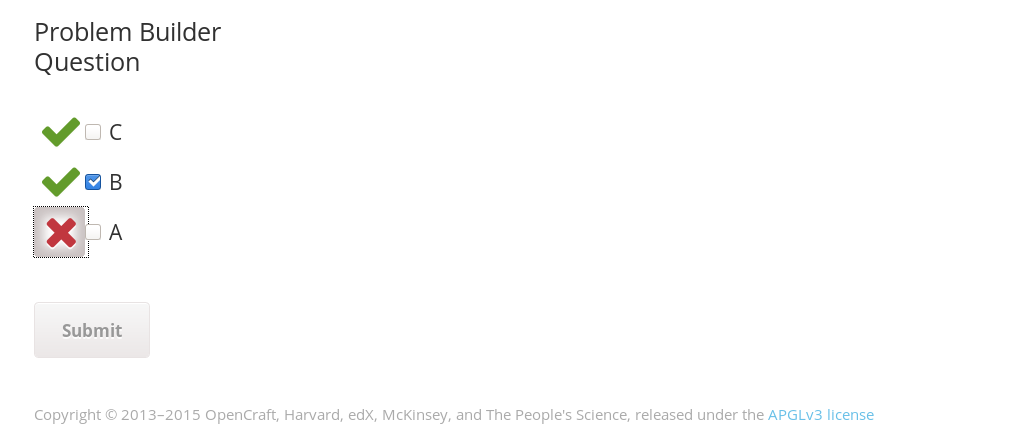
@nasirhjafri, I tested this on the Ironwood devstack by adding a problem-builder XBlock MRQ to a course and then tabbing through the page elements with the keyboard and verified that the buttons with the
However I see a couple of issues, which are highlighted in the screenshot. The dotted border for the highlight extends slightly beyond the edges of the highlight background color and that looks odd. Also with the dotted border, the button appears to overlap a bit with the checkbox which makes it look ugly. Perhaps the margin/padding need to be updated? Increasing the margin from the browser developer tools worked as a temporary fix for me. |


Co-Authored-By: Guruprasad <lgp171188@users.noreply.github.com>
 lgp171188
left a comment
lgp171188
left a comment
lgp171188
left a comment
There was a problem hiding this comment.
@nasirhjafri,:+1:. This is good to merge after addressing the version bump review comment
- I tested this on the Ironwood devstack and verified that the feedback controls are keyboard accessible. I also verified that the issues raised in my previous comments are now fixed.
- I read through the code
- I checked for accessibility issues
-
Includes documentationNA
|
@lgp171188 Thanks for reviewing. |

2 participants


MCKIN-12203 AF#91-MRQ-Ensure custom controls are keyboard accessible
Description
[Issue]
The feedback icons aren't keyboard accessible since div elements do not natively receive keyboard focus.
[User Impact]
When custom elements do not provide keyboard access, keyboard only users and users of assistive technology may not be able to use or interact with the custom control.
[Code Reference]
Environment
[Recommended Solution]
Use the element to ensure keyboard focus by default.