
Official Distribution Repository for Toast App - A Customizable Shortcut Launcher for macOS and Windows
Toast is the official distribution repository for Toast App. This repository is used to manage and distribute release versions of the built Toast App.
Toast App is a productivity tool that allows users to define custom shortcuts and actions. When triggered with a global hotkey, Toast displays a popup with user-defined buttons. Each button can be assigned a specific action or command to execute.
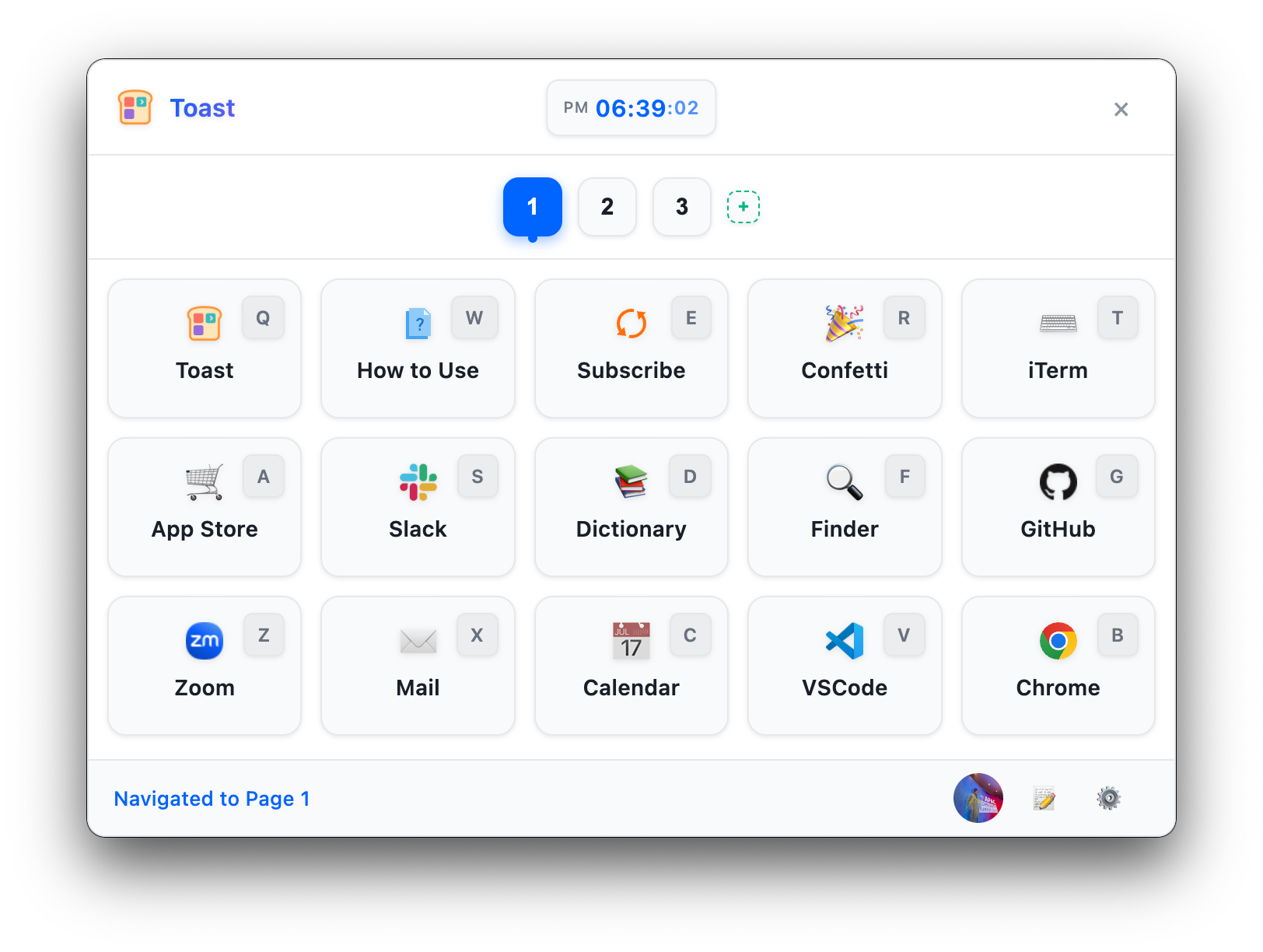
You can download the latest Toast App through the following methods:
Download the latest version from the Releases page:
- macOS:
Toast-App-mac.dmg - Windows:
Toast-App-win.exe
macOS users can install via Homebrew:
brew install --cask opspresso/tap/toastTo uninstall:
brew uninstall --cask opspresso/tap/toast- Global hotkey to trigger the Toast popup
- Multiple pages of customizable buttons:
- Free users: 1 page
- Authenticated users: Up to 3 pages
- Subscribers: Up to 9 pages
- Settings Mode for quick button and page editing
- Customizable buttons with user-defined actions
- Support for keyboard shortcuts to trigger specific actions
- Multiple action types:
- Execute commands
- Open URLs and files
- Trigger keyboard shortcuts
- Run scripts (JavaScript, AppleScript, PowerShell, Bash)
- Chain actions together in sequence
- Cross-platform support (macOS and Windows)
- Theme support (light, dark or system)
- Customizable position and size
- Minimal and non-intrusive UI
- Runs in the background with system tray integration
- Automatic updates
- Integration with Toast Web for authentication and subscription management
- After installation, Toast App runs in the background with an icon in the system tray/menu bar.
- Press the global hotkey (default:
Alt+Space) to open the Toast popup. - Navigate between pages using the number keys (1-9) or by clicking the page tabs.
- Click on a button or use the corresponding shortcut key to execute an action.
- Right-click on the system tray icon to access settings, add new buttons, or quit the application.
- Toggle settings mode by clicking the gear icon (⚙️) or pressing the comma key (,) to edit buttons and pages.
Toast App supports automatic updates. When a new version is released, the application will automatically display a notification and suggest an update.
To update manually:
- Download the latest version from the Releases page
- Uninstall the existing installation (optional)
- Install the new version
Homebrew users can update with the following command:
brew upgrade opspresso/tap/toastSolutions for common issues:
-
Application fails to start
- Verify that your system meets the requirements
- Try uninstalling previous versions and reinstalling
-
Hotkeys not working
- Check for conflicts with other applications
- Reset shortcuts in settings
-
Cannot access subscription features
- Ensure you are logged into your Toast Web account
- Check your internet connection
For more troubleshooting solutions, refer to the documentation included with the application or visit app.toast.sh for support.
Toast App integrates with Toast Web for user authentication and subscription management:
- User account creation and authentication
- Subscription management for premium features
- Secure access to paid features based on subscription status
- Seamless login experience via system browser
Users can create an account and manage their subscription at app.toast.sh.
- macOS: 10.13 (High Sierra) or later
- Windows: Windows 10 or later
- Storage: Minimum 100MB
- Memory: Minimum 2GB RAM
MIT License - See the LICENSE file for details.