
Modern LSPIV toolkit for water-surface velocity analysis and flow discharge measurements






RIVeR (Rectification of Image Velocity Results) is a modern, open-source toolkit for Large Scale Particle Image Velocimetry (LSPIV) distributed by ORUS. Built with Python and React, it provides a user-friendly interface for water-surface velocity analysis and flow discharge measurements in rivers and large-scale hydraulic models.
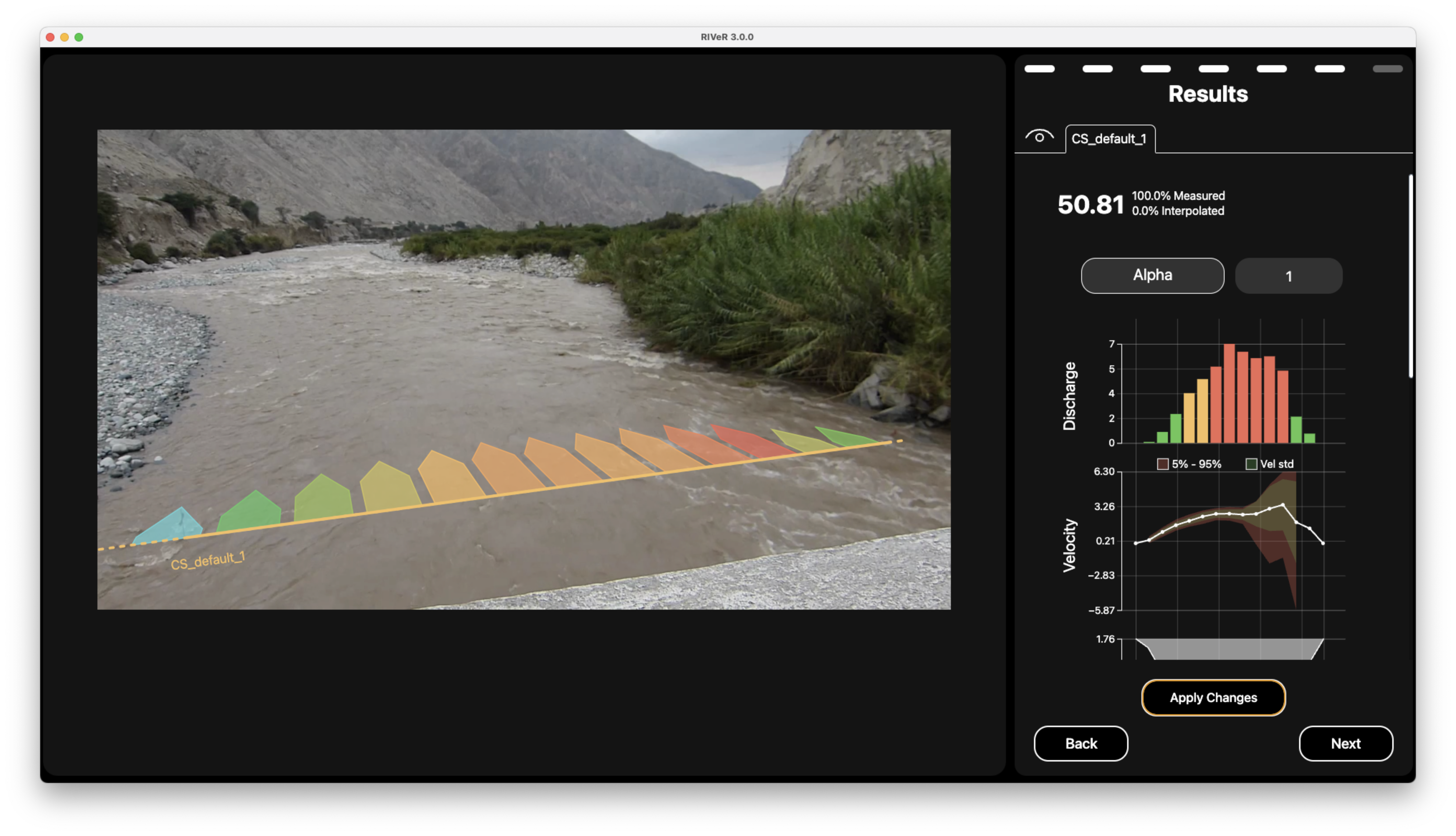
Example of RIVeR velocimetry analysis of river flow
RIVeR is a specialized tool for applying Large Scale Particle Image Velocimetry (LSPIV) techniques as a non-contact method to estimate discharge in rivers and channels from video footage. The software guides the process through intuitive defaults and pre-configured settings, enabling users to generate discharge calculations without extensive prior knowledge of the technique. The workflow guides users through a series of straightforward steps culminating in comprehensive visual reports.
Originally developed in MATLAB in 2015 and well-received by the hydrology community, RIVeR has now been reimplemented in Python and JavaScript to improve accessibility, performance, and cross-platform compatibility.
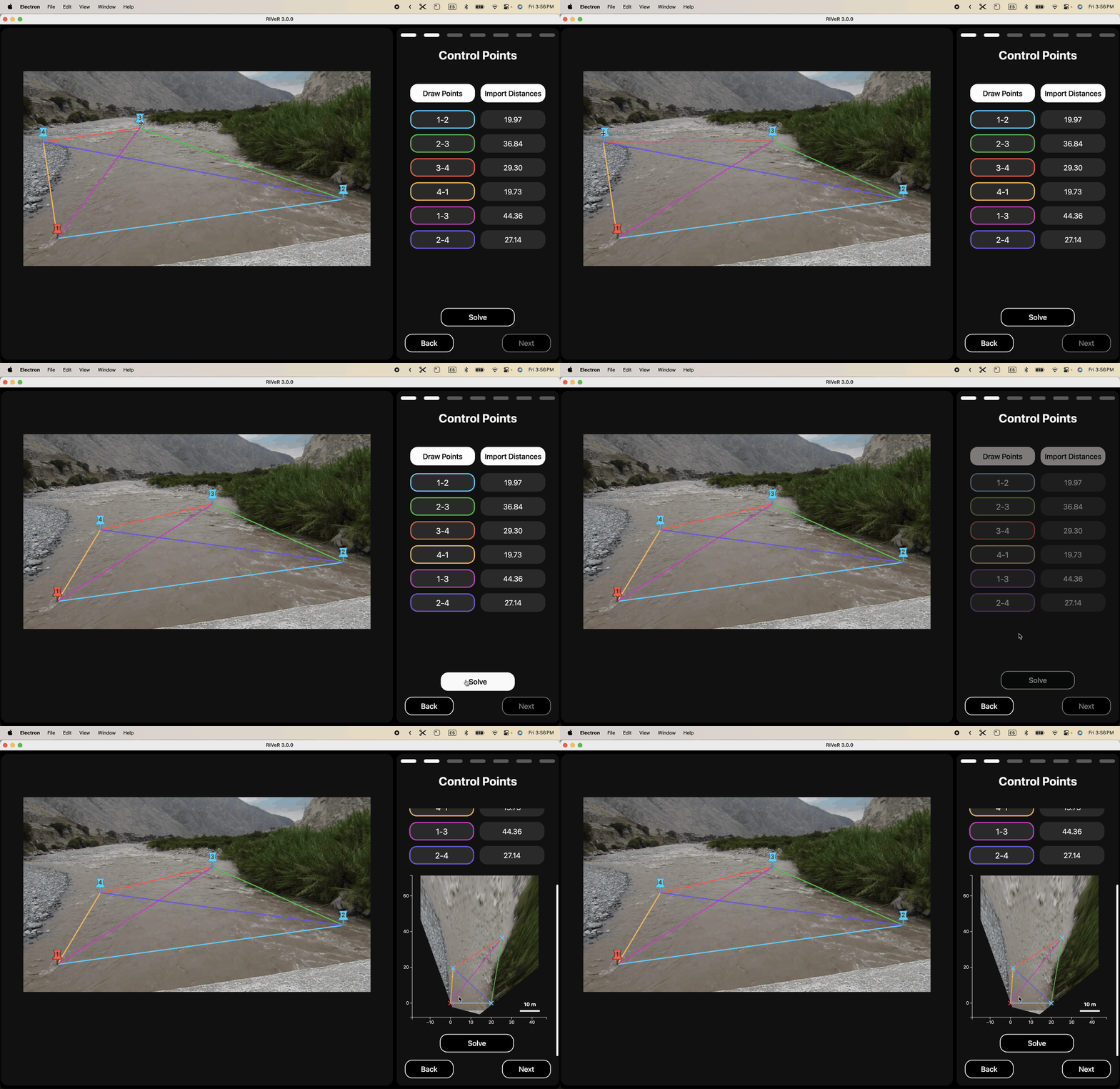
Demonstration of interactive oblique image rectification process in RIVeR
For a detailed step-by-step guide on using RIVeR's GUI (Graphical User Interface), please refer to the User Manual.
- Process footage from multiple sources:
- UAV/drone aerial imagery
- Oblique view camera (from riverbank)
- Fixed station cameras (contiunous monitoring)
- Drag-and-drop interface for quick video and data imports
- Frame extraction from videos with customizable parameters
- FFT-based PIV analysis with multi-pass support for increased accuracy
- Interactive result visualization with customizable vector fields
- Georeferencing and coordinate transformations
- Multi Cross-sectional flow analysis
- Automated beautiful report generation (like this one !)
- Multi-platform support (Windows, macOS, Linux)
- RIVeR available in multiple languages!
- English 🇺🇸
- Spanish 🇦🇷
- French 🇫🇷
- Italian 🇮🇹
- Portuguese 🇧🇷
- German 🇩🇪
- [More coming soon!]
If you don't want to bother with code at all (we get it, sometimes you just want things to work!), pre-compiled standalone versions are available:
| ⊞ Windows | ⌘ macOS | ◆ Linux |
|---|---|---|
| EXE | DMG | DEB RPM |
These packages include both the GUI and CLI tools in a ready-to-use application. No Python or JavaScript knowledge required!
These packages include both the GUI and CLI tools in a ready-to-use application. Simply download, extract (if needed), and run the application - no Python or JavaScript knowledge required!
For those who prefer to work with the source code or contribute to RIVeR's development, here's how to get started:
- Python 3.12+
- pip package manager
- Git (for cloning the repository)
git clone https://github.com/oruscam/RIVeR.git
cd RIVeR
pip install -e .RIVeR CLI provides a comprehensive set of commands for performing LSPIV analysis through the command line.
pip install river-cliriver-cli [OPTIONS] COMMAND [ARGS]...To see all available commands and options:
river-cli --help# 1. Extract frames from video
river-cli video-to-frames river_video.mp4 ./frames --every 2
# 2. Generate transformation matrix
river-cli get-uav-transformation-matrix 100 200 300 400 0 0 10 10 \
--image-path ./frames/frame_001.jpg
# 3. Create ROI mask from cross-sections
# This writes mask.json, bbox.json and mask.png into --workdir
river-cli create-mask-and-bbox 3 \
./frames/frame_001.jpg \
./xsections.json \
./transformation_matrix.json \
--workdir ./workdir \
--save-png-mask
# 4. (Optional) Create one or more user masks from polygon coordinates
river-cli create-user-mask ./frames/frame_001.jpg \
--workdir ./workdir \
--index 1 \
--point 120 340 --point 220 500 --point 400 420
river-cli create-user-mask ./frames/frame_001.jpg \
--workdir ./workdir \
--index 2 \
--point 600 300 --point 750 600 --point 900 450
# 5. Compile ROI mask and user masks into a final mask
# 0 is dominant: final = ROI AND all user masks
river-cli compile-masks \
--workdir ./workdir \
--roi ./workdir/mask.json \
--usr ./workdir/usr_mask_1.json \
--usr ./workdir/usr_mask_2.json \
--out final_mask.json \
--save-png-mask
# 6. Run PIV analysis using the final mask
river-cli piv-analyze ./frames \
--mask ./workdir/final_mask.json \
--workdir ./results
# 7. Calculate discharge
river-cli update-xsection \
./xsections.json \
./results/piv_results.json \
./transformation_matrix.json \
--step 2 --fps 30 --id-section 0
RIVeR also provides a user-friendly graphical interface built with React. The GUI offers an intuitive way to perform LSPIV analysis without using command-line tools.
Key GUI features include:
- Interactive workflow interface
- Visual cross-section creation
- Real-time PIV analysis visualization
- Result export capabilities
For detailed information about installation, usage, and features of the GUI, please see the dedicated GUI documentation.
river/
.
├── LICENSE
├── examples       # Jupyter examples
│   ├── 00_introduction.ipynb
│   ├── 01_video_to_frames.ipynb
│   ├── 02a_nadir_transformation.ipynb
│   ├── 02b_oblique_transformation.ipynb
│   ├── 02c_fixed_station_transformation.ipynb
│   ├── 03_cross_sections.ipynb
│   ├── 04_piv_analysis.ipynb
│   ├── 05_discharge_calculation.ipynb
│   ├── data
│   ├── results
│   └── utils
├── gui
├── pyproject.toml
├── readme.md
├── requirements.txt
└── river
    ├── cli
    ├── core
    │   ├── compute_section.py       # Section computation utilities
    │   ├── coordinate_transform.py   # Coordinate system transformations
    │   ├── define_roi_masks.py      # ROI and mask definitions
    │   ├── exceptions.py            # Custom exceptions
    │   ├── image_preprocessing.py   # Image preparation tools
    │   ├── matlab_smoothn.py        # Smoothing algorithms
    │   ├── piv_fftmulti.py         # FFT-based PIV processing
    │   ├── piv_loop.py             # PIV processing loop
    │   ├── piv_pipeline.py         # Main PIV pipeline
    │   └── video_to_frames.py      # Video frame extraction
    └── docs
Browse through our collection of Jupyter Notebook examples to learn how to use RIVeR for various analyses (requires development installation):
- Introduction to RIVeR
- Video Frame Extraction
- UAV/Drone Transformations
- Oblique View Transformations
- Fixed Station Transformations
- Cross Section Analysis
- PIV Analysis Workflow
- Discharge Calculation
These interactive examples provide step-by-step guidance for common RIVeR workflows. To run them, make sure you've completed the development installation described above.
If you use RIVeR in your research, please cite:
@article{patalano2017river,
    title={Rectification of Image Velocity Results (RIVeR): A simple and user-friendly toolbox
           for large scale water surface Particle Image Velocimetry (PIV) and
           Particle Tracking Velocimetry (PTV)},
    author={Patalano, Antoine and García, Carlos Marcelo and Rodríguez, Andrés},
    journal={Computers \& Geosciences},
    volume={105},
    pages={103--114},
    year={2017},
    publisher={Elsevier}
}- Antoine Patalano - Project Lead, Feature Development - [UNC/ORUS]
- Leandro Massó - Feature Development - [UNC/ORUS]
- Nicolas Stefani - CLI & Backend Development
- Tomas Stefani - Frontend Development
Contributions are welcome! Please feel free to submit a Pull Request. For major changes, please open an issue first to discuss what you would like to change.
RIVeR is licensed under the GNU Affero General Public License v3.0 (AGPL-3.0).
-
Contributing organizations:
-
WMO HydroHub: For funding the development of RIVeR 3 (2024-2025)
-
PIVlab project: The pioneering PIV analysis tool that inspired aspects of RIVeR's development
