Viewall Patten breaks if a folder includes a markdown file #970

Description

I am using Pattern Lab Node v3.0.0-beta.1 on Mac, with Node v10.11.0, using a Vanilla Edition.
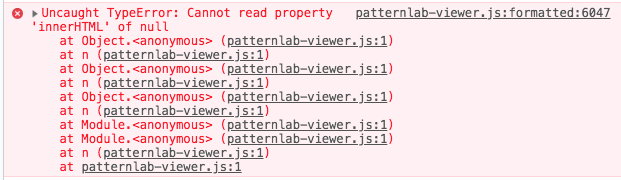
When a markdown file is added to the directories parent folder the View All link for that section breaks resulting the following error message in the console.
Uncaught TypeError: Cannot read property 'innerHTML' of null traced back to the following line patternlab-viewer.js:formatted:6047
Using the md file at the folder level appears to be the issue, removing or changing the name(so it does not match a directory) appears to resolve the issue but removes the text from the md file.
Visiting the link directly displays the page without the error message.
Selecting the View All for all of the patterns also appears to work this is limited to the folder that also has an associated md file.
The issue looks to be caused by the partial having trouble getting the div with ID pl-pattern-data-footer from the JS
document.getElementById("pl-pattern-data-footer").innerHTML,
Expected Behavior
Adding a md file to a folder displays additional information above the mustache content.
Actual Behavior
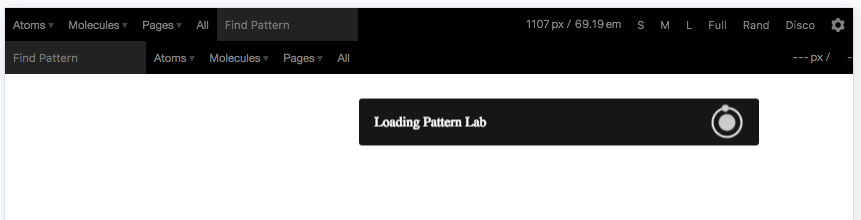
Adding a md file at the folder level causes an issue within the JS that results in Pattern lab repeating the navigation bar and displaying the Loading Pattern Lab message, until the page is refreshed.
Steps to Reproduce
-
Install the node version of PL
-
Install the basic mustache starter kit
-
Within the 00-atoms folder ensure that there is a 00-global directory
-
Within the 00-atoms folder ensure there is a global.md file
-
Build the PL and visit the local site
-
From the dropdown go to Atoms > Global > Viewall
-
Observe that the error message is displayed
-
Enter the URL into the browser
http://127.0.0.1:3000/?p=viewall-atoms-global -
Observe that the page displays correctly
-
Press the link on the page
Global -
Observe the page reloads and displays the broken page again
This time the error message is slightly different

-
Remove or rename the global.md within the 00-atoms directory and rebuild PL
-
From the dropdown go to Atoms > Global > Viewall
-
Observe the page now loads correctly