


Ask financial statement questions and get answers using Microsoft Semantic Kernel and (Azure) OpenAI Service. Started from this blog post https://devblogs.microsoft.com/semantic-kernel/10k-chat/ and enhanced with multiple documents.
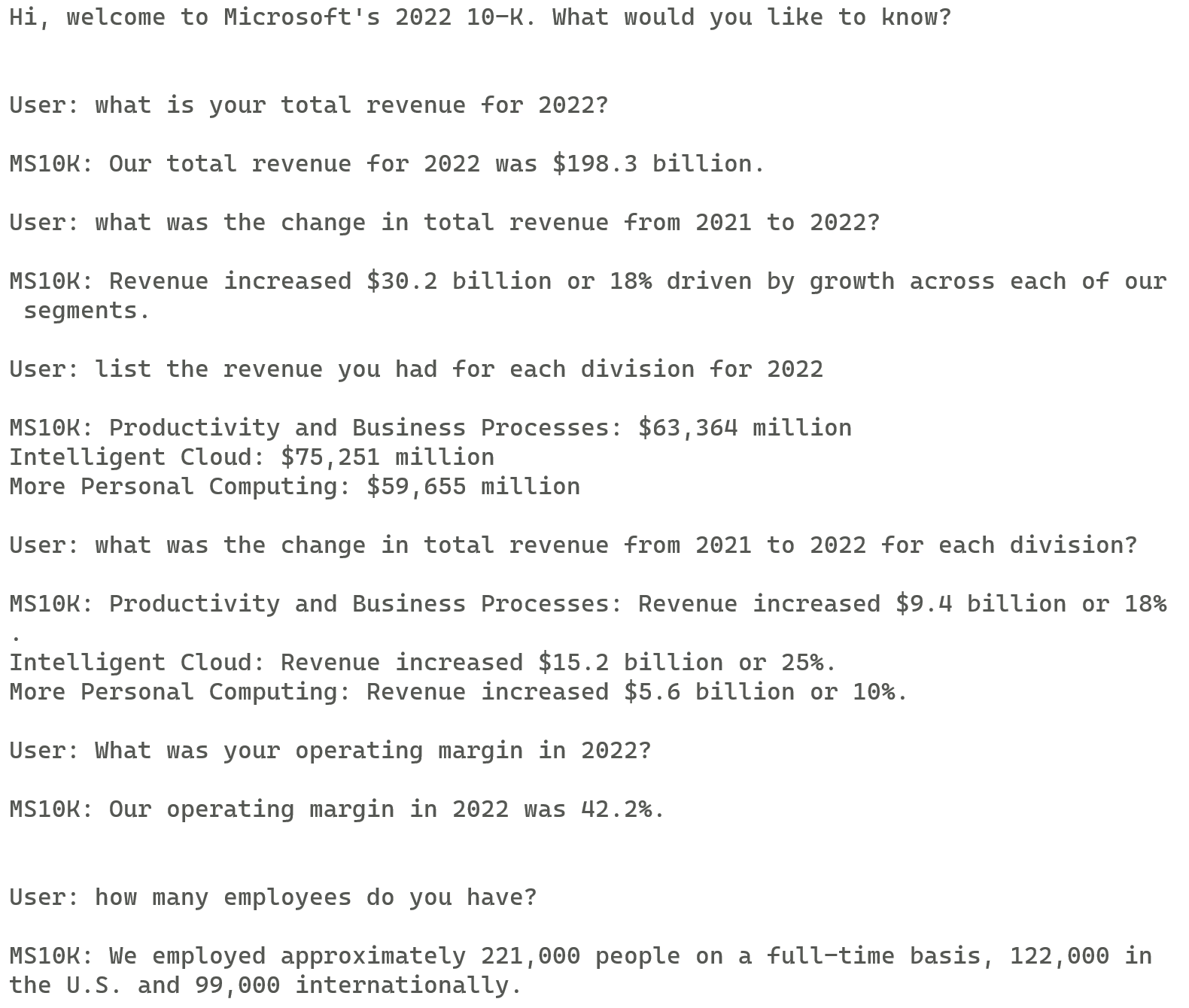
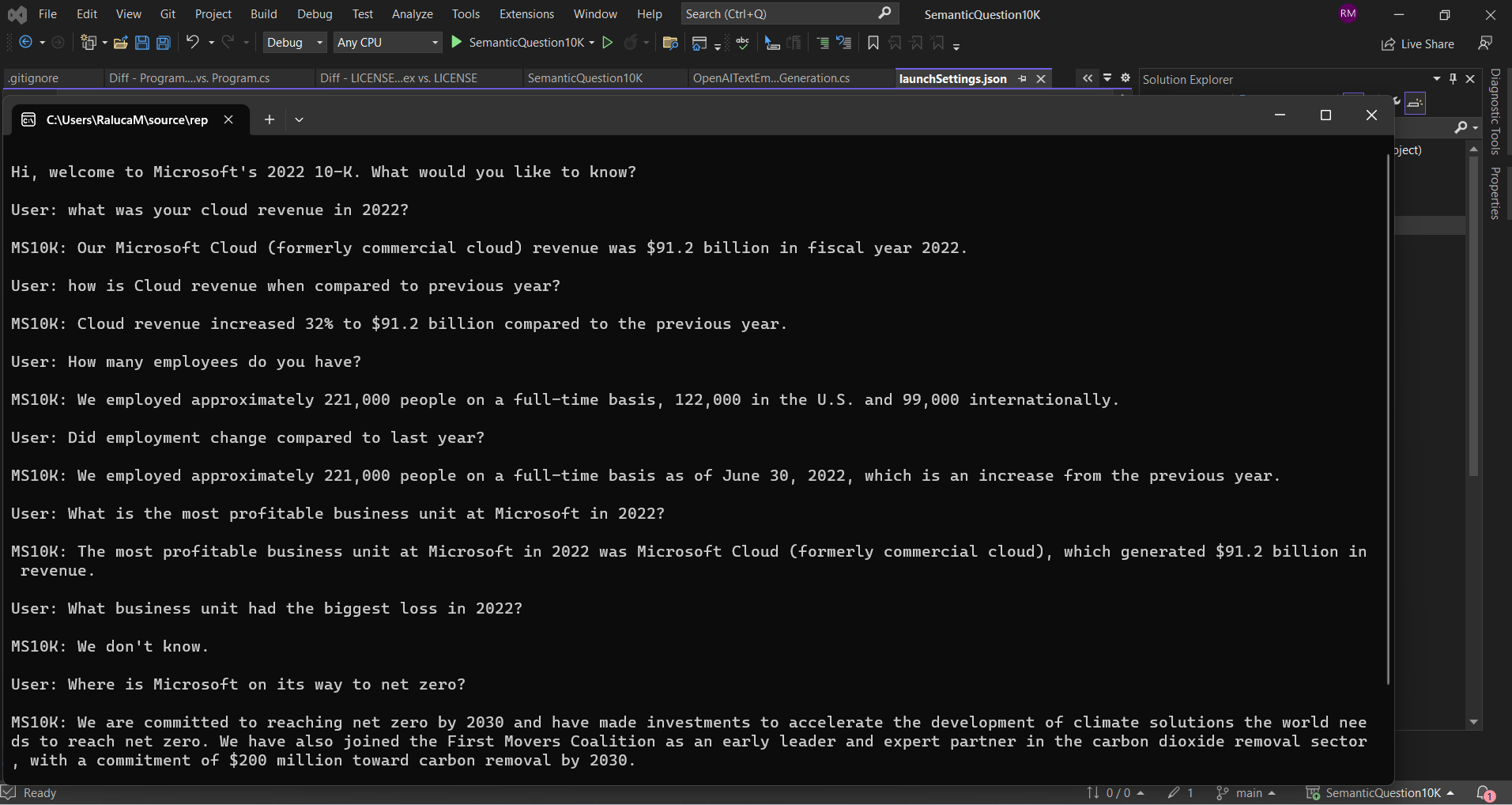
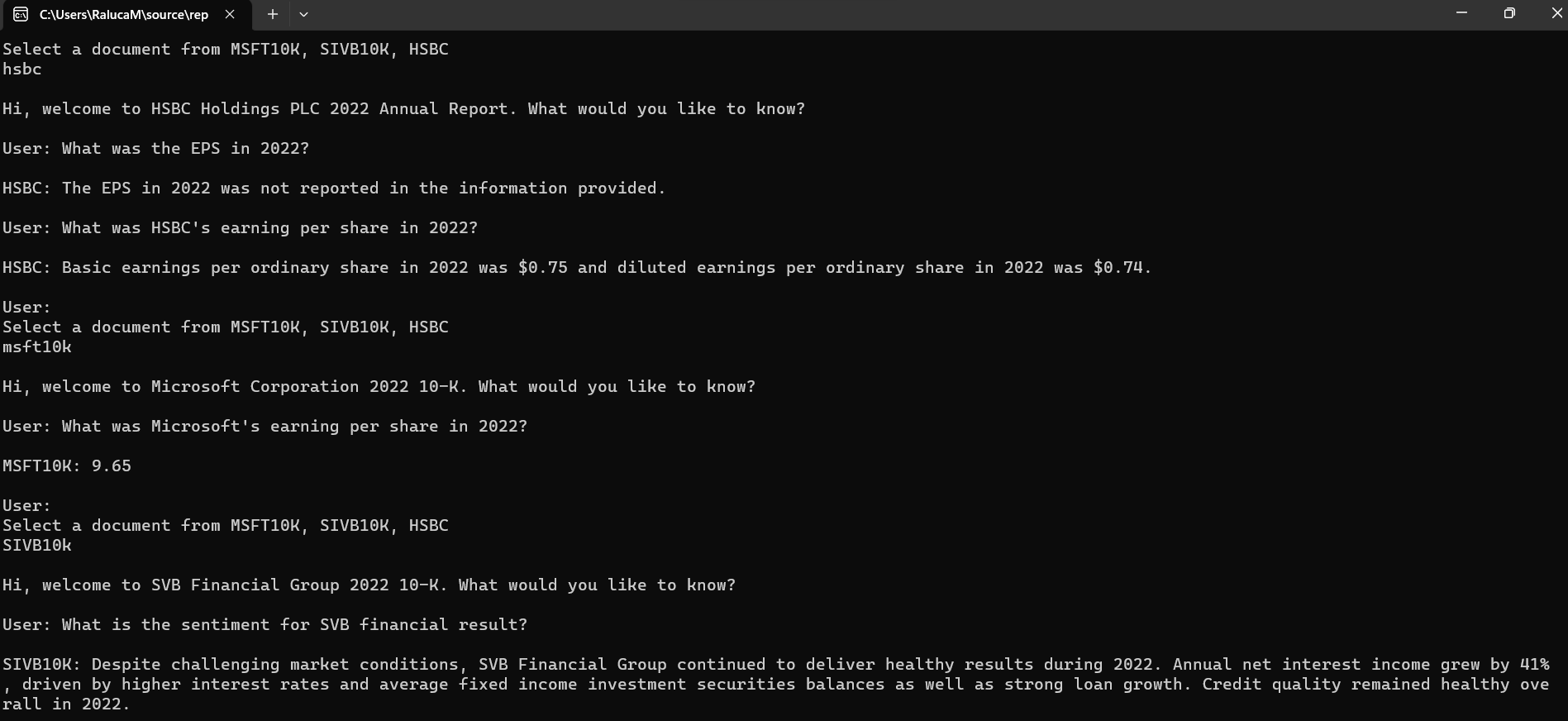
This is a sample project that shows the basics of how to ask questions to a document using the Semantic Kernel project (https://github.com/microsoft/semantic-kernel). For this sample I have used public information: Microsoft's 10K statement for 2022, SVB Financial Group 10K statement for 2022 and HSBC Holdings PLC Annual Report. Details and URLs in docs/index.json
Embeddings are used to create a semantic database. When you ask a question, the database is searched for similar sentences. A prompt is crafted from these sentences and sent to an OpenAI GPT-3 model in (Azure) OpenAI Service to create an answer.
NOTE: this is sample code for demonstration purposes only and is not intended for production use nor is it supported in any way.
-
An (Azure) OpenAI Service is required to run this project. https://azure.microsoft.com/en-us/services/openai-service/ or https://platform.openai.com/account/api-keys
-
A Qdrant vector database (https://github.com/qdrant/qdrant) is used to store the embeddings. You can easily run the Qdrant database in a container and map a volume from your drive to the container. https://qdrant.tech/documentation/quick_start/
-
There are two assembly references in this project that refer to the Semantic Kernel project. https://github.com/microsoft/semantic-kernel You will need to download the project from the Semantic Kernel repo, build it, and add the references to the project.
-
I have included a text files in the docs folder, 10K / annual report document saved as text - you will need this to create the smemantic database.
-
Provide the following variables through user secrets:
dotnet user-secrets set "QDRANT_ENDPOINT" "http://localhost"
dotnet user-secrets set "AZURE_OPENAI_ENDPOINT" "your-azure-openai-service-endpoint"
dotnet user-secrets set "AZURE_OPENAI_KEY "your azure openai service key"
Similarly for the OPEN AI Key.
- Alternatively, provide these variables via the launchSettings.json for the console app.
There are two functions to run in the project: Parse and Question.
- Parse: This will parse the 10K document and store the embeddings in the Qdrant database. Location of the text files are hardcoded in the docs folder, see /docs/index.json
SemanticQuestion10K.exe --parse
- Question: This will start a loop where you can ask questions and get answers from the content of the file.
SemanticQuestion10K.exe --question
There are same major directions from here:
-
improve on the (Azure) Open AI capabilities, mostly prompting engineering
-
work on automating the data pipeline - the JSON and filing conversions have been done mostly manual for this sample
-
expand on the XBRL usage and transform tagged data (starting with detailed facts) into better embeddings
- one example I have here the SIVB HTM (held to maturity securities and fair value). When prompting to get this value OpenAI failed to transform millions.

-
try out multi-language ESEF submissions - maybe use Azure Cognitive Services for translating filings or load XBRL plus labels into the model so you can prompt both in English and in the submission language.
-
other:
- focus on semantic search (to consume XBRL data) and see how this scales. Leave OpenAI on the second place for now since it comes with an additional cost.
- build a web UI and API and open it up for the world to test more scenarios.
Many things to improve, would love to hear feedback.
No disclaimers here but I wish I had more time to prettify the code.