
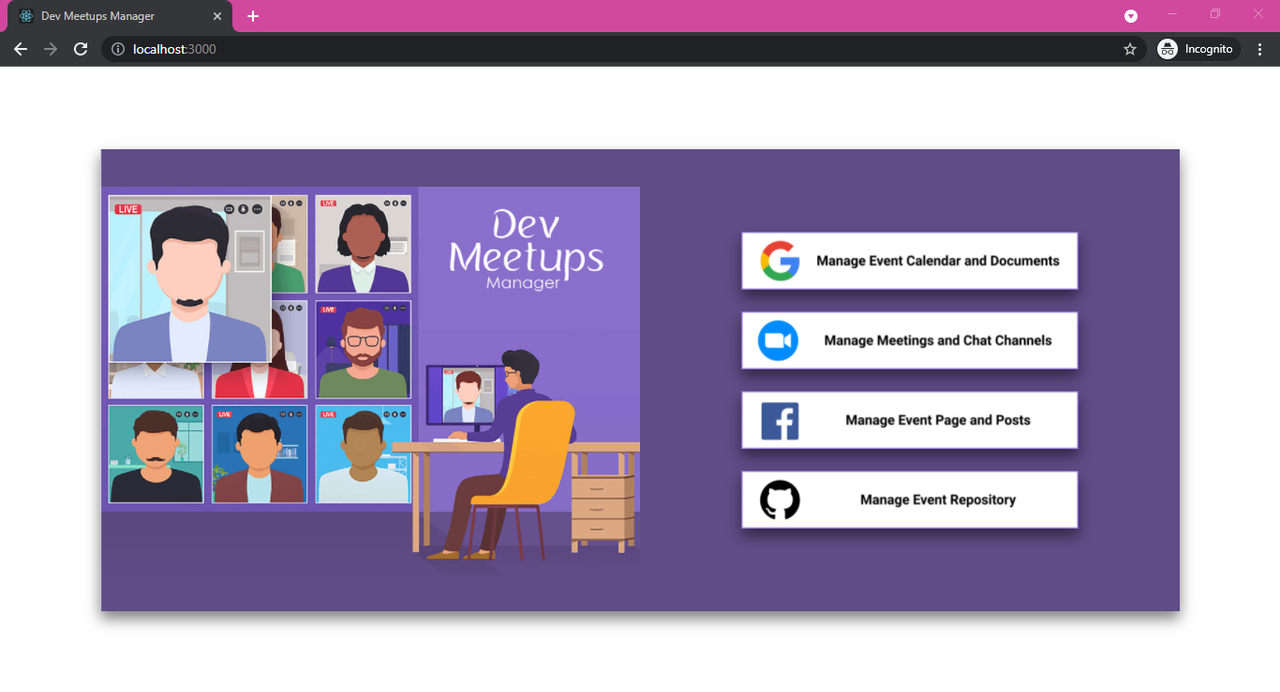
The Dev-Meetups-Manager makes it easier to manage meetups. When organizing a meetup, this allows you to create google calendar event, upload files to the google drive, create and delete zoom meetings and zoom chat channels, upload facebook posts, create github repositories. After you can share created meeting resource among the members attending the meetup. With the help of the Dev-Meetups-Manager application, event organizers can easily manage event calendar, online meetings, GitHub repositories for their events, and performing facebook social media campaigns for their events. The Dev Meetups Manager application uses the OAuth 2.0 authentication framework to gain access to Google, Zoom, Facebook and GitHub resources through the API.
- Go to https://console.developers.google.com and create an OAuth app to get a
client_id,project_idandclient_secret. - Create a
googlecredentials.json(if it is not existing) file in theDev-Meetups-Manager\backend\services\Googleservicesfolder and addclient_id,project_idandclient_secret. - When creating the app, add the google scope that you want to access OAuth APIs
googlecredentials.json file template:
{"web":
{"client_id":"",
"project_id":"",
"auth_uri":"https://accounts.google.com/o/oauth2/auth",
"token_uri":"https://oauth2.googleapis.com/token",
"auth_provider_x509_cert_url":"https://www.googleapis.com/oauth2/v1/certs",
"client_secret":"",
"redirect_uris":["http://localhost:5000/googleOAuth/oauth"]}}
Scops:
["https://www.googleapis.com/auth/userinfo.email","https://www.googleapis.com/auth/userinfo.profile","https://www.googleapis.com/auth/drive.file" ,"https://www.googleapis.com/auth/calendar","https://www.googleapis.com/auth/calendar.events","https://www.googleapis.com/auth/drive"];
- Go to https://marketplace.zoom.us/ and create an OAuth app to get a client id and client secret.
- Create a .env (if it is not existing) file in the backend root file and add client id and client secret.
- When creating the app, add the zoom scope that you want to access OAuth APIs
Scops:
chat_channel:read chat_channel:write chat_contact:read chat_message:read chat_message:write meeting:read meeting:write user:read user:write
.env file template:
ZOOM_CLIENT_ID=
ZOOM_CLIENT_SECRET=
ZOOM_REDIRECT_URL=http%3A%2F%2Flocalhost%3A5000%2FzoomOAuth%2Fredirect
ZOOM_STATE=
ZOOM_CRYPTR_SECRET=
ZOOM_BASE64IDS=
-
You can add any string for the
ZOOM_STATEandZOOM_CRYPTR_SECRET. -
ZOOM_BASE64IDSis Client ID and Client Secret with a colon : in between, Base64 Encoded. For example,Client_ID:Client_SecretBase64 Encoded isQ2xpZW50X0lEOkNsaWVudF9TZWNyZXQ=.
- Go to https://developers.facebook.com and create an OAuth app to get a client id and secret id.
- Create a .env (if it is not existing) file in the backend root file and add client id and secrect id.
- Add the facebook scope that you want to access OAuth APIs
.env file template:
clientID=
clientSecret=
callbackURL=http://localhost:5000/fbOauth/redirect
PORT=5000
FB_AUTH_SCOPE="pages_show_list, pages_manage_engagement, pages_manage_posts, pages_read_engagement"
- Login to the github account and navigate to developer settings in the settings section and create a new app and get the client id and client secret.
- Create a .env (if it is not existing) file in the backend root file and add the client id and secrect id.
.env file template:
GITHUB_CLIENT_ID=
GITHUB_CLIENT_SECRET=
Open terminal in inside the Dev-Meetups-Manager\backend folder
- Run this command to the install packages
npm install
- Run this command to the start project
npm start
Open terminal in inside the Dev-Meetups-Manager\frontend folder
- Run this command to the install packages
npm install
- Run this command to the start project
npm start
- Open http://localhost:3000 to view it in the browser.
JavaScriptNodeJSReactJS
| Team Role | Student Number | Student Name | |
|---|---|---|---|
| Member 1 | IT18121834 | Jayasekara A.S | it18121834@my.sliit.lk |
| Member 2 | IT18126020 | Ranjith K.H.V.S | 18126020@my.sliit.lk |
| Member 3 | IT18115444 | Ratnasooriya K.A.L.L. | it18115444@my.sliit.lk |
| Member 4 | IT18121766 | Kariyapperuma.K.A.D.R.L. | it18121766@my.sliit.lk |
🕷️ Team ZeroBugs All Rights Reserved