
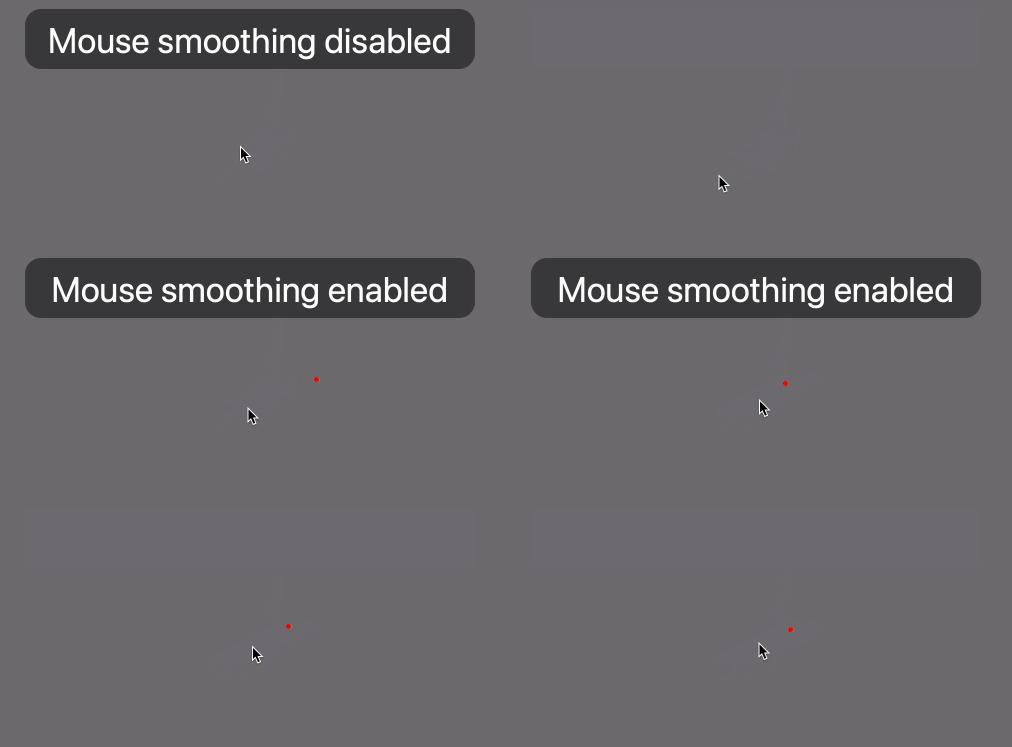
MouseFilter is an assistive macOS app for patients with tremor (essential tremor, parkinson's disease and multiple sclerosis). It uses the 1€ filter.
MouseFilter is not a finished product. It may cause your Mac to freeze, requiring you to to restart or to stop MouseFilter via SSH. Auto-updating is not guaranteed to be reliable yet, so you might need to update manually.
- Compatible with macOS 12 (Monterey) through macOS 14 (Sonoma)
- Works with any mouse
- Download the latest release.
- Douple-click the ZIP-file to unzip the MouseFilter app (it may have been unzipped automatically).
- Right-click the MouseFilter app and choose "Open" and confirm to open an app from an unidentified developer.
- Follow the instructions on screen. Be prepared to enter your user account password.
MouseFilter lives in the menu bar in the top-right corner of the screen.
It can quickly be enabled or disabled with the F12 key.
The filter has three parameters which can be changed in the settings:
Jitter: Decrease this to reduce jitter during slow mouse speeds.Catch-up: Increase this to reduce high-speed lag. A high setting allows to catch up when the mouse moves quickly.Snap: Snap to clickable UI elements. Set to zero to deactivate.
Tremor patients might benefit from reducing input speed and repeat rates in System Settings:
- Mouse speed: System Settings > Mouse speed. Changing this might require readjusting the filter.
- Double-click speed: System Settings > Accessibility > Pointer Control > Double-click speed
- Slow keys: System Settings > Accessibility > Keyboard > Hardware > Slow keys (consider changing the delay)
- Key Repeat rate and delay: System Settings > Keyboard
Analogous to slow keys, accidental clicks can be reduced with the following complex modification for Karabiner-Elements:
{
  "description": "Delayed mouse button click",
  "manipulators": [
    {
      "type": "basic",
      "from": { "pointing_button": "button1" },
      "to_if_held_down": [ { "pointing_button": "button1" } ],
      "parameters": { "basic.to_if_held_down_threshold_milliseconds": 250 }
    },
    {
      "type": "basic",
      "from": { "pointing_button": "button2" },
      "to_if_held_down": [ { "pointing_button": "button2" } ],
      "parameters": { "basic.to_if_held_down_threshold_milliseconds": 250 }
    },
    {
      "type": "basic",
      "from": { "pointing_button": "button3" },
      "to_if_held_down": [ { "pointing_button": "button3" } ],
      "parameters": { "basic.to_if_held_down_threshold_milliseconds": 250 }
    }
  ]
}
Choose "Uninstall" from the MouseFilter app's menu. The following files will be removed:
/Applications/MouseFilter.app~/Library/LaunchAgents/com.rdinse.MouseFilter.plist~/Library/Preferences/com.rdinse.MouseFilter.plist
- Support multiple screens when clipping mouse cursor position.
- Ignore occluded UI elements
- iTremor Mouse - Windows, macOS, Linux
- AMAneo BTi - iPad and iPhone
- AMAneo USB - Windows, macOS, Linux
- SteadyMouse - Windows (macOS and Linux support is planned)