feat: interactive mode #1829
feat: interactive mode #1829
Conversation


packages/cli-platform-android/src/commands/runAndroid/getTaskNames.ts
Outdated
Show resolved
Hide resolved

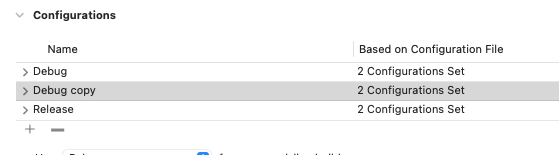
noticed that configuration name in Xcode can contain more than one word, and if it's selected it ends up with an error. Putting this argument in the quote should do the trick, but we should check if there are any other arguments that can have more than one word (both platforms) and fix them too Good job 👏 |

packages/cli-platform-android/src/commands/runAndroid/listAndroidTasks.ts
Outdated
Show resolved
Hide resolved
 adamTrz
force-pushed
the
feat/interactive-mode
branch
from
adamTrz
force-pushed
the
feat/interactive-mode
branch
from
9adff64 to
9516c72
Compare

It works for me @TMisiukiewicz, have you installed pods after creating new configuration? 🙂 |
|
@adamTrz you are right, forgot the pods step! All good ✅ |

packages/cli-platform-android/src/commands/buildAndroid/index.ts
Outdated
Show resolved
Hide resolved


5 participants


Summary:
interactivemode for iOS and Android -> user now can select validschemeandconfiguration(iOS) orbuildVariant(Android) and desired device to run the app onTested scenarios:
run-ios:--mode Release-> works ✅--mode Bar-> works, app failed to build because there's no Bar configuration available ✅--configuration Release-> works with warning thatconfigurationis deprecated ✅--list-devicesworks and user can select device from list ✅--interactiveworks and lets user pick up valid scheme and configuration and device to run on ✅run-android:--mode Release-> works correctly ✅--configuration Release-> works with a warning ✅--list-devices-> works and lets user pick up available device/AVD ✅--interactive-> works correctly ✅--mode UatRelease-> works and uses selected build variant both to build and install the app ✅--interactive-> works and lets user pick up available buildVariant and device or AVD ✅--mode Release-> works (app failed to build because there's no Release buildVariant available, it emits an error and lists all available buildVariants) ✅To test it locally clone the repo, checkout to my branch and run
run-ios --interactive/run-android --interactivecommands.To check build flavours support for Android add those lines into your
android/app/build.gradlefile: