
A Rocket.Chat server hosted on a Raspberry Pi available only to those on a local WiFi hosted on the Raspberry Pi. No need for an internet connection.
The motivation behind this project was to provide people at protests or other civil unrest activities a way to locally communicate with another using their smartphones or other WiFi capable devices without needing to be connected to the internet. This can provide peace of mind for communication or serve as a workaround where the local internet is down or disrupted.
There is additional motivation to make the setup of this project as easy to install and run for anyone. This is meant to serve as a way to provide access to non-technical people from utilizing this project.

Do not hesitate to open an issue on this repo or shoot me an email to the account listed under my GitHub profile.
- A Raspberry Pi model with built in WiFi
- I used a Raspberry Pi 4 for developing and testing this guide
- A Micro SD card with the RaspberryPi OS loaded
- This guide could also likely work with other flavors as well, they're just not tested
- A power source for the Raspberry Pi
- Wall plug or battery
- A host machine to set up the Raspberry Pi remotely or a keyboard/mouse and a display for the Raspberry Pi to set it up locally
- Connect to your Raspberry Pi
- Package Manager Update and Upgrade
sudo apt update -y && sudo apt upgrade -y
- Reboot the Raspberry Pi
sudo shutdown -r now- If you don't reboot now your network setup will fail
- Clone this Repository
git clone https://github.com/ruberVulpes/ProtestPi.git
- Navigate to the source directory
cd ProtestPi
- Start the installation script
sudo sh install.sh -p <Password for the WiFi network>- Make the password something secure but easy to communicate
- The password should be between 8 and 64 characters in length
- Make the password something secure but easy to communicate
- You can use the
-sflag to customize the SSID of the network- This is optional and will default to
PiBroadcast
- This is optional and will default to
- You can use the
-lflag to change the Country Code for the network- This is optional and will default to
US
- This is optional and will default to
- Reboot the Raspberry Pi
sudo shutdown -r now
- Done!
- The Rocket.Chat server and WiFi will now start everytime the Raspberry Pi is powered on
- The Rocket.Chat server may take a minute to be usable after startup
- The Rocket.Chat server and WiFi will now start everytime the Raspberry Pi is powered on
You should now be able to connect a WiFi device to your Raspberry Pi's wireless access point.
Once connected navigate to http://192.168.4.1:3000 to get to the Rocket.Chat server.
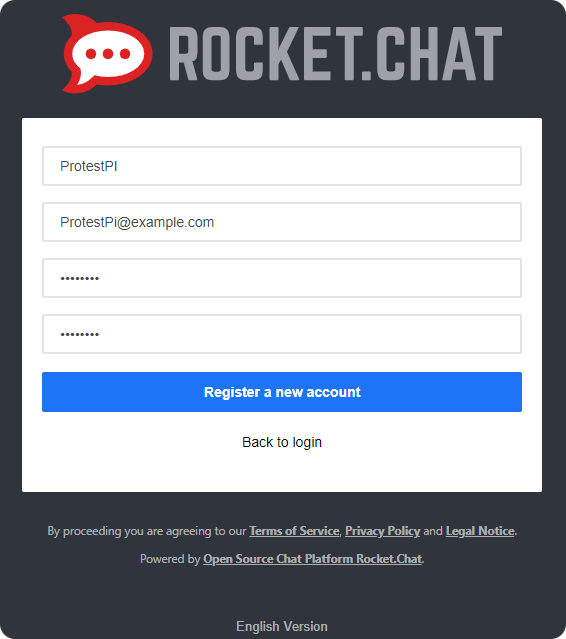
From here anyone with access should be able to register accounts, dummy values can be used for the email addresses.
The first User registered will serve as the server Admin.
The installation script automates the installation of Rocket.Chat and setting up the local WiFi network following the guides below. The script is also idempotent and should be able to be run multiple times without breaking.
- Domain name for the Rocket.Chat instance
- I would like to test extending the Raspberry PI's WiFi via an external Access Point connected via Ethernet
- Testing the project with many Users would be cool to see what real world performance would be like