Tabular is an unofficial, interactive manual for the Calculate Field tool in ArcGIS Desktop. Tabular is designed for new GIS and Python users to learn scripting for spatial analysis.
Use tabular to learn spatial analysis. If you’re new to GIS or Python, use tabular to practice Python scripting and spatial data manipulation. Tabular is also has cheatsheet for quick references to Python syntax for the Field Calculator and Calculate Field tool.
Copy, paste, and modify the Python snippets in the documentation. Tabular contains 24 of the most common Python functions for data manipulation in spatial analysis.
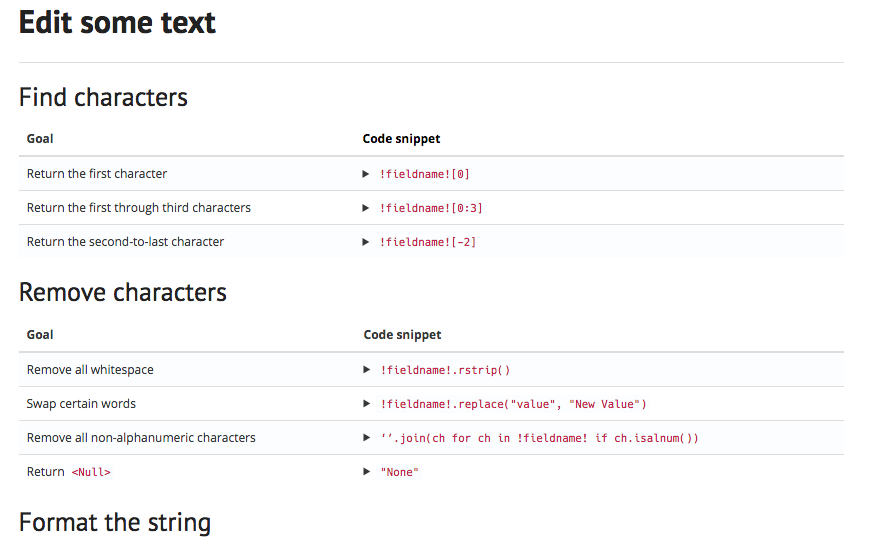
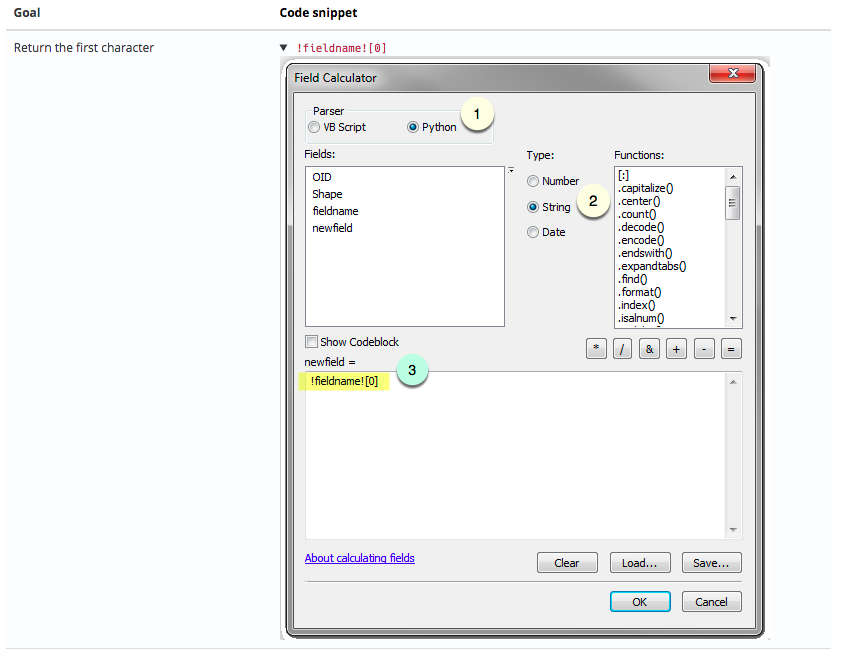
Walk through the Field Calculator step by step. Tabular includes screenshots of the field calculator with step-by-step directions that show you how to implement each of the 24 Python snippets.
Practice in the tabular sandboxes before altering your data in ArcGIS. Field calculations permanently alter your data, so you can try new Python expressions in tabular without risk.
Review how your particular field values with change in the Field Calculator:
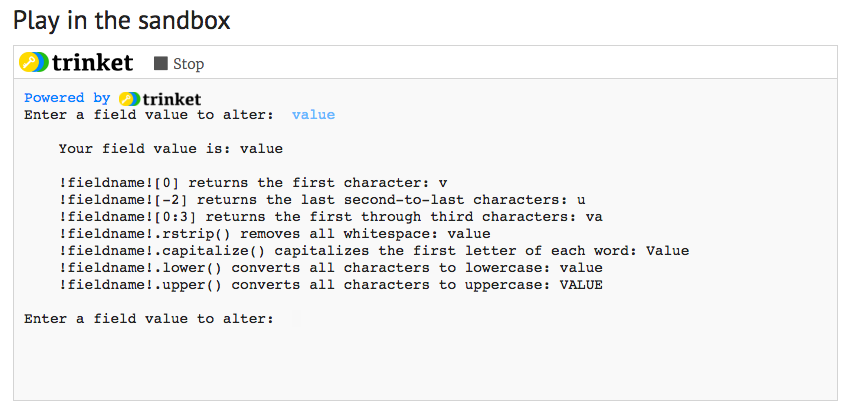
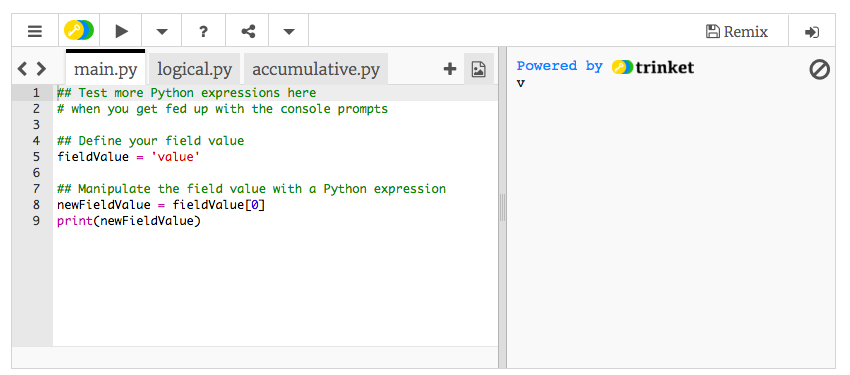
Try your own Python expressions and see what will happen to your data:
Start at the Docs page. Depending on the data type of the field you’ll manipulate, find the appropriate section:
(1) Text
(2) Numeric
(3) Geometric
Then check out the examples in the section and find the most relevant code snippet.
Start in the sandbox:
(1) Enter one of your field values into the Python console. Which expression brings you closest to what you want?
(2) Modify the expression in the Python editor. Make changes, press play, and check the output to the right of your code.
Find a bug or want to request a new feature? Please let us know by submitting an issue.
Licensed under the MIT license. A copy of the license is available in the repository's LICENSE.txt file.