Custom URL Protocol Handler for Windows#1
Custom URL Protocol Handler for Windows#1fahad-israr wants to merge 68 commits intostarfixdev:masterfrom
Conversation


| shell | ||
| open | ||
| command | ||
| (Default) = "C:\Program Files\Ide\ide.exe" "%1" |

There was a problem hiding this comment.
does it actually have to be an .exe ? can it be a batch script ?

There was a problem hiding this comment.
As we were going to deal with an Installed IDE(vscode, eclipse, etc who have an exe file) I've tried with an .exe...I'll have to check about batch script..
There was a problem hiding this comment.
well before we reach the ide it would call out to the starfish which would figure out how to turn the action in ide:// to a call to the apropriate ide/tool.
There was a problem hiding this comment.
so instead of an opening ide.exe we could trigger starfish.exe and handle the request in Starfish.
| @@ -0,0 +1,35 @@ | |||
| # Creating Custom URL Handlers on Linux: | |||
There was a problem hiding this comment.
could you avoid having mixed cases and spaces in the folder/file names ... ?
There was a problem hiding this comment.
I've renamed them.
| @@ -0,0 +1,66 @@ | |||
| # Support opening files through URL handling in Vscode | |||
There was a problem hiding this comment.
Cool you found places in vscode to alter.
Any particular reason you want to modify vscode to support the protocol directly at this stage ?
One of the ideas/values behind starfish is that each IDE (at least for basic operations) should not need to support the protocol directly. Thoughts ?
There was a problem hiding this comment.
The reason for this was to understand the functionality of vscode.
I agree that we dont need to modify the code directly for vscode.There can be better solutions.
One of them could be through Extensions using "Extension API" of vscode.
And if we've got any better choice than an extension I can start working on that as well.
There was a problem hiding this comment.
Additionally I saw the command line tool of vscode :code.visualstudio.com.
With this we can easily execute vscode commands ,as stated on code.visualstudio.com "Visual Studio Code has a powerful command line interface built-in that lets you control how you launch the editor. You can open files, install extensions, change the display language, and output diagnostics through command-line options (switches)"
There was a problem hiding this comment.
Also the mapping of URL to Application (i.e Starfish) can be done as done here: https://github.com/shengyou/vscode-handler
For mapping, we have to execute .reg Files(on Windows) or execute bash install on Linux
We can achieve this easily by automating our app to execute intended codes from command line
There was a problem hiding this comment.
Yes, vscode has url extensions too and a nice cli - the downside being it only works for vscode.
That’s why starfish would be its own independent script/executable which we register in the different OS/browsers url handler logic and then can make it work for basically any IDE.
There was a problem hiding this comment.
granted. din't realize these were publically limited. but lets use it for now.
Thanks!!
There was a problem hiding this comment.
Please do refer to me the resources you may think might be helpful for improved learning.
quarkus.io/guides is a good start.
mind you that most material in quarkus is about using it for services (i.e. microservices) the notion of command mode for use in cli's and batch jobs is coming in 1.4 (a month from now) so to start just doing basic java should be fine.
but don't let that stop you from exploring Quarkus today! :)
That's awesome!! I'd keep exploring Quarkus and start developing with it as soon as possible!!
There was a problem hiding this comment.
if you want to do it as part of GSOC you'll make a proposal (https://google.github.io/gsocguides/student/writing-a-proposal) - for now we submit those at https://docs.google.com/forms/d/1ePMj3FRBQ_BNYo9pKSaYI9HE0uv_gTLksJWqSOqYdIw/prefill
The docs need access.I've requested access. Please check it.
Hi max,I've successfully submitted the Google form.
Please review it and give me suggestions to improve it.
There was a problem hiding this comment.
hmm - I haven't received any notfication and nothing listed in the results tab - can you double check you pressed submit ? and did you send the pdf to google's gsoc system ?
There was a problem hiding this comment.
I am sorry...i forgot to press submit button after prefilling.
You may review my draft now.

|
While working with Quarkus I faced a little bit of difficulty in Installing GraalVM on Ubuntu. So I've made an Installation Guide.Please Check it out,give a review to me on it(so that I can improve it) and do share with others if you think it can be helpful ...https://github.com/fahad-israr/Guide-to-Install-GraalVM-Community-Edition-On-Ubuntu Update: Additionally, I was able to succefully Build a Native Executable with Quarkus using https://github.com/quarkusio/quarkus-quickstarts/tree/master/getting-started |
|
I am glad to mention here that My PR got accepted and merged at one of the related projects (Vscode Handler) that you suggested as a reference:shengyou/vscode-handler#5 (comment) |

|
about configuration I would start simple by having a what would be great though is that we auto-detect/guess as much as possible and only in truly ambiguous cases do we need user to configure anything. i.e. to find which IDE to launch I would simply scan PATH or well known locations for possible known ones ..i.e. if similar about launch of the IDE and how to have it pick up the right command - i.e. if of course if you did such scan on my laptop you would basically find all in existence so here it might make sense to ask the user what he prefer and give option to "remember" the choice. |
I like this Idea. |
Configuration File Added and TestedHi @maxandersen I've added a configuration file that currently allows user to:
I've used .properties file(see the file here )instead of YAML.Is it fine to use .properties file instead of YAML or are there any advantages of using YAML ?Files to see for changes: Waiting for your thoughts :) |

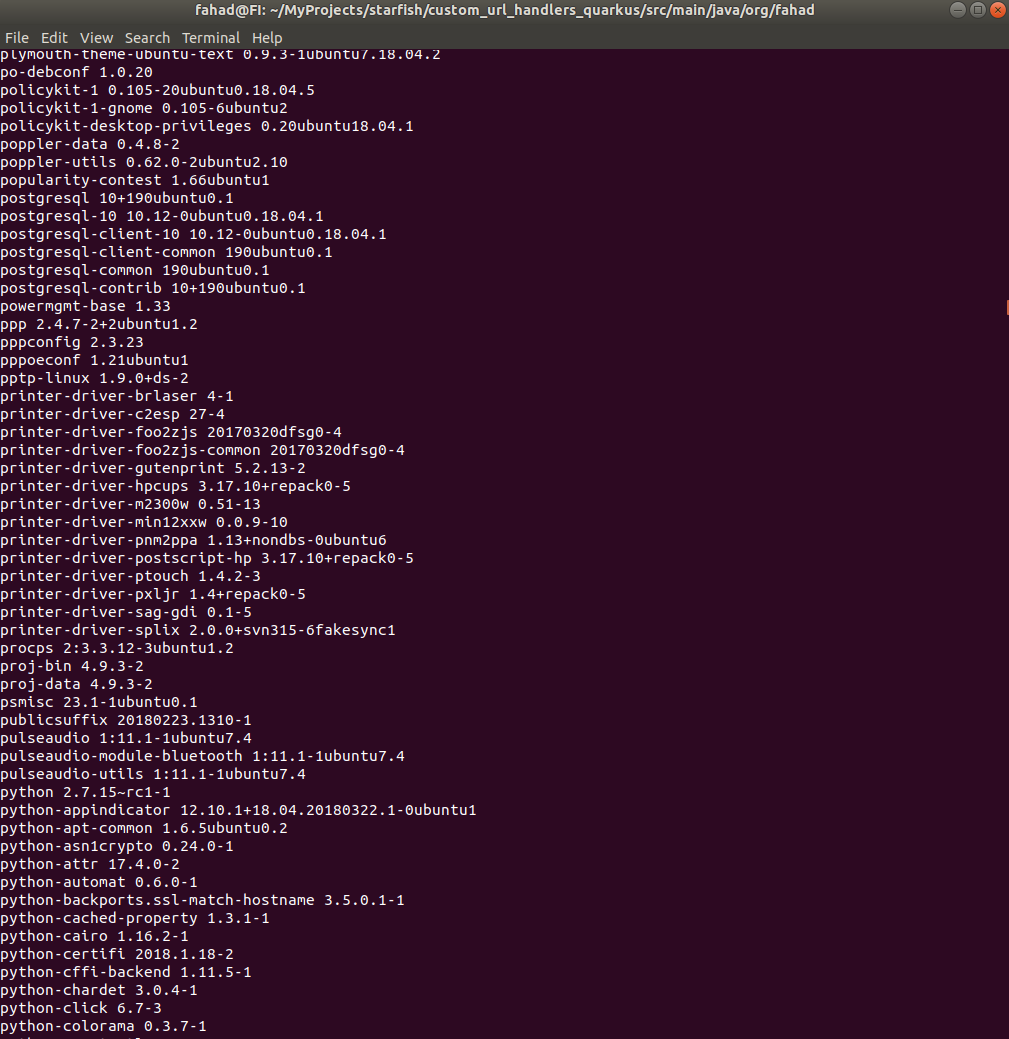
Capability to scan installed packages added
Example screenshot:
|
|
Main reason to use yaml is its cleaner to read/write nested config, i.e.: you'll want to make sure to use something like fastjackson which can help retain comments. about package scans thats cool - not sure if it can help much; but yes - in general we'll probably want different strategies dependent on OS and setup. I would start by scanning for well known executable in the path as that is independent of if the tools/ide was installed via package or something else. About changing preferences then yeah, I would just update the config for the user. |
|
@maxandersen |
Hi @maxandersen- I've introduced a file starfish-config.yml that holds the configurations for Starfish- I've used Simple YAML as a dependency and thus added a jar file for it: simpleyaml.jar- The jar file must be included in
|
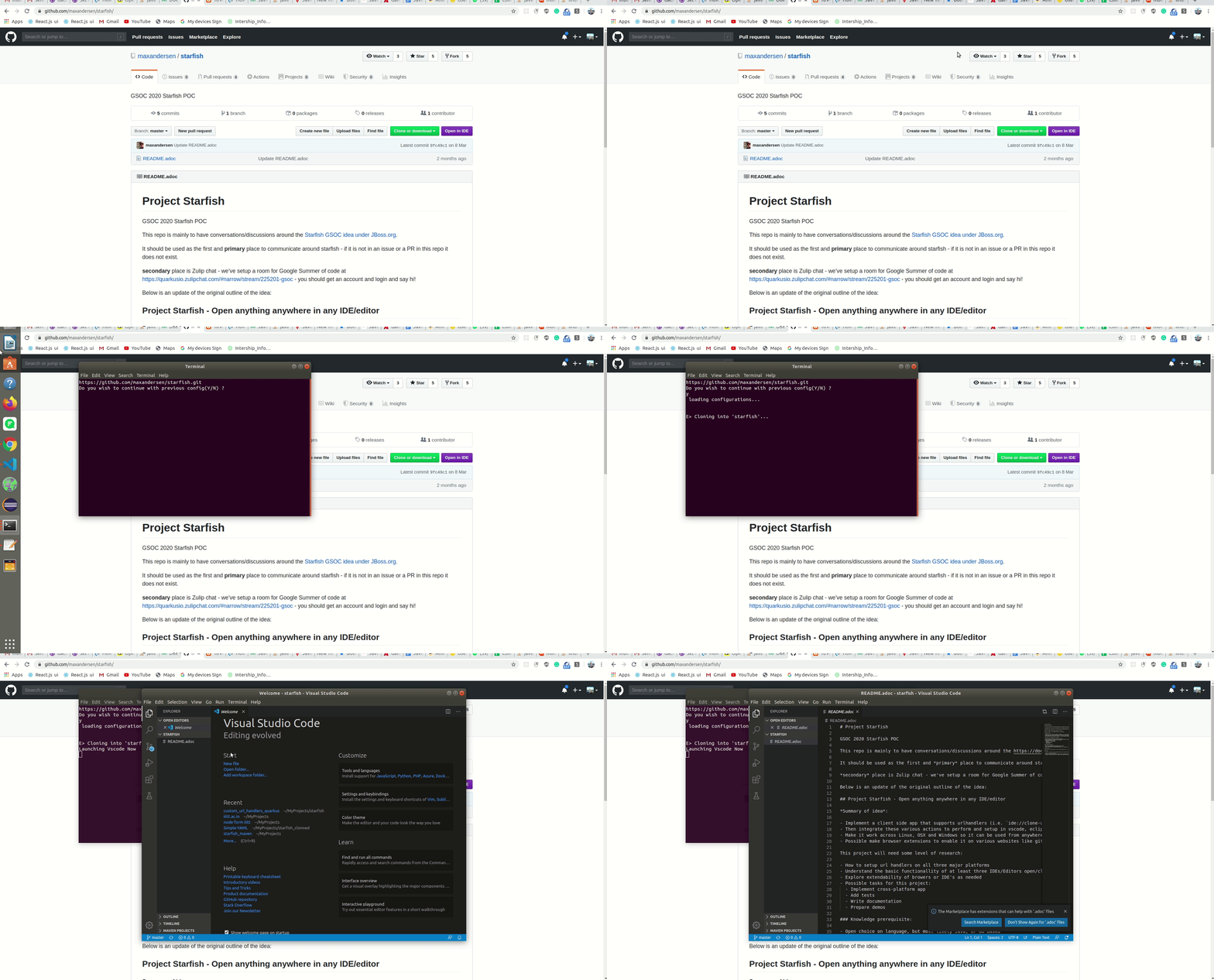
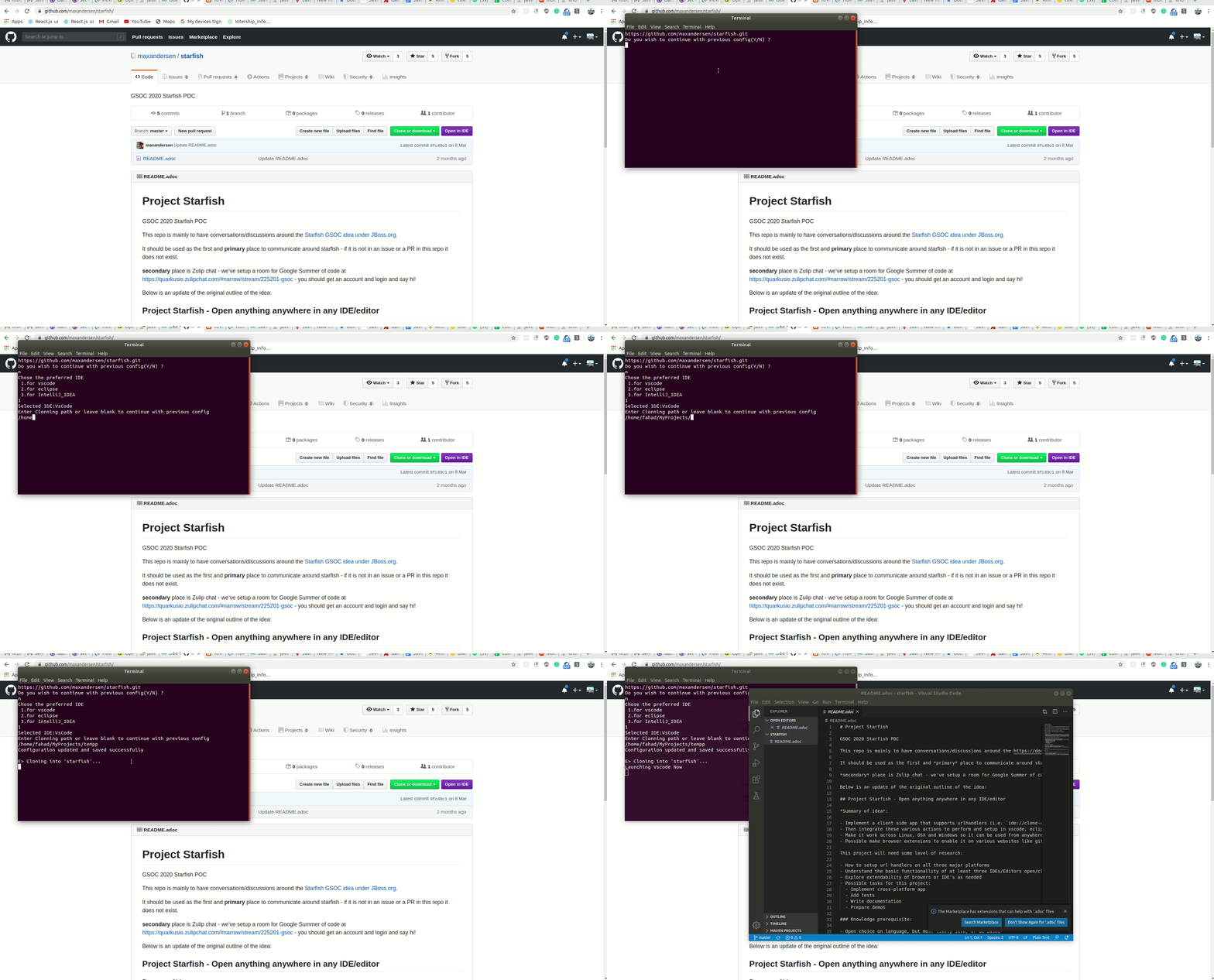
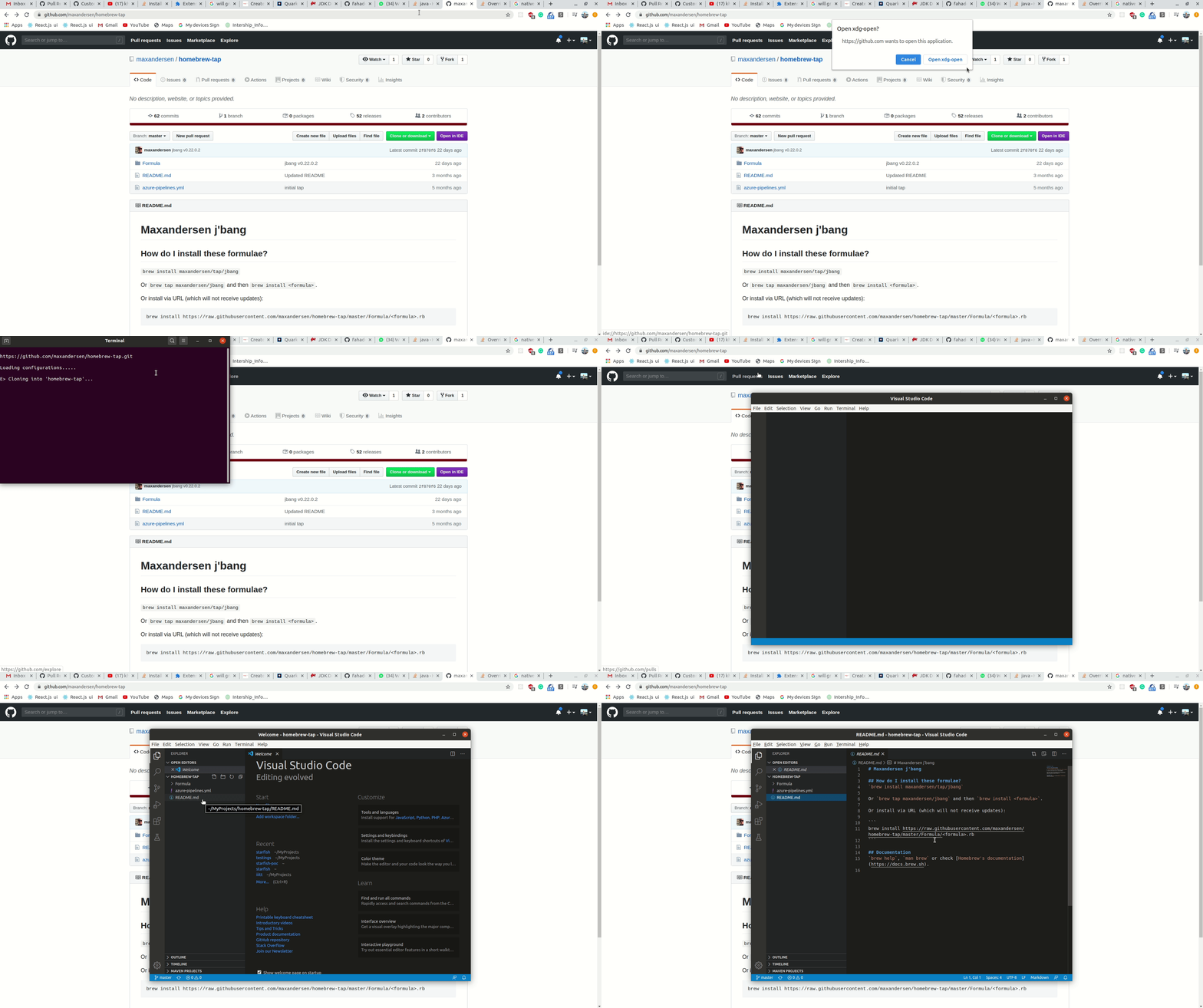
Hi @maxandersenI have added more features Now as the user click
|
|
i like there are way to configure it but I don't think that should happen in the browser extension when clicking on launch - at that time in all cases except the first time you should already have this configured and thus showing the terminal and asking the questions are not a good flow. I think this configuration should be done only if no config present - after that just use the configured settings. |
|
yeah asking every time is not a good flow. |
|
remember starfish is just as much a command line tool - not just called via the browser extension. thus having i.e. |
|
Yes , starfish is a command line tool and so |
- When the user opens up the starfish app first time he is asked to enter configuration
- Next time onwards starfish directly uses the configuration from config file.
|
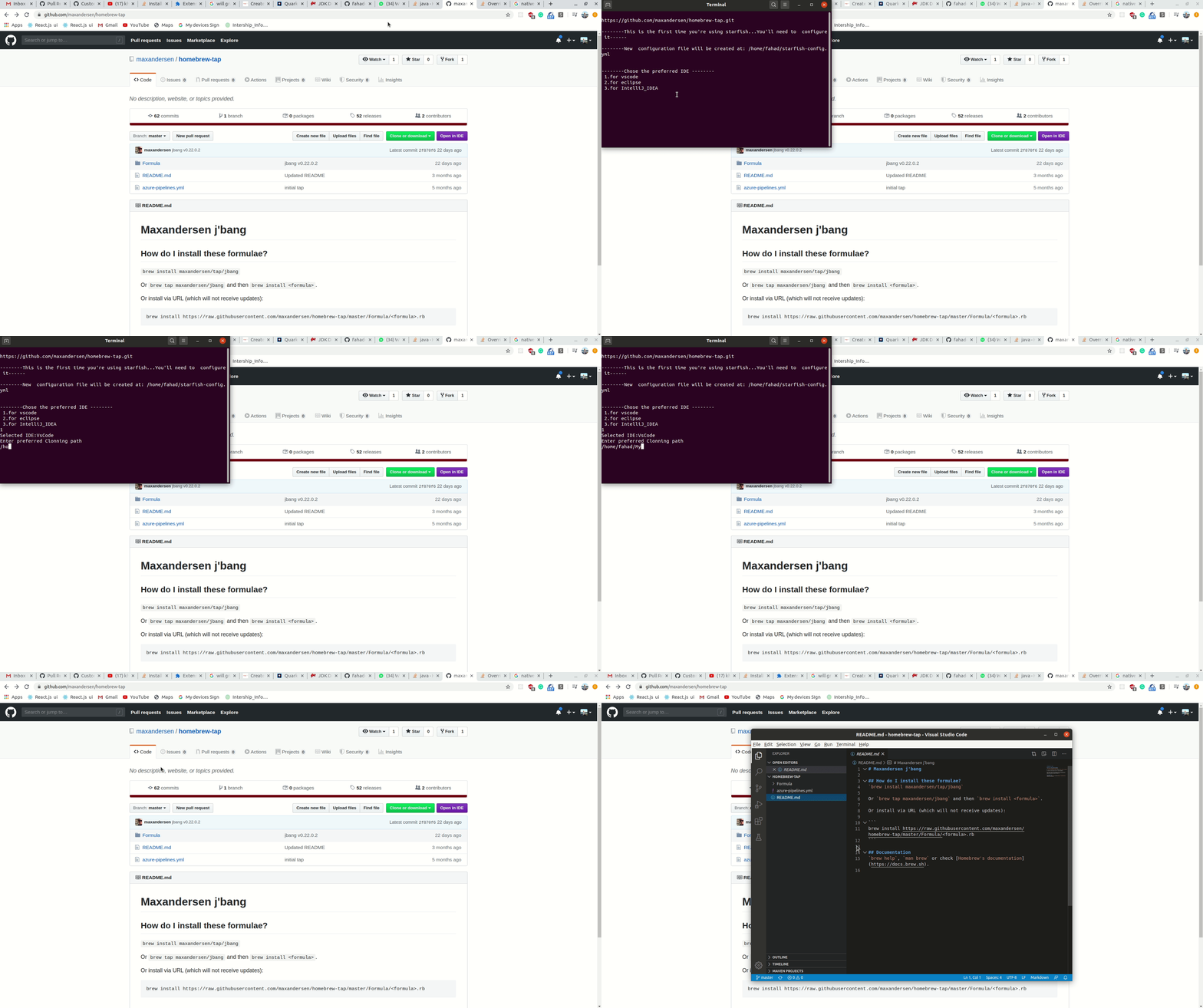
command line support added for starfish and starfish config editor- When the user enters
|
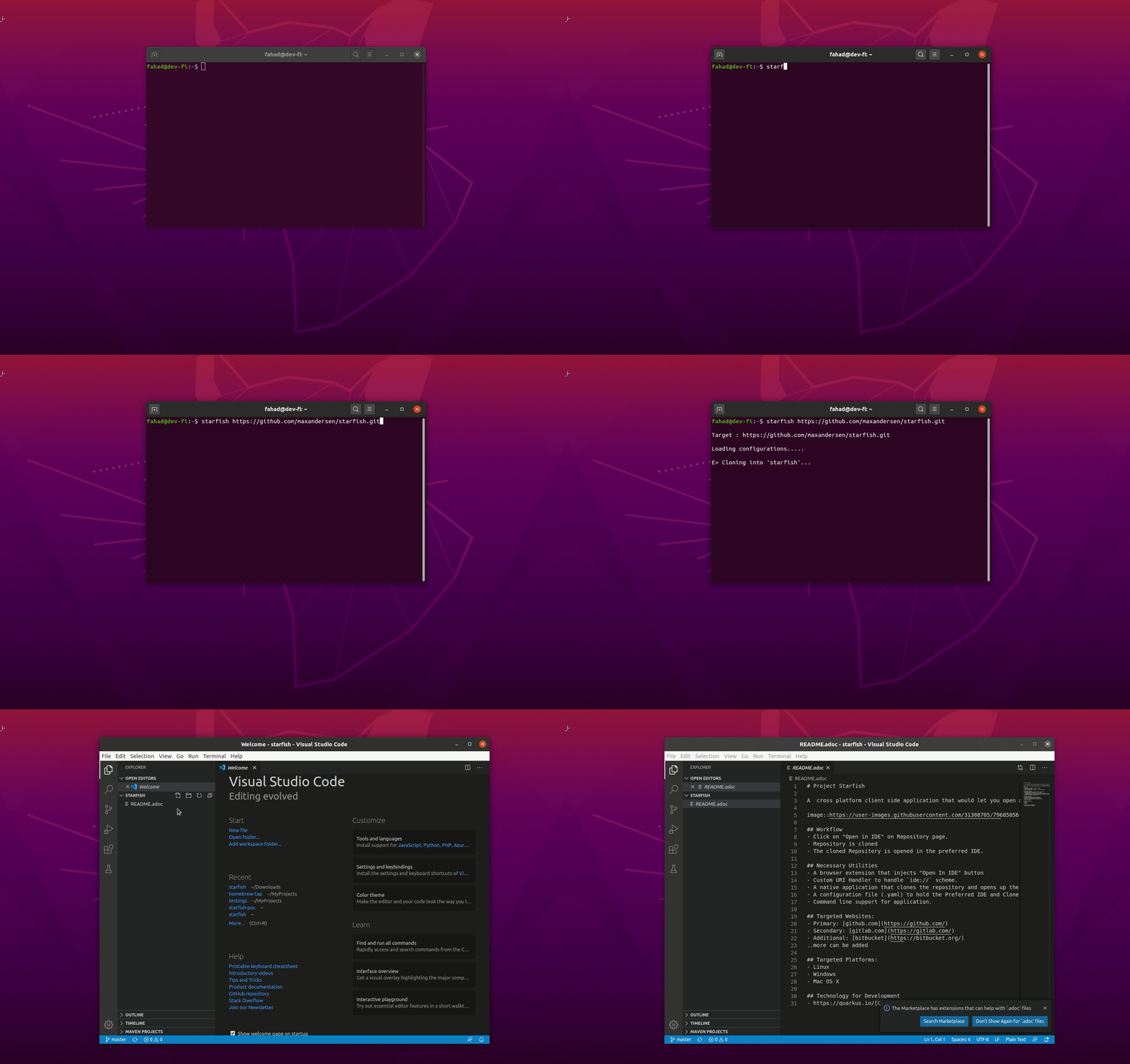
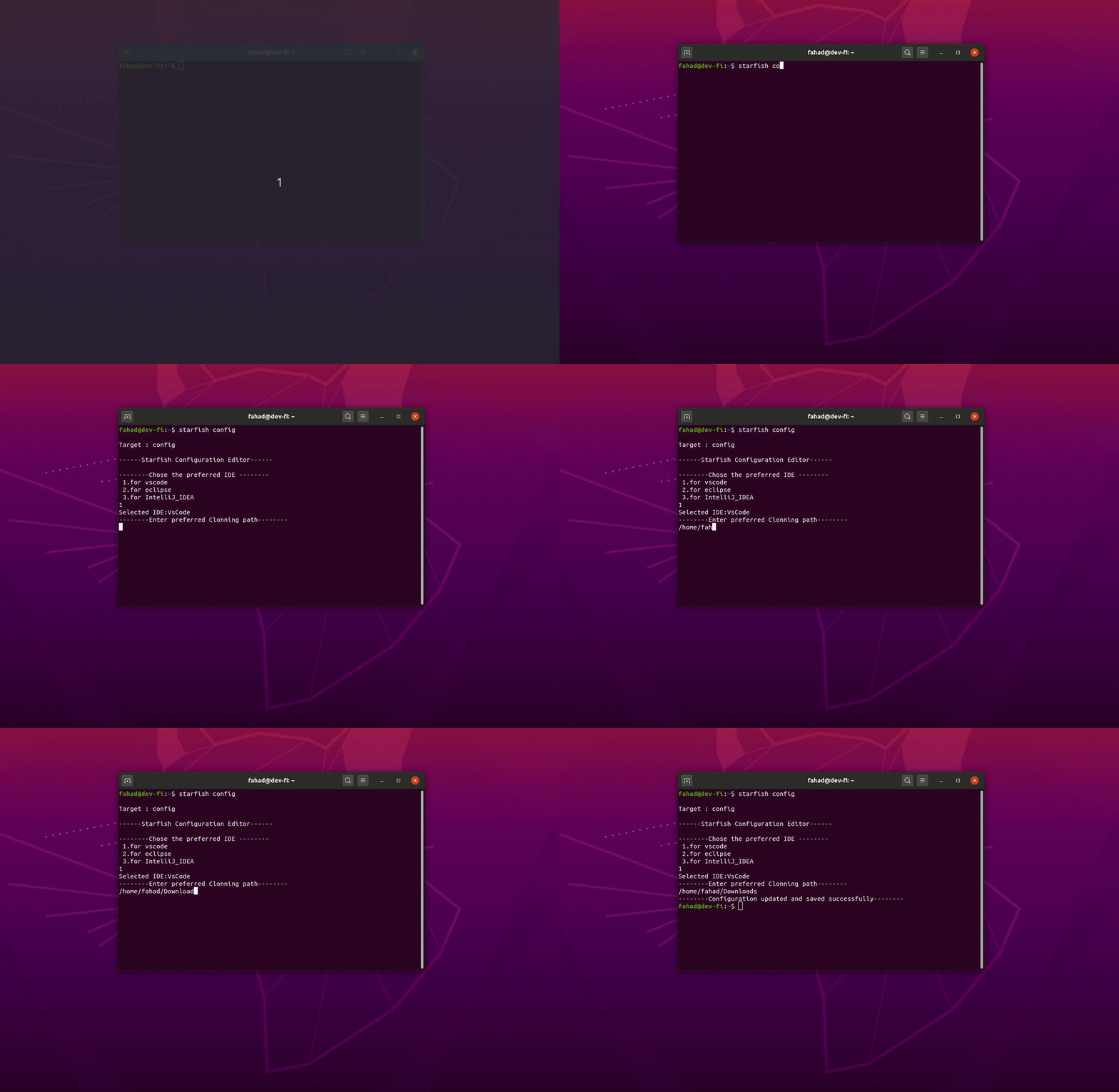
|
closing as we merged the work here last year. |


2 participants


Uh oh!
There was an error while loading. Please reload this page.