Unofficial tools for beaker-project with improved features and customized options.
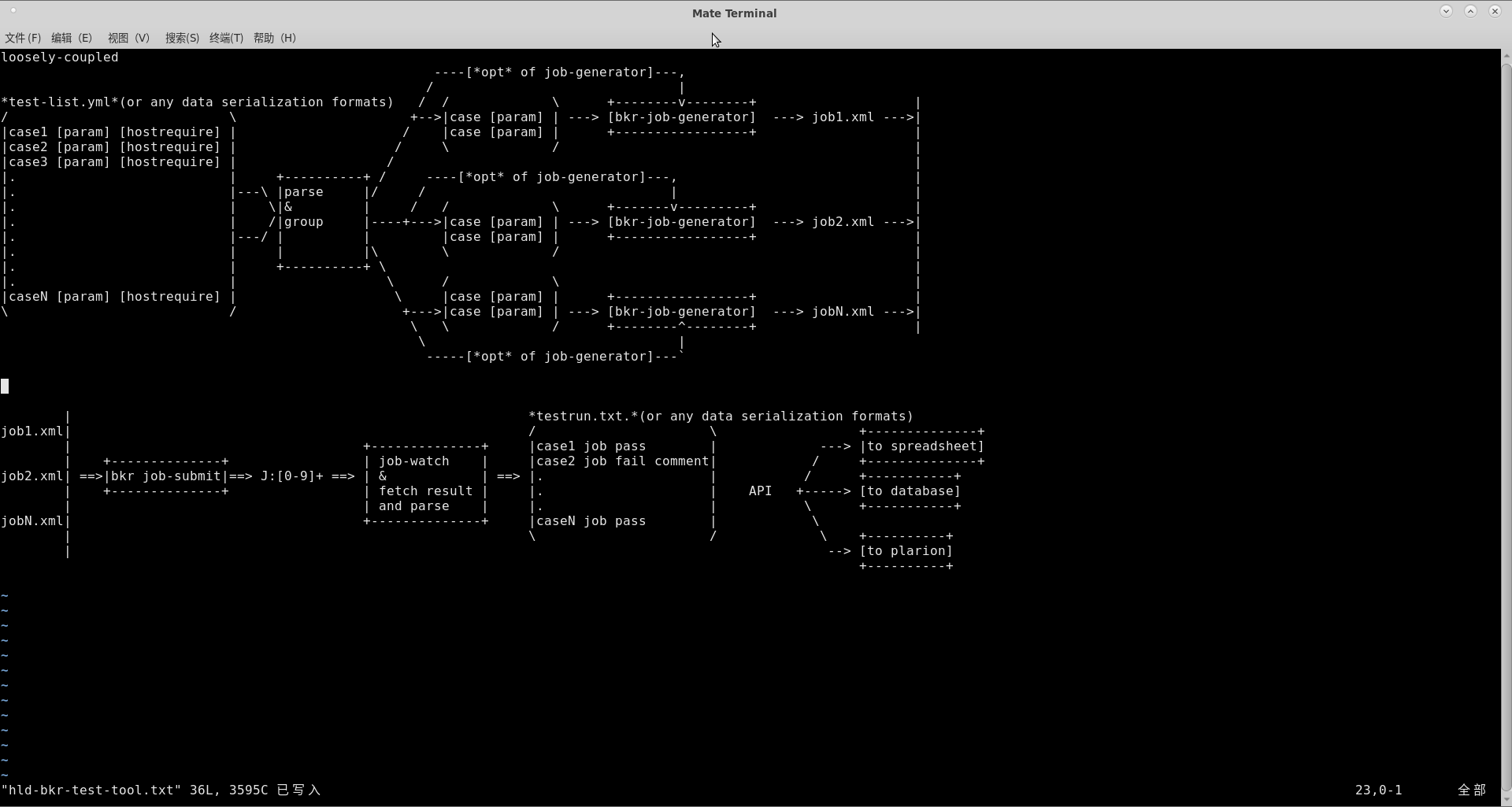
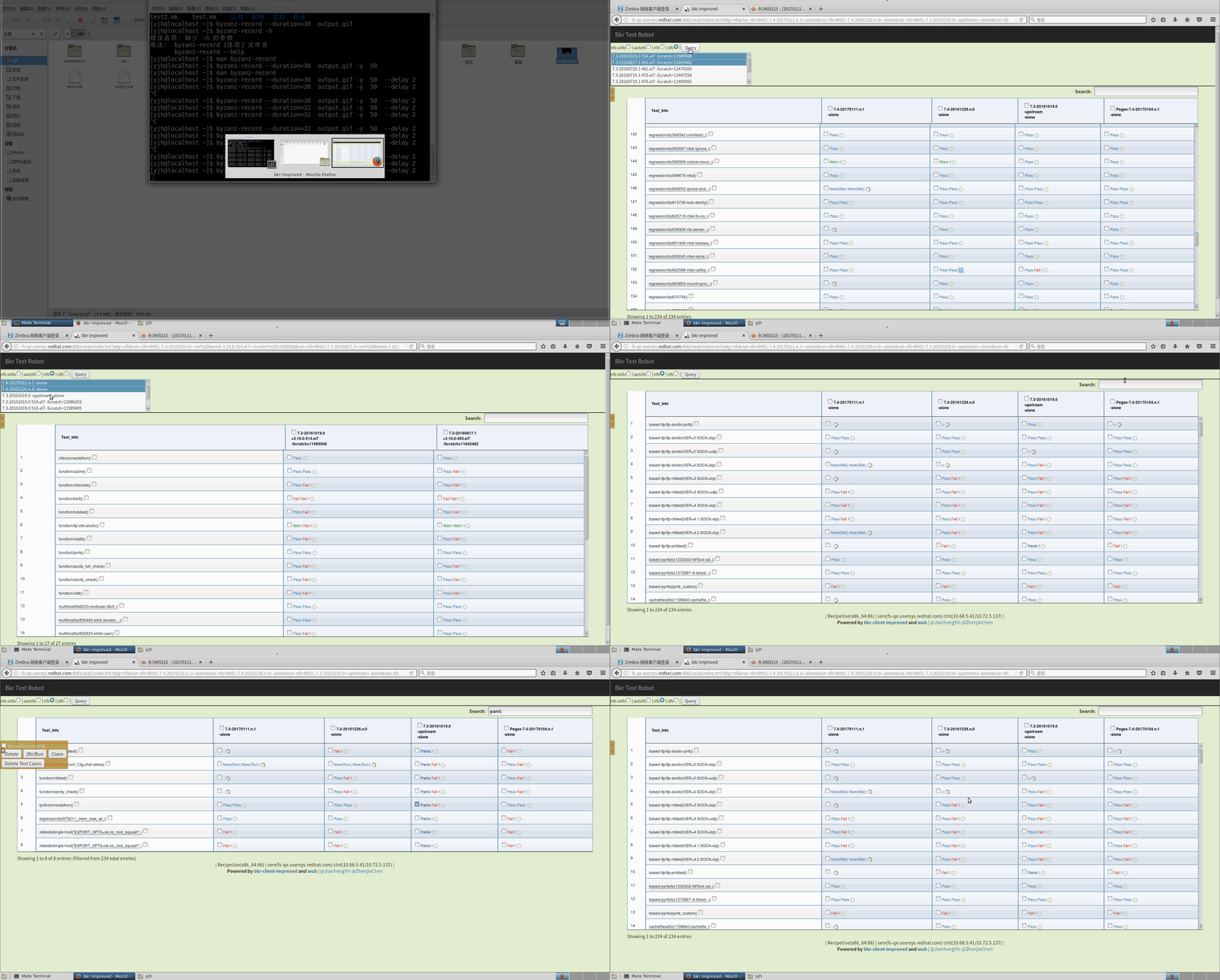
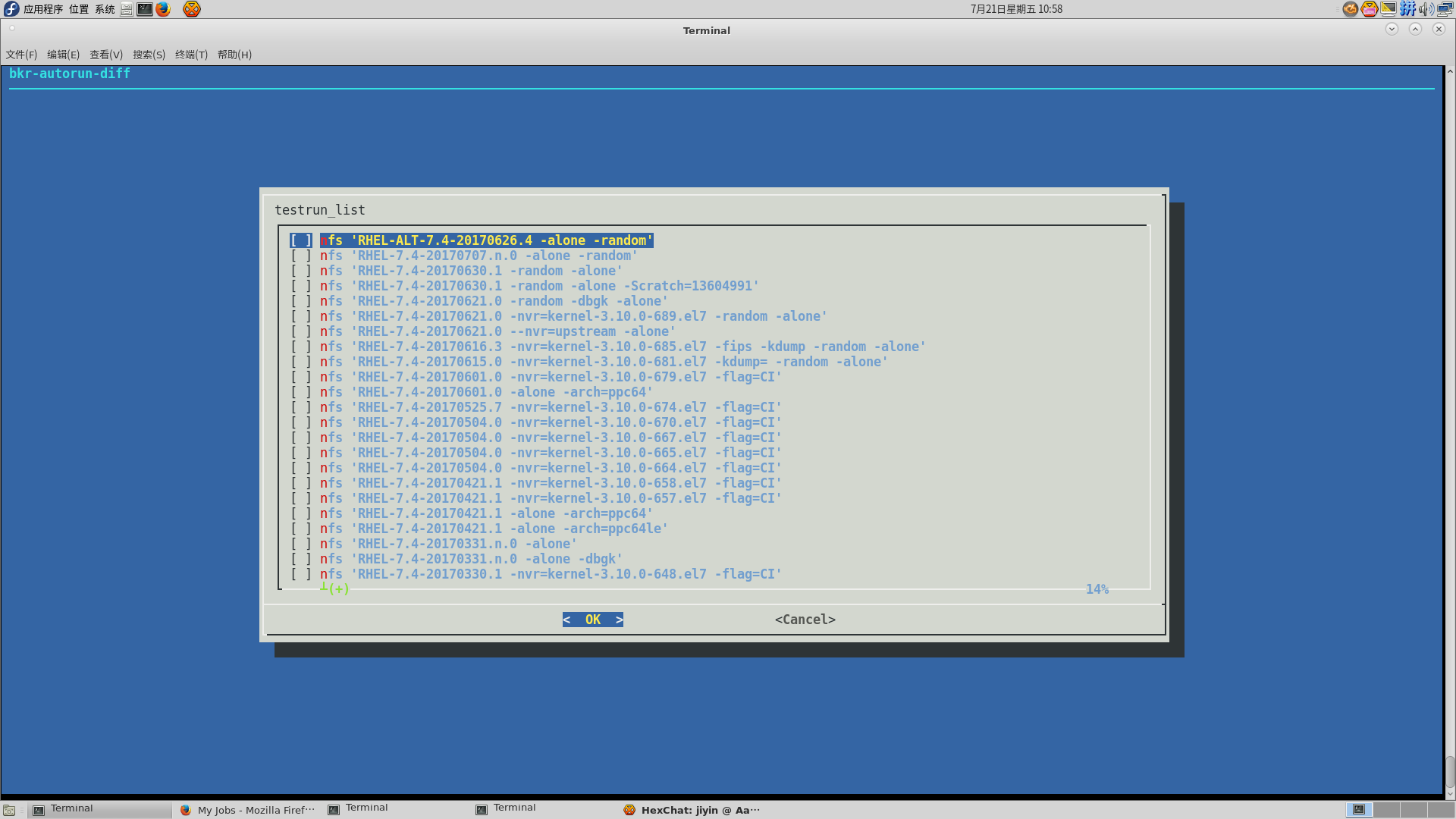
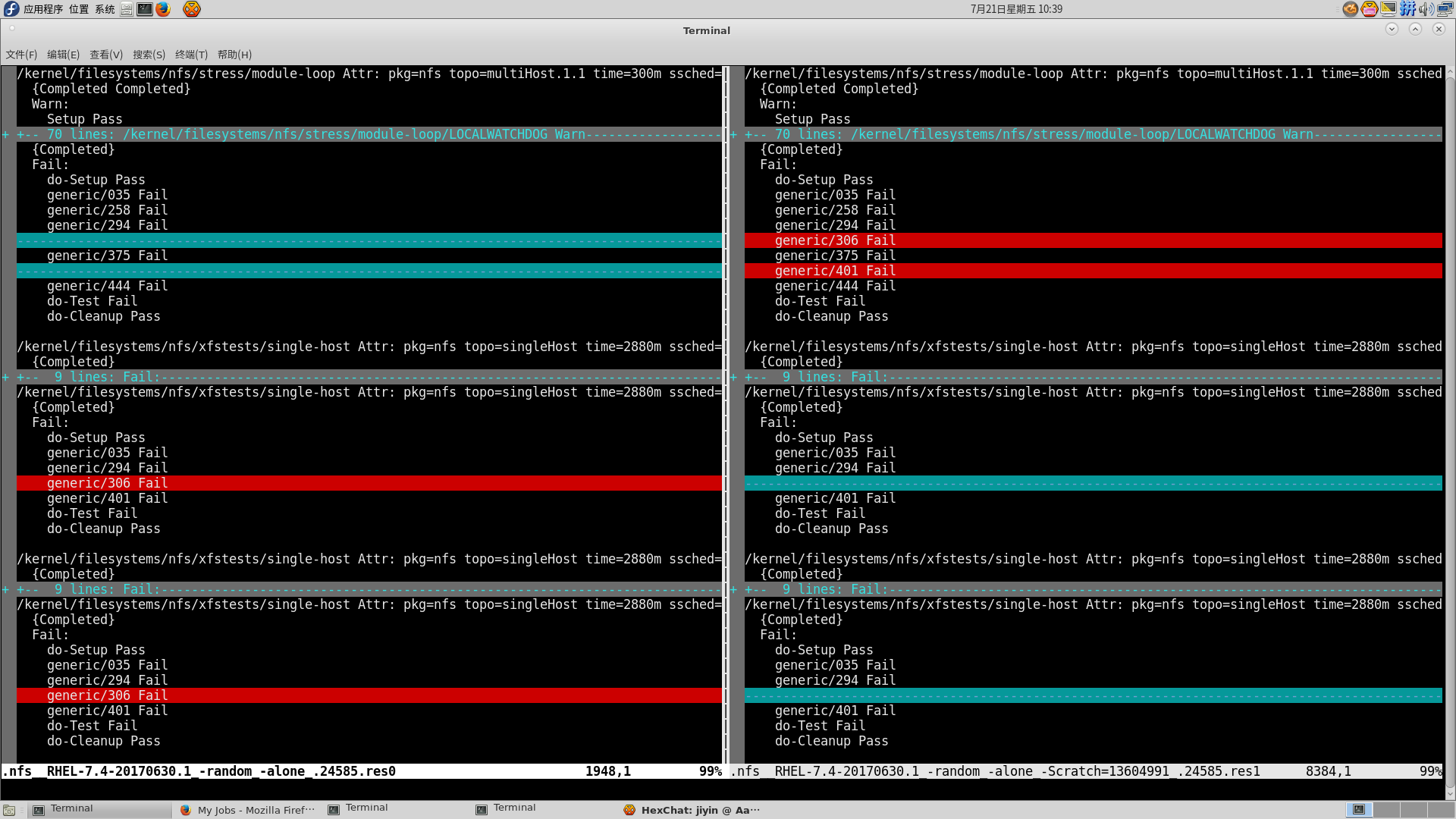
- Implement
newcase.shto replacebeaker-wizard, which works better for multi-level directory and mutli-host. - Implement
gen_job_xmlto support complicated options setting for each role or recipeset. - Add
subtest.ymlto define each test's attribution/parameter/requirement. User don't need to read the code to study how to run it, and easy to extend one test case to multiple test items. - Implement
lstest/bkr-runtestto submit test jobs to beaker from git dir, the action is convenient, fast, grouped and hardware resources saving. User don't need maintain tedious job XML and parameters. - Implement
bkr-autorun-*to submit test jobs, monitor job status, report test results, and save results in database for easy querying and comparing. - Supply some useful scripts for QE.
curl -L https://raw.githubusercontent.com/tcler/bkr-client-improved/master/bkr-runtest/bkr-update.sh | sudo bash

#or
git clone https://github.com/tcler/bkr-client-improved
cd bkr-client-improved
sudo make install  # or "sudo make install_all" to install the beaker-test-robot tools
Notes:
- The tools depends on official beaker-client, please make sure you have it installed.
- The installation script just support Fedora/RHEL
-
lstest - List Test items from test case dir
Usage: lstest [--raw | -e[~/.bkr-client-improved/bkr.recipe.matrix.conf] | -t <maxtime>] [$dir ...] Example: lstest /kernel/filesystems/nfs/regression -
gen_job_xml - Generate Beaker job XML file, like
bkr workflow-simple, but have many improvements and unofficial options supportUsage: gen_job_xml --distro=<DISTRO> [options] Example: gen_job_xml --distro RHEL-6.6 --task=/distribution/reservesys --arch=x86_64 Example: gen_job_xml --family RedHatEnterpriseLinux7 -F test.list --nvr=kernel-x.y.z-abc.el7 --dbgk(Use
gen_job_xml -hto check all available options) -
bkr-runtest - Genarate job XML files from test items (by
lstestandgen_job_xml), then group them (by hardware requirement) and submit to beakerUsage0: bkr-runtest [options] <distro[,distro,...]> [-|testfile...] [gen_job_xml options] Usage1: bkr-runtest [options] <family[,family,...]> [-|testfile...] [gen_job_xml options] Example 1: bkr-runtest RHEL-7.3 nfs.list Example 2: lstest /some/path/case | bkr-runtest RHEL-6.6 --netqe-nic-driver=tg3 --netqe-nic-num=2 Example 3: lstest ./pnfs/blklayout | bkr-runtest Fedora-22,RHEL-7.2,RHEL-7.2 Example 4: bkr-runtest family7 --arch=x86_64 --kdump -B=lstk # reserve a host with latest RHEL-7 and latest kernel-*.el7 Example 5: bkr-runtest family8.2 --arch=x86_64 --kdump -B=upk # reserve a host with upstream kernel(Use
bkr-runtest -hto get more helps) -
bkr-autorun-* - Utils to automatically submit test jobs, monitor test status, save and report test results
- To create/delete test items for the monitor:
bkr-autorun-create/bkr-autorun-del - To monitor test items' status and save results:
bkr-autorun-monitor(It will automatically be triggered by crontab) - To check the stat and result of the test-run (by CLI):
bkr-autorun-stat - To check the stat and result of the test-run (by Web page):
sudo trms-service.sh startthen checkhttp://$url:$port?user=$user. (usetrms-service.sh stat|awk '/^url:/{print $2}'get the $url info) - To compare/diff two test-runs:
bkr-autorun-diff.sh
(Use
-hoption to study each tool's usage) - To create/delete test items for the monitor:
-
Utils
-
newcase.sh: create a new test case template -
distro-compose: show detail infomation of distro -
getLatestRHEL: get the latest distro name which can install in beaker -
searchBrewBuild/brewinstall.sh: search/download&install package build from brew -
parse_netqe_nic_info.sh: Get network-qe special machines by NIC driver/model/num/...(Check utils dir to get more)
-