

#Machine Learning Library Author: Omar Farooq
####OVERVIEW The Machine Learning library is written in R, interfaced with Java. It allows the user to create Artificial Neural Networks (ANN), Support Vector Machines (SVM) and Naive Bayesian Networks (BAY).
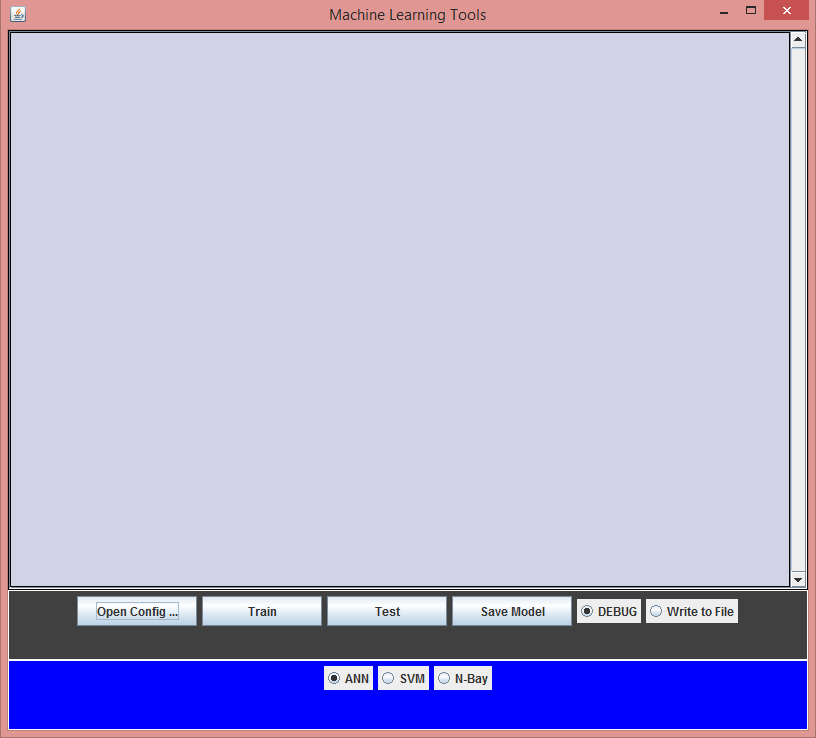
####GETTING STARTED
To run the tools, the user is required to have R installed on your computer. See http://cran.rstudio.com/ It also requires java, which can be found at https://www.java.com/en/download/
After you have R and Java, run build.sh to compile the package and install all the libraries and packages.Run run.sh to run the GUI.
Unix users can jump to USING THE TOOLS section.
#####• WINDOWS:
To run the tools, the user is required to have R installed on your computer. See http://cran.rstudio.com/
(Windows) It is essential that R.dll and R.exe files in the system path. These can be found in the directory where R is installed.
It also requires java, which can be found at https://www.java.com/en/download/
After installing R, run it by typing R in the terminal or by launching the GUI. Type the following commands into R to install the required packages.
install.packages('rJava');
install.packages('neuralnet');
install.packages('e1071');
To compile the tools, we will need to add to the classpath the directory where the jar files JRI.jar, JRIEngine.jar, REngine.jar are located. To locate these we need to find the directory where R installs packages; which can be done by entering the following in R,
.libPaths()
The required jar files are found in the jri folder in the rJava package. Assuming you are in the main directory with all the files, this can be done by the command (Windows):
javac -cp .;R/win-library/3.0/rJava/jri/* Main.java
On the UNIX platform it can be done by javac –cp .: Main.java After the tools have been compiled, they can be run by the command
java -cp .;<Path to jar files> MainWindow
I have included a build file and a batch file for both Macs and Windows that works for R-3.1.0 version. If you have a different version of R then the file needs to be changed for that version. The build file will compile and and the run script will run the program GUI. ###USING THE TOOLS
- Open configuration file. Select model type from radio buttons.
- Click train button and then specify Training file.
- Click test button and specify Testing file.
- Choose file to write output to. (OPTIONAL)
- Save the model. (OPTIONAL)
###CONFIGURATION FILE FORMAT The tools require a configuration file that MUST have the following parameters:
- saveWeights . Should the weights be saved to a file (true or false). This parameter does not actually work. User will just have to press the save model button after model is created/trained.
- readWeights . Should initial weights be read from a file (true or false)
- predVariable . The name of the column which contains the variable to be predicted
- numFeatures . The number of features
- featureVariables . Names of features. Should be seperated by commas
A sample configuration file named titanic.conf is found in the examples folder along with the datasets that it uses. ###FORMAT OF THE DATA The data that the program accepts should be in CSV or XLS format. That is, the data will be like a matrix. The first column should have the headers for each of the columns. Each line will correspond to a row in t he matrix while commas should separate each column. For example
This corresponds to a 10x4 matrix (counting the header row). Lets say that the variable we are predicting is ‘Survived’ and the features are Class, Age and Sex. The format of the test file is the same. Sample train and test files are given in the example folder. The write output option can be checked which will ask for where to save the output. ###CHANGING MODEL PARAMETERS To change parameters like stop threshold for a ANN or the kernel for a support vector machine, changes to the R code will need to be made. This code is found in the R source folder. Please look up the documentation for the different models and modify parameters to the function call that creates the models. For example in the file ANN.R the parameter in the function call ‘neuralnet’ can be changed and more parameters can be added.