Conversation


This way, SiteSettingsInterface can be used by Services as well.
The fragment attaches, detaches and spawns the new-site creation
Service, updating its UI to reflect the process's stage.


|
The code looks simply great @hypest 👏 , but I have some questions to ask. The code itself is brilliant, and the solution is very clever, but (a) it seems not to be a piece of code that is straight-forward to understand and follow (not because of it not being clear, but on the contrary, because of the complexity and levels of abstraction this nice piece you created has) and The very purpose of
While this might be correct, I’d ask: do we need to do this? Why not having a foreground notification set since the beginning? I think all we need is for the process with all its stages to be kept together, which is already handled by the Service. Thus, just setting a foreground notification for the Service would remove all the complexity. Maybe we don’t like having a foreground notification while the app itself is on the foreground? Is this because of a UX concern? Do we think a user would actively send the app to the background while a site creation is taking place? Certainly getting a call or some other app interrupting in the middle of it would probably be more likely than that, but in that case, just setting the foreground notification for the service right away when starting it seems to be sufficient. I hope I’m not falling into some trap here 😝 , but if there are reasons to not have the foreground notification for as long as the service creation process last (with all its stages), I’m curious to learn which those are. Also, an open question: is there a risk in between passing from foreground to background and viceversa? how sure are we about it?
|


|
Thanks for the thorough feedback @mzorz , I appreciate it!
That's actually a design decision we have made in the project: have the notification only when the app is in the background. The assumption here is that the app will actually display the operation's progress on its current UI so the notification is redundant. In practice, the implementation depends on the registered listeners count. That means the app could be displaying a screen irrelevant to the Service and the notification would show up if no listener is in place.
Perhaps, especially if the device is on a slow network connection. It's a basic assumption in Android anyway but beyond that, the implementation here tries to become usable elsewhere too. See #6700 for example. A next goal is to port the Login procedure to a AutoForeground Service too. Maybe even in other places, like media upload which we know for sure that it takes long to complete. By the way, I'd expect this solution to mature and include an option to always show the notification. The key with
None that I know of. Promoting a background Service to foreground is standard practice (see "Prior to Android 8.0..." paragraph in the docs) and then the API offers the way to demote back to background (see the docs) if killability is not an issue anymore.
I opted for Messenger API since it's native and designed to be used with Services. See paragraph "Using a Messenger" in the Bound Services docs. Among other things, notice how the Messenger API can detect when the the listener is stale/dead/misconfigured, allowing the AutoForeground-er to foreground the Service if no listeners are valid:
Quite possibly. I mainly opted for the Messenger because the Service docs mention it and I didn't think EventBus offers the deep IPC I wanted for abstracting the messaging mechanism. That said, the overall logic of the "AutoForeground" functionality is not too tied with the messaging mechanism so, we can exchange it with EventBus, LocalBroadcastManger or even direct static method calls if we prefer and turns out to be simpler. I'd say that that would be an optimization at this point and so, we can do it in a separate PR.
Totally. I was aware of the notification id mess in Android but didn't want to burden this PR with this. This PR is against a feature branch anyway and was planning to tackle that later. Thanks again for the deep dive in the code @mzorz ! Let me know if the responses above cover the concerns or perhaps more info is needed. ❤️ |
|
Thanks for taking the time to answer all these points @hypest ! I really appreciate it and I like how you’re showing me a different perspective, that allows to see potential in the solution in a different way. I’ll come back to this a few times in my comments below. tl;dr: Being totally honest, I wouldn’t have taken the decision to go ahead and implement this solution, I would have challenged the design decision and I’d be fine with having little UI redundancy but not pay the burden of adding potential issues with a non trivial solution, maintainability being the most important thing I can foresee. OTOH the solution is written now, so we have it and I’m trying to explore the potential of doing nice stuff with it. With this in mind, I’ll comment below.
I feel at first the impulse to challenge that decision. The balance between having 1 line of code to maintain (just setting the service to foreground til it’s stopped) versus a Design wise, I think it probably makes lots of sense to eliminate any redundancy, but at which cost?. Also it’s offering marginal value (just for this use case, hide/unhide the foreground notification depending on the app being on the foreground or not, I bet most users won’t even notice). OTOH the solution is still nice, even though I would have decided against pursuing this effort here in the beginning, for the reasons I just outlined. This triggers a side, philosoraptor note: I honestly wonder whether this is an egg/chicken problem in my head: if I tried to always do the less effort possible (in a good sense), then this kind of things wouldn’t be available in the future to be used in new use cases, because the thing wasn’t built in the first place. But at the same time we can’t be coding for “potential future use cases”. This is a tough call.
ahhh!. This is nice. I can see the potential this has. But still, it’s a subtle thing, while the complexity of the mechanism behind this is not proportional to the value it’s offering. Is it worth it?
I can’t help the big question coming up again each time: for these cases, does showing the foreground notification all the time, make any difference? The 3 cases (login, site creation, media upload) are things that the user triggers, so it is expected they want to know what’s going on with their request. I’m sure they can cope with having the notification there. Also as a side note, while I haven’t read #6700 in detail, that looks like the “done” event wasn’t caught by the fragment handling the login UI or something alike. Things like events being lost because of configuration changes or the user sending the app to the background, etc could be solved by using sticky events and adding the logic to remove the sticky event once consumed (http://greenrobot.org/eventbus/documentation/configuration/sticky-events/).
☝️ I like this idea a lot ❤️. Super smart!
I'm glad you're suggesting that, as the main key thing that I’m trying to address with my comments here is that the messaging part is not as clear as it would be if we used EventBus (given its extensive use in the app) or I think the sanity check you mentioned here But, we’ve been relying on registering/deregistering objects from the Bus with no major problems, so I guess unregistering can still be safely done in the majority of cases. In order to give us a path to move forward to, this is what I’d do:
Hope that makes sense! 🙇 |
|
Thanks for the additional response @mzorz ! I'd like to explore option 2 a bit more. I think that hiding the notification when the app is in the foreground is a good UX for the site-creation case this PR is about so, I'll leave it in for now until exploring option 2 so more. Thanks again for the insights! |
Note: EventBus doesn't offer a way to listen to
registrations/unregistrations so, need to doing it manually via
onBind()/onUnbind()/onRebind(). That means that the client needs to bind
to the Service *and* to register to EventBus. The ServiceEventConnection
class is introduced as a helper to that end.

| public void onErrorResponse(VolleyError error) { | ||
| setState(SiteCreationPhase.FAILURE); | ||
| // ToastUtils.showToast(ThemeBrowserActivity.this, R.string.theme_activation_error, | ||
| // ToastUtils.Duration.SHORT); |

There was a problem hiding this comment.
let's not forget to remove this commented code here before  🎗
🎗
There was a problem hiding this comment.
Truth be told, I left those in to handle right after we had a "green light" for the AutoForeground mechanism. Technically this PR is not ready to be merged yet. But thanks for pointing it out! I will remove the comments so we can ideally merge the PR. 👍
|
Hey @mzorz , I've revised the messaging system to be based on EventBus. Ready for another look! Some notes: EventBus has no mechanism to detect registration/unregistration of clients so, Also, to try and make sure the client does both the binding and the EventBus registration, the |
| AppLog.i(T.NUX, event.toString()); | ||
| if (event.isError()) { | ||
| setState(SiteCreationPhase.FAILURE); | ||
| // showError(event.error.type, event.error.message); |
There was a problem hiding this comment.
Just wondering, do we have this one commented out to avoid dupes with https://github.com/wordpress-mobile/WordPress-Android/blob/issue/6824-site-creation-service/WordPress/src/main/java/org/wordpress/android/ui/accounts/NewUserFragment.java#L747 and https://github.com/wordpress-mobile/WordPress-Android/blob/issue/6824-site-creation-service/WordPress/src/main/java/org/wordpress/android/ui/accounts/NewBlogFragment.java#L341 ?
There was a problem hiding this comment.
I left those in just as a reminder-to-self to modify the client on the UI side to display errors. I will remove the comments from here. 👍
|
|
||
| import org.greenrobot.eventbus.EventBus; | ||
|
|
||
| public class ServiceEventConnection { |
There was a problem hiding this comment.
What do you think about moving this entire class into AutoForeground.java? It's unclear what its purpose is if we leave it alone within a util package.
| private Intent getPendingIntent() { | ||
| Intent intent = new Intent(this, NewBlogActivity.class); | ||
| // intent.addFlags(Intent.FLAG_ACTIVITY_SINGLE_TOP); | ||
| // intent.addFlags(Intent.FLAG_ACTIVITY_NEW_TASK); |
There was a problem hiding this comment.
I guess this is only used for the Progress notification (if the user taps on it, they will be taken to the NewBlogActivity), and as such we don't need to create a new task stack, etc. If that's its only purpose I think we can safely remove these commented lines.
There was a problem hiding this comment.
I haven't fully implemented the notification tapping behavior and that's why those are still in comments. I'll remove the comments and we can fine tune the notification tapping behavior in a subsequent PR, is that OK?
| Intent intent = new Intent(); | ||
| if (site == null) { | ||
| setState(SiteCreationPhase.FAILURE); | ||
| // ToastUtils.showToast(getActivity(), R.string.error_fetch_site_after_creation, ToastUtils.Duration.LONG); |
There was a problem hiding this comment.
same here, right? (same question as in comment above)
|
I've address the additional feedback @mzorz , ready for another pass! Thanks! |
|
Code looks good! I was testing though and found an inconsistency when sending the app to the background as advised here:
|

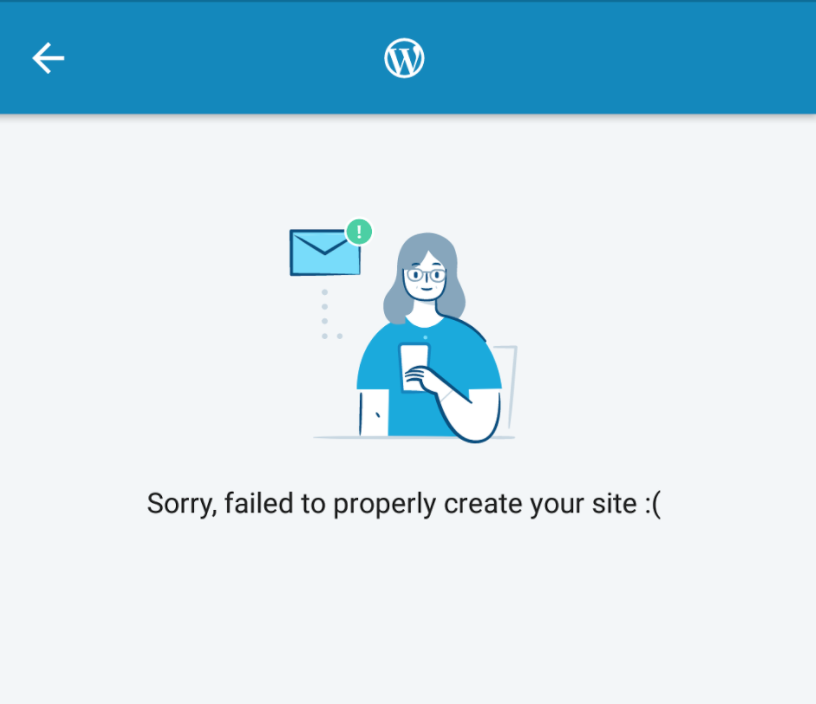
Yes, the relevant work in not done yet. Will do in subsequent PRs of the feature. Still, thanks for pointing out. |
Yeah, the flow there is only a "test" so to put together the Service and a client for it. It will be properly implemented according to the feature design which is in progress. |
|
Pushed a commit to fix the notification icon in this PR @mzorz , thanks for the suggestion over chat. |
|
|
2 participants


Fixes #6824
Introduces a Service that performs the site creation steps. A simple "placeholder" UI is used for interacting with the Service and will be expanded to conform to a new design for a site-creation wizard.
The Service uses the also newly introduced
AutoForegroundhelper to seamlessly foreground/background the Service. If the app gets backgrounded while the service is still running, a statusbar notification appears to monitor the progress. The notification gets hidden if the app resumes while the service is still running.This PR targets the dedicated feature branch.
Depends on #6823 to be merged to develop but in the meantime, it already includes the commit needed.
To test:
gradle.propertiesfile and define the 4 strings needed for the new site creation. SeeWordPress-Android/WordPress/src/main/java/org/wordpress/android/ui/accounts/signup/SiteCreatingFragment.java
Lines 82 to 85 in 86ffba9
intergalactic-2for the theme name/id.