Conversation


|
@designsimply Build #24644 should be available here whenever you get a chance to take a look: https://install.appcenter.ms/orgs/automattic/apps/WPiOS-One-Offs/ |

 designsimply
left a comment
designsimply
left a comment
designsimply
left a comment
There was a problem hiding this comment.
First, @bjtitus, the publish flow has definitely been improved by this PR to help users by preventing them from publishing posts accidentally if they change a draft to a date in the past and then leave the post. This was a really good change because before it was really easy to accidentally publish a draft, and that part has been fixed—thank you!
Now, the flow is not ideal because this caused a few other places where you could potentially get stuck (for example, it's no longer possible to set a draft to a date in the past and save the draft without publishing) so I would like to ask for an extra design review for these cases to ask about how we should proceed with the immediate upcoming releases (14.4 is in code freeze right now, for example).
Here are my notes from testing build 24644:
Tested with the steps from #13655 and confirmed that the date is now preserved in Post Setting when you use "Move to Draft", however, there's a new problem where the date on the draft in the Posts List appears to be timestamp the draft was last modified and the date in the Post Settings is the publish date before "Move to Draft was used. I really can see how this could be confusing either way so I would like to double check again with @iamthomasbishop on it. (1m56s)
Tested with the steps from #13654 and I found that the "Publish" button and flow is more clear but the problem is that once I've made any date change at all to the draft I'm editing, I'm forced to choose to either publish the post (if the date was set to immediately or to the past) or schedule the post (if the date is set to something in the future). Once I've changed the date in Post Settings for a draft, there's no way to save a draft. @iamthomasbishop this is another area where I would like to get your feedback about what, if anything we should change for the immediate release, which is 14.4 scheduled for App Store Submission on March 20th. (4m32s)
Tested with WPiOS build 24644 from MS App Center WPiOS One-Offs on iPhone 11 iOS 13.3.1.
|
Thanks @designsimply! I think these are all good points where the flow becomes confusing.
I did cross check this behavior with Calypso on the web because it looked a bit odd to me also. It seems like the modified date is shown for drafts and the scheduled/published date for other sections.
I think there is one unintuitive way around this: you can change the Post Status to Draft from Post Settings. I love the idea of adding a better modal that shows more information and possibly giving more adjustment options. |


|
Hey! I moved this PR to 14.6 as because 14.5 has been cut. If you want this to make it to 14.5, please feel free to ping me! |

|
@bjtitus , what is the status on this PR?? |
The publish logic needs to be updated for the `nil` dateCreated change to work properly.
|
There are really 2 main changes aimed at bug fixes in this PR:
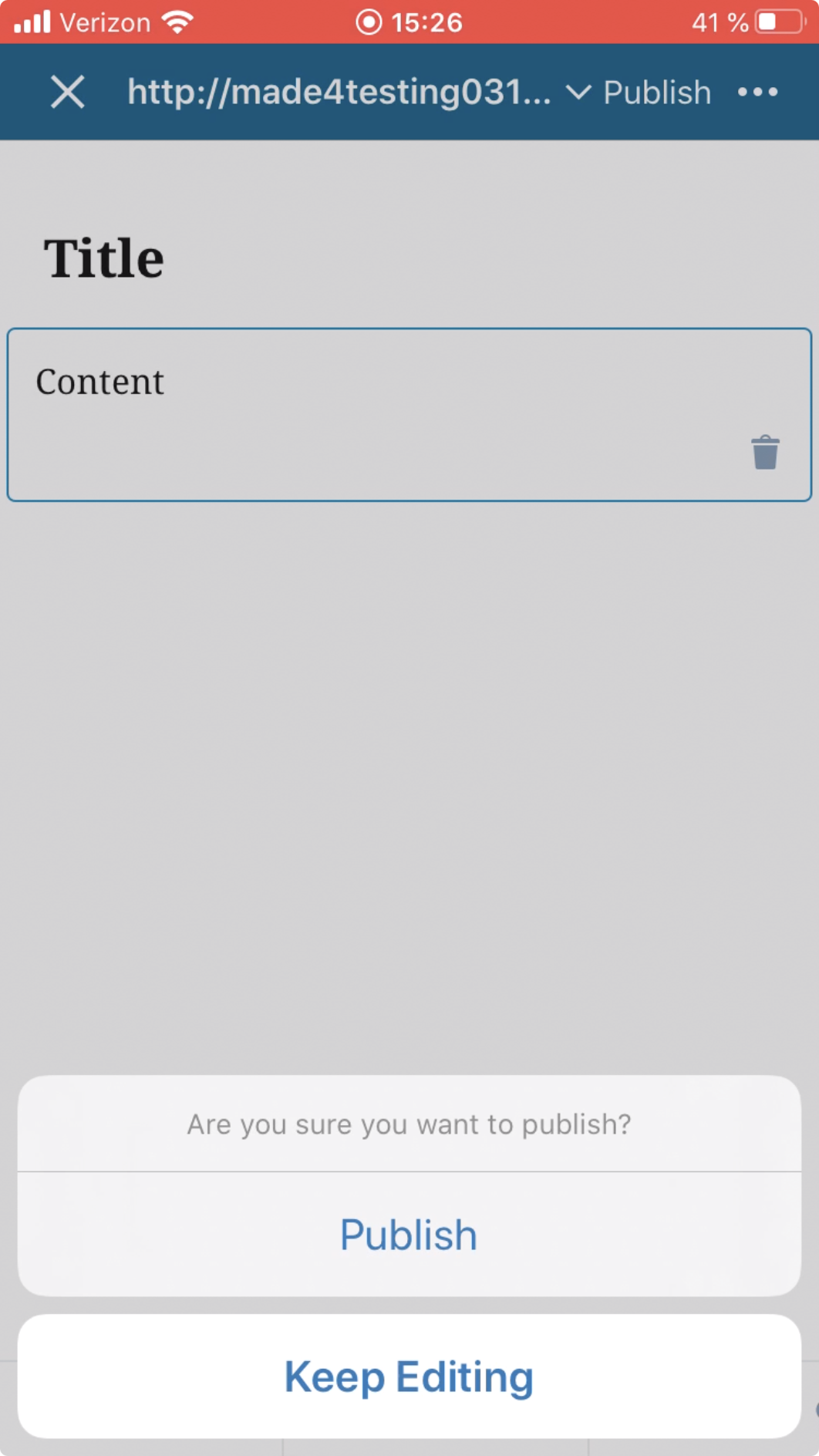
A 3rd addition adds a dialog so it is extra clear when a Post moves from a non-published status to Published. I think this addition may need some extra review, so we could remove it for now to try and get a limited change set in to 14.5 if that makes more sense. |
This logic doesn't match current app behavior, so the test can be removed.
|
Build 14.5 (25496) from the one-off builds is most up to date with this PR: https://install.appcenter.ms/orgs/automattic/apps/WPiOS-One-Offs/ |

To clarify, the extra dialog you're referring to is the one that says "Are you sure you want to publish?" which appears after backdating a post then tapping "X" then "Update Post"? (2m13s)
|

|
@designsimply Yep! That's the confirmation dialog I was referring to. I think an option could be added to Save as Draft to that menu to make it easier to switch from Published to Draft instead of having to go back to Post Settings to make the change. I think that's better for a future release, though. |
|
Merged into release 14.5: #13726 |
4 participants


Fixes #13655
Fixes #13654
To test:
PR submission checklist:
RELEASE-NOTES.txtif necessary.