Issue 19051 - Suggestions list disappear after expanding/collapsing the reply input#19248
Conversation


…ntReplyViewController and make suggestions visible if needed
…ntReplyViewController and make suggestions visible if needed


|
@igoriols The first time the input field is expanded, the issue is fixed. However, if I expand the list again the list disappears. Simulator.Screen.Recording.-.iPhone.13.Pro.-.2022-08-29.at.02.26.44.mp4 |

Sorry, but I couldn't reproduce the behavior you identified. Here is what I found: Could you please share more details about how you identified what you have found? Thanks in advance. |
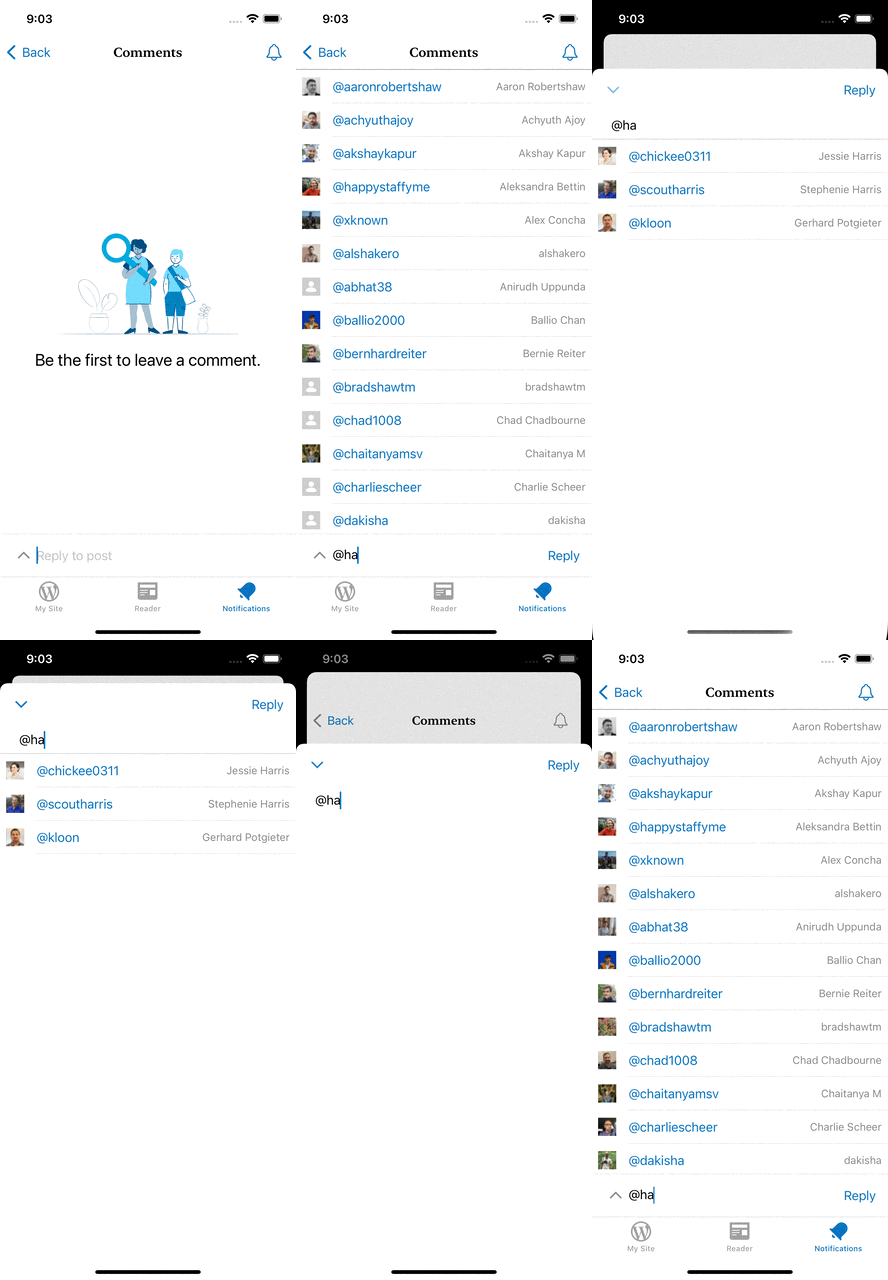
@igoriols Sure!
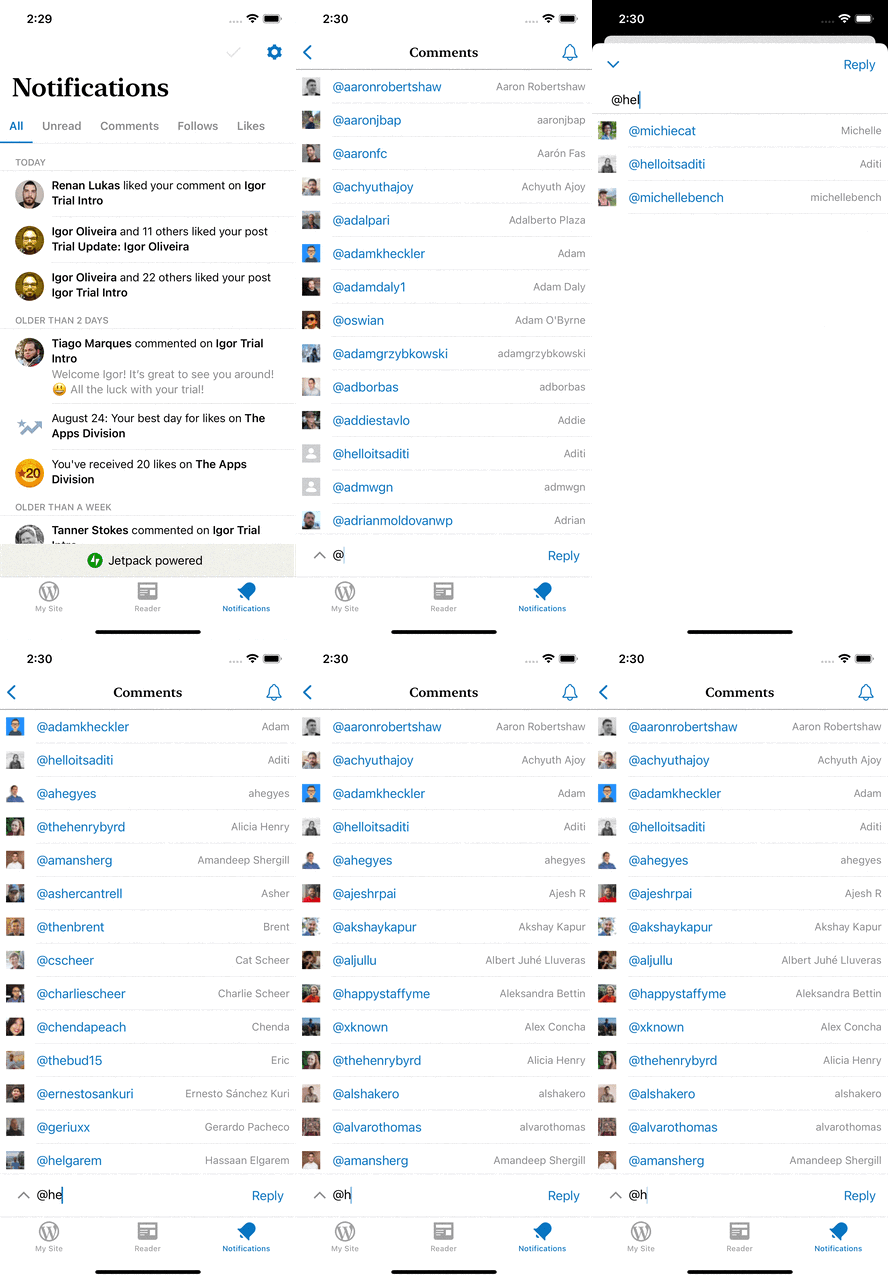
I think it's reproducible from any type of notification not just "Someone liked your comment" |
Thank you for the detailed steps. Sorry, but I still can't reproduce it yet. 😕
I also tried to reproduce it with other types of notifications, but I couldn't reproduce it yet. The new method I created is being called every time the suggestions list visibility is enabled. So, it should work by expanding/collapsing the reply field. One thing I noticed is that sometimes the UI hangs during the search. Maybe a possible solution is to extract the search execution to another thread. The behavior you found is always happening? |
 hassaanelgarem
left a comment
hassaanelgarem
left a comment
hassaanelgarem
left a comment
There was a problem hiding this comment.
The behavior you found is always happening?
Could you please check it again?
I tested again on a physical device and the issue is not happening. Looks like a simulator bug 🤦♂️
WordPress/Classes/ViewRelated/Comments/CommentDetailViewController.swift
Outdated
Show resolved
Hide resolved
| // Static margin between the suggestions view and the text cursor position | ||
| private let suggestionViewMargin: CGFloat = 5 | ||
|
|
||
| var viewModel: FullScreenCommentReplyViewModelType = FullScreenCommentReplyViewModel() |
There was a problem hiding this comment.
[Nit] I don't think this variable should be public. How about injecting it through an initializer?
There was a problem hiding this comment.
Good idea, I thought about injecting through an initializer at first, but as it was inheriting from an Objective-C class, I thought it would be more complex. After a deeper look, I realized it was easier than I thought.
Thanks for suggesting it.
| XCTAssertNotNil(tableView) | ||
| } | ||
|
|
||
| func testShouldShowSuggestionsIsFalse() { |
There was a problem hiding this comment.
This test is a bit vague. Can you either add a more verbose setup in the test or add some documentation?
There was a problem hiding this comment.
Sure. I added a more verbose setup. Is it ok like that?
There was a problem hiding this comment.
It's still unclear to me why the expected result is false 🤔
There was a problem hiding this comment.
It runs on the test environment with the mocked CoreData context, so it is expected to return false. I will add some documentation and one more test to clarify.

| XCTAssertNotNil(tableView) | ||
| } | ||
|
|
||
| func testShouldShowSuggestionsIsFalse() { |
There was a problem hiding this comment.
It's still unclear to me why the expected result is false 🤔
| // nibName from super class | ||
| let nibName = String(describing: EditCommentViewController.self) | ||
| self.viewModel = viewModel | ||
| super.init(nibName: nibName, bundle: nil) |
There was a problem hiding this comment.
[Nit]
EditCommentViewController has a static function (+ (NSString *)nibName;) that determines the nibName that we can leverage. If we make this public we can do something like this:
| // nibName from super class | |
| let nibName = String(describing: EditCommentViewController.self) | |
| self.viewModel = viewModel | |
| super.init(nibName: nibName, bundle: nil) | |
| self.viewModel = viewModel | |
| super.init(nibName: Self.nibName(), bundle: nil) |
What do you think?
There was a problem hiding this comment.
Nice catch. I applied your suggestions. Thank you!
…mentReplyViewController
…mentReplyViewController

|
LGTM! |

2 participants


Closes #19051
Description
In this PR, I'm addressing the requested change to keep the suggestions list visible when expanding/collapsing the reply text field. If the user inserts a
@the suggestions appear. And if the user clicks on the^button, it should be visible when the text area is expanded. Following the same idea, if the text area is expanded and the suggestions list is visible, it should remain visible when the user clicks on the⌄button.Details
I created
FullScreenCommentReplyViewModelto extract business logic fromFullScreenCommentReplyViewControllerand make it easy to test the visibility of the suggestions list.I added a new parameter on
FullScreenCommentReplyViewController.enableSuggestionsrepresenting the last search string provided by the user, and it is being called beforeFullScreenCommentReplyViewControlleris presented.I changed
FullScreenCommentReplyViewControllerto display the suggestions list if the search text was provided. The suggestions list is shown or not inviewDidAppearusing the search text provided. The suggestions list remains hidden if the search text is nil or empty.I modified
FullScreenCommentReplyViewController.onExitFullscreento have one more string as the last parameter. It represents the last search text inserted by the user when the text input area is expanded.When the user exits
FullScreenCommentReplyViewController,onExitFullscreencompletion block is called with the last search text provided. If the user pressReplythere is no need to keep the list visible, so I'm sending nil in the completion block.I created a new method in
ReplyTextViewDelegatewhich is being called whenFullScreenCommentReplyViewControlleris closed. The implementation receives the last search text provided by the user, and displays the suggestions list.I'm calling the new delegate method on every view controller that calls
FullScreenCommentReplyViewControllerenabling the suggestions list visibility. So, every view controller that conforms withwillEnterFullScreenmethod is conforming with the newdidExitFullScreenmethod.Preview
Testing Instructions
N.B: The user-mentions suggestions feature is not enabled in self-hosted sites ( wordpress.org ).
Scenario 1 - Suggestions list remains visible when the text area is expanded
^button.Scenario 2 - Suggestions list remains visible when the text area is collapsed
^button.⌄button to collapse the text area.There are other scenarios to display the suggestions list described in #18979.
Regression Notes
Potential unintended areas of impact
Unfortunately I couldn't create unit tests for every view controller conforming with the new
didExitFullScreendelegate method:CommentDetailViewController,NotificationDetailsViewControllerandReaderCommentsViewController.What I did to test those areas of impact (or what existing automated tests I relied on)
I've manually tested all the scenarios where
didExitFullScreenis called.What automated tests I added (or what prevented me from doing so)
I added
FullScreenCommentReplyViewModelTestsand I added new tests inFullScreenCommentReplyViewControllerTeststo check the visibility of the suggestions list.I couldn't add new tests for
CommentDetailViewController,NotificationDetailsViewControllerandReaderCommentsViewControllerto ensure the suggestions list is displayed because those view controllers are not unit-testable.PR submission checklist:
RELEASE-NOTES.txtif necessary.