Conversation


* Uses UIAlertController to present notifications. Will later be replaced
  with our own custom notification view.


| return alert | ||
| } | ||
| } | ||
|
|

There was a problem hiding this comment.
Trailing Newline Violation: Files should have a single trailing newline. (trailing_newline)

|
|
||
| extension WordPressAppDelegate { | ||
| @objc func configureNoticePresenter() { | ||
| let _ = NoticePresenter.shared |
There was a problem hiding this comment.
Could we just have the app delegate own an instance instead of having a global shared one? This looks a bit odd.
There was a problem hiding this comment.
We can (I'd prefer that too), but I don't think we can easily until the entire App Delegate is in Swift? I don't really want to make the presenter an NSObject, so the reference can't be in the obj-c App Delegate code, and the Swift code is an extension so can't add properties.
There was a problem hiding this comment.
Right 😬 I don't mind temporarily making it a NSObject, but maybe you can put it inside StoreContainer for now?
There was a problem hiding this comment.
After discussing this in Slack, I'd like to leave this shared for now as the other options have some caveats:
- Making the presenter conform to
NSObjectis tricky because it has non-objective-C properties and an initialiser with a default value. - Adding it to the StoreContainer is okay, but it doesn't really belong there either, and I'd still need to add some code to ensure the StoreContainer is instantiated.
I'm going to add a comment to the code clarifying that it'll move in the near future, and once I add the proper UI the presenter will probably need to be instantiated with a reference to a presenting container – at which point it'll make more sense to create it in the app delegate.
| } | ||
| } | ||
|
|
||
| private struct Queue<T>: ExpressibleByArrayLiteral { |
There was a problem hiding this comment.
I'm not sure why the ExpressibleByArrayLiteral is there. Other than that, Queue looks good, but I'd put it in its own file with documentation and tests.
| elements.append(value) | ||
| } | ||
|
|
||
| @discardableResult mutating func pop() -> T? { |
There was a problem hiding this comment.
Array has a popLast method, so you can simplify the code further by inserting at the beginning instead of appending.
struct Queue<Element> {
    private var elements = [Element]()

    mutating func push(_ element: Element) {
        elements.insert(element, at: elements.startIndex)
    }

    mutating func pop() -> Element? {
        return elements.popLast()
    }
}|
|
||
| enum NoticeAction: Action { | ||
| case post(Notice) | ||
| case dismiss(Notice) |
There was a problem hiding this comment.
Since this will always dismiss the current notice regardless of what's passed, I don't think it needs an associated value.
| } | ||
|
|
||
|
|
||
| struct NoticeStoreState { |
There was a problem hiding this comment.
I've been thinking about some things that I find odd in the code, and I think it's just that the store is inspecting the values on the queue instead of just using push/pop. I think it might improve a bit if the store state was just the current notice to be presented (if any), and keep the rest in a queue of pending notices.
struct NoticeStoreState {
    var notice: Notice?
}


class NoticeStore: StatefulStore<NoticeStoreState> {
    private var pending = Queue<Notice>()

    // ...

    var nextNotice: Notice? {
        return state.notice
    }

    private func enqueueNotice(_ notice: Notice) {
        if state.notice == nil {
            state.notice = notice
        } else {
            pending.push(notice)
        }
    }

    private func dequeueNotice() {
        state.notice = pending.pop()
    }
}
This means the store would only dispatch state changes when the notice to present changes, and not every time a new one is enqueued, but honestly what threw me off was the @discardableResult on Queue.pop() 😁
There was a problem hiding this comment.
Ah, I like this! That makes sense, and you're right it means we only notify on changes for new notifications, not dismissing.

|
@koke I think I've addressed your comments, if you don't mind taking another look! |
| let item = queue.pop() | ||
| XCTAssertNil(item) | ||
| } | ||
|
|
There was a problem hiding this comment.
Trailing Whitespace Violation: Lines should not have trailing whitespace. (trailing_whitespace)
| let item = queue.pop() | ||
| XCTAssertNil(item) | ||
| } | ||
|
|
There was a problem hiding this comment.
Trailing Whitespace Violation: Lines should not have trailing whitespace. (trailing_whitespace)
| return Notice(title: title, | ||
| message: nil, | ||
| actionTitle: NSLocalizedString("Write Post", comment: "Button title for media notification. Opens the post editor."), | ||
| actionHandler: {}) |
There was a problem hiding this comment.
I was going to suggest that if the "Write Post" button doesn't respond yet, maybe not show it in this first iteration?
But then maybe the model should enforce this better, and ensure you either have both an action title and handler, or none of them. This is not necessarily a blocker for this PR, but something to consider for the next iteration.
| private let store: NoticeStore | ||
| private var storeReceipt: Receipt? | ||
|
|
||
| private var isPresenting = false |
There was a problem hiding this comment.
We'd have to test it, but I believe with the new NoticeStore design, the isPresenting state is redundant. Since the NoticeStoreStateState only contains the notice that should be presented, the presenter should ensure that's always the presented one.
There was a problem hiding this comment.
I think you're right – removing it now, much cleaner :)
|
@koke Just addressed your other issues. I took out "Write Post" for now, but I also added another initialiser to |

 SergioEstevao
left a comment
SergioEstevao
left a comment
SergioEstevao
left a comment
There was a problem hiding this comment.
The code looks super clean and the functionality is working smoothly. Just needs some extra documentation comments.
| import Foundation | ||
| import WordPressFlux | ||
|
|
||
| struct Notice { |
There was a problem hiding this comment.
Some documentation for this struct and classes will be welcomed.
| import UIKit | ||
| import WordPressFlux | ||
|
|
||
| class NoticePresenter: NSObject { |
There was a problem hiding this comment.
Some documentation here will be helpful also.
|
@SergioEstevao Thanks for the review! I added some documentation :) |

|
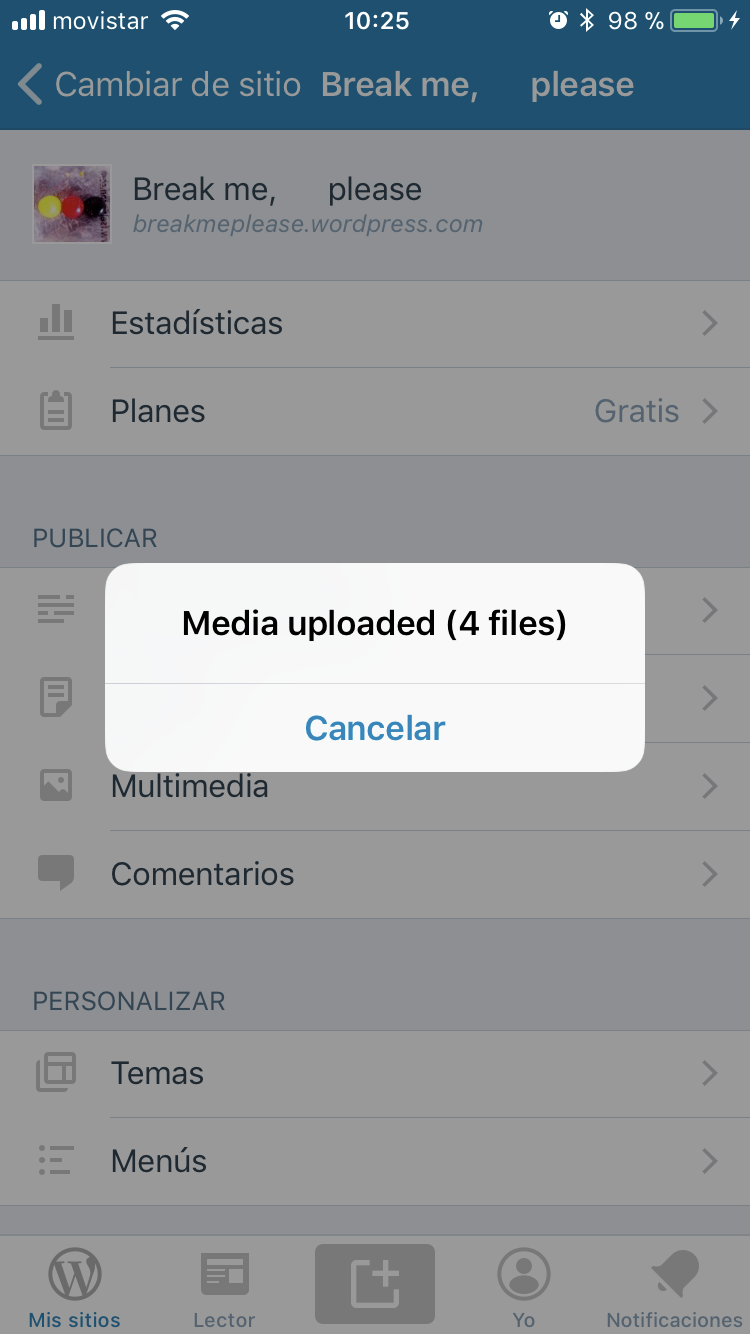
Almost there. Code looks good and it works great. The only thing I've found is that the alert says Cancel, even though I see in the code you meant for it to say "Dismiss"
|
 koke
left a comment
koke
left a comment
koke
left a comment
There was a problem hiding this comment.
I don't consider the alert button a blocker, since the whole alert is temporary, so  when you consider 👏 👏 👏
|
Thank you both! And thanks for picking up the alert button issue, @koke – but you're right, it'll be removed very soon :) |
4 participants


This PR implements the first part of in-app notifications, to be used in the media library and plugins sections of the app. In this PR, we're adding:
Known Issues / Not Implemented
To test:
mediaProgressCoordinatorDidFinishUploadinMediaCoordinatorto dispatch multiple notices one after the other. Check that alerts are queued correctly (with the next appearing after you dismiss one).