






🚧 Demo Project 🚧
🌐 Live Demo: www.sumails.com
Sumails is a demo web application that I've been working on to showcase modern web development practices and AI integration. It's designed to help users manage their Gmail inboxes more effectively by providing AI-powered daily summaries, insights, and organizational tools. The application connects securely to users' Gmail accounts and uses OpenAI's GPT models to analyze email content and generate concise, actionable summaries.
🎨 Design: The UI/UX design was created using bolt.new, an AI-powered web development platform. UI components are built with shadcn/ui, a modern component library built on top of Radix UI and Tailwind CSS.
Enjoyed this project? If you found the code useful, learned something new, or used parts of it in your own projects, please consider giving it a ⭐ star! Your support helps others discover this resource and motivates continued development.

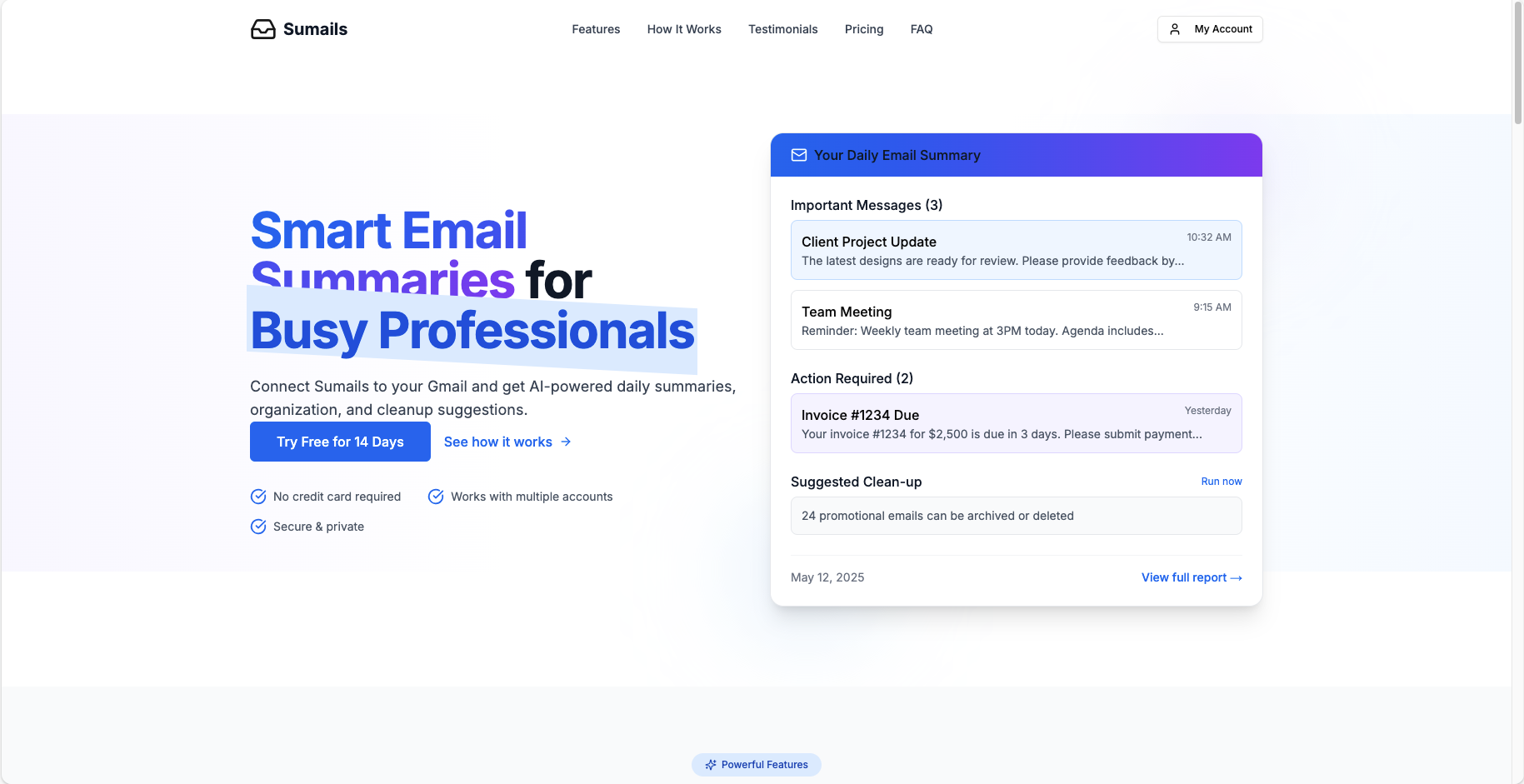 Clean, modern landing page showcasing the AI-powered email assistant
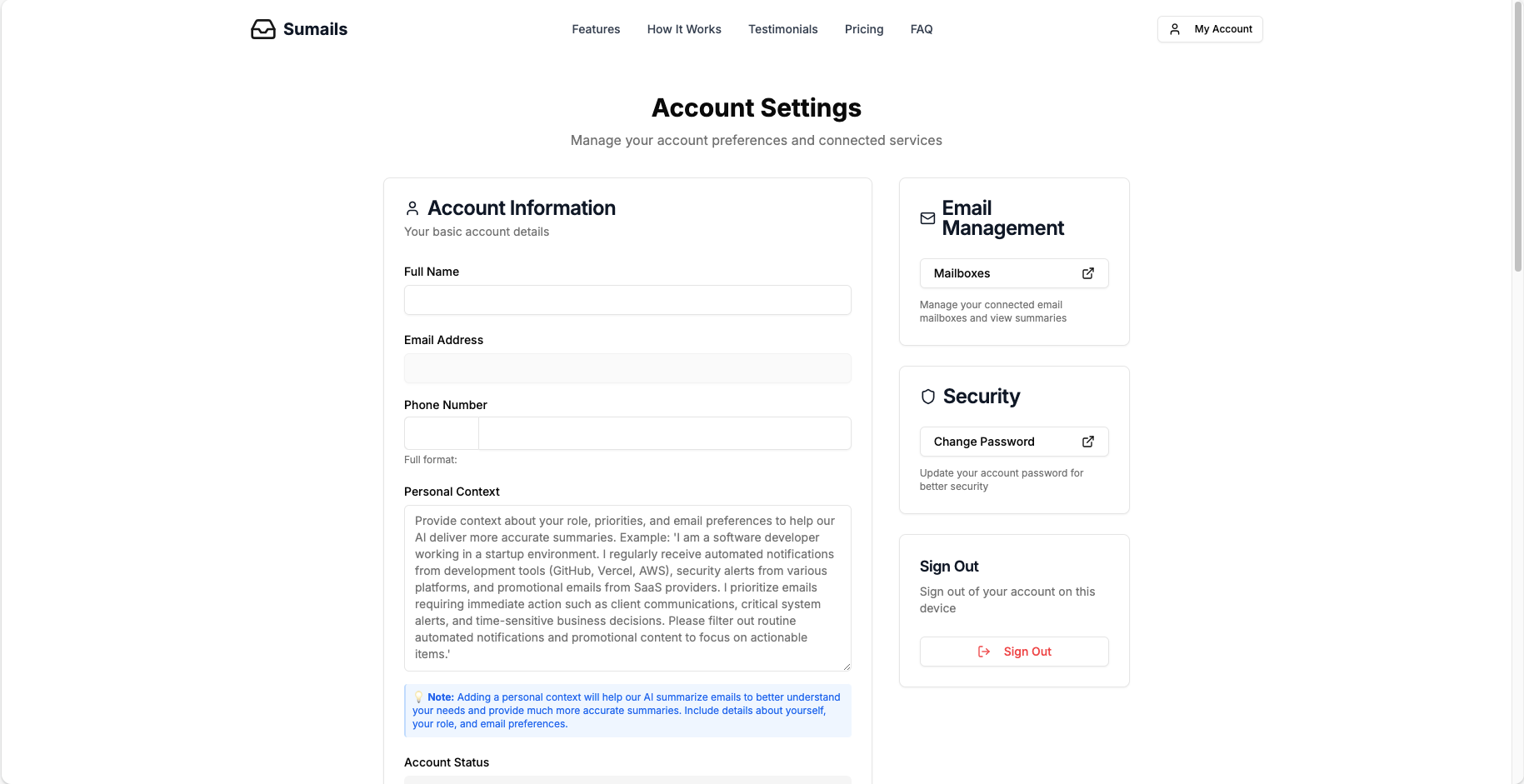 Comprehensive settings panel for managing preferences, notifications, and account details
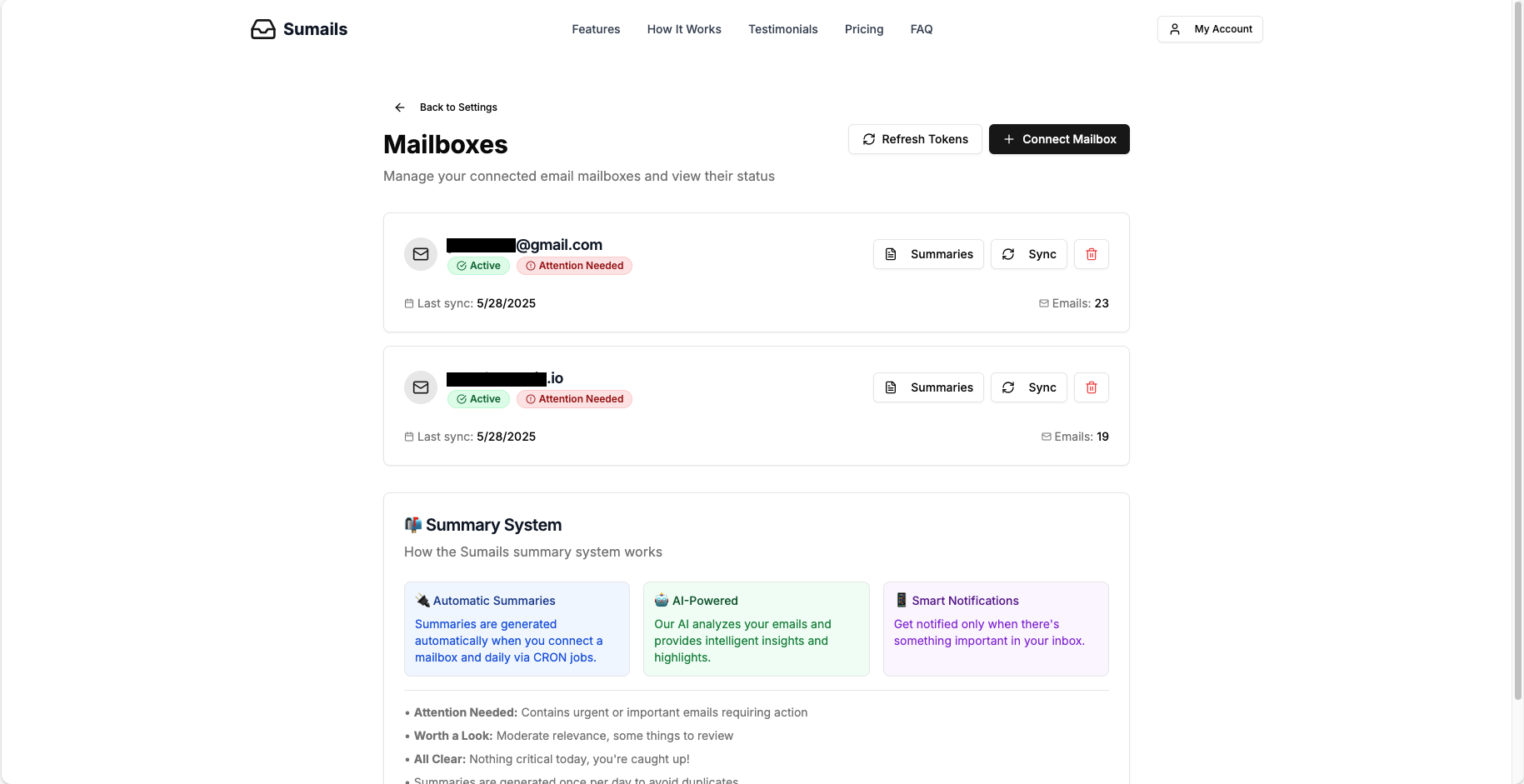 Dashboard for managing multiple Gmail account connections and monitoring sync status
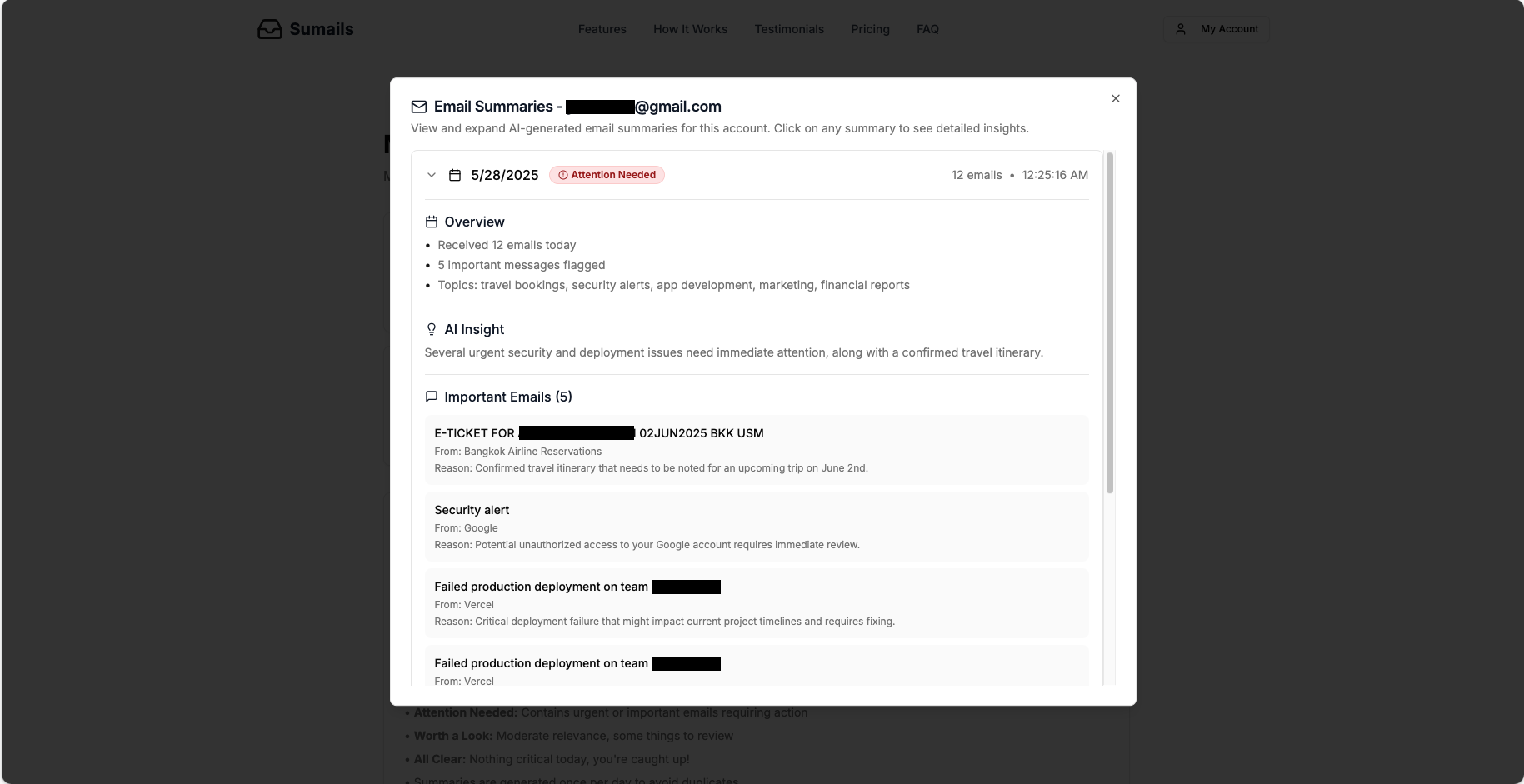 AI-generated email summaries with actionable insights and inbox health status
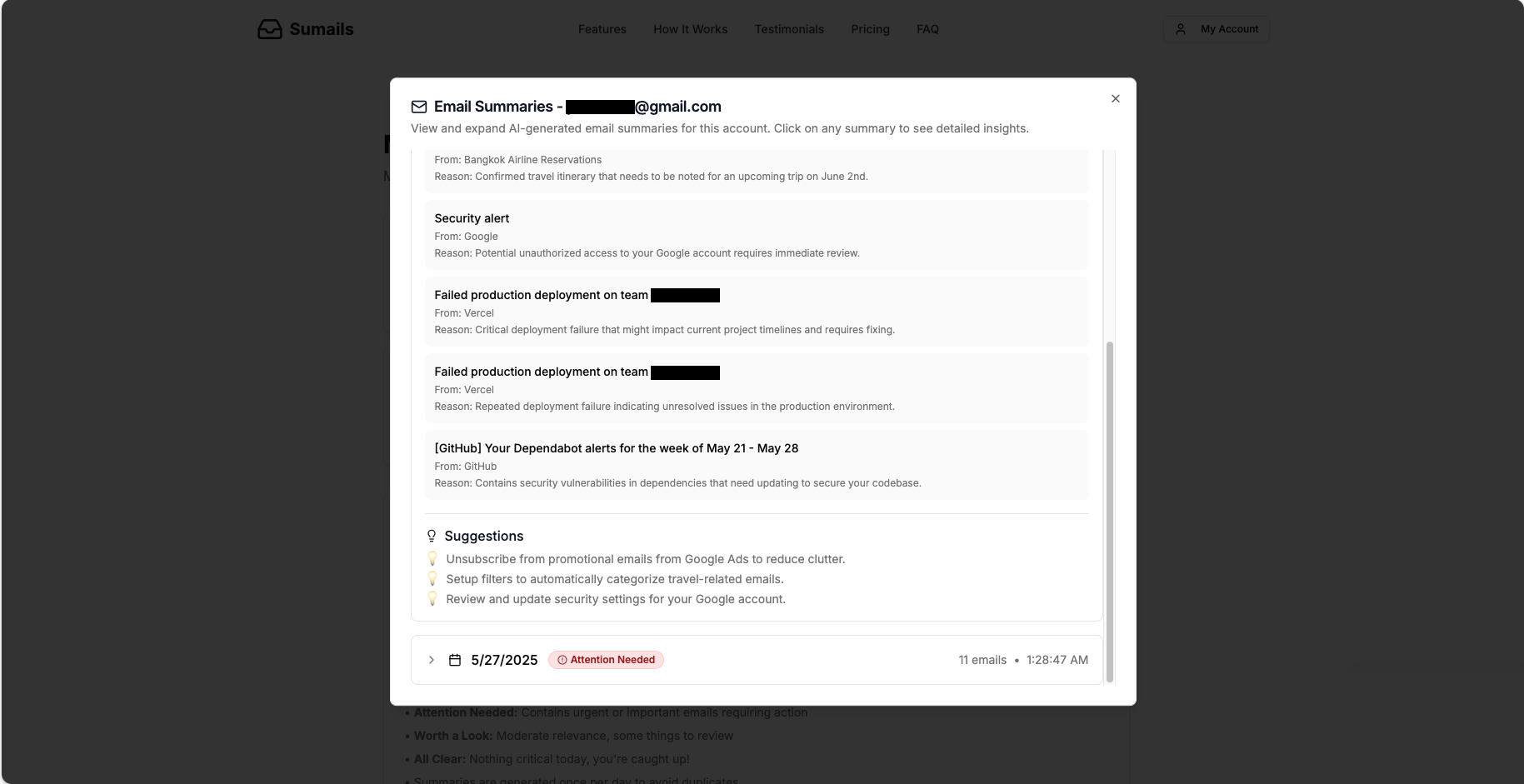 Detailed view of email summaries showing important emails and cleanup suggestions
This project is open source and available for anyone to:
- Fork and use the entire project as a starting point for your own email management tool
- Extract specific components or features that you find useful for your projects
- Learn from the implementation of Gmail API integration, AI-powered content analysis, and modern React/Next.js patterns
- Contribute improvements or suggest new features
Feel free to take any part of this codebase that serves your needs. The project demonstrates various concepts including OAuth integration, AI-powered content processing, subscription management, and modern React patterns.
- 📧 Sumails - Intelligent Email Assistant
- 🔐 Secure User Authentication: Email/password sign-up and login, password reset, and secure session management via Supabase Auth.
- 🔗 Gmail Integration: Securely connect multiple Gmail accounts using OAuth 2.0. Access tokens are refreshed automatically.
- 🤖 AI-Powered Daily Summaries: Leverages OpenAI (e.g., GPT-4o) to generate daily email summaries including:
- An overview of inbox activity.
- Actionable insights.
- A list of important emails with reasons for their importance.
- An overall inbox health status (
attention_needed,worth_a_look,all_clear). - Suggestions for inbox cleanup.
- 📬 Multiple Account Support: Different subscription tiers allow users to connect one or more Gmail accounts.
- 📊 Summary History: Users can view past summaries for their connected accounts.
- ⚙️ Configurable Summary Preferences: Users can set their preferred time, timezone, and summary tone (friendly, professional, concise).
- 🔔 Notification System: Delivers summaries via Email and WhatsApp (currently console-logged placeholders, requires integration with actual sending services). Notifications are triggered based on summary status.
- 💳 Subscription Tiers: Free, Pro, and Business plans with varying features and limits (Stripe integration is placeholder).
- 🛠️ User Settings Management: Comprehensive settings page for profile information, notification preferences, and summary delivery options.
- ⏰ Automated Daily Summaries: Cron jobs ensure summaries are generated automatically at user-specified times.
- 🔄 Token Management: Automatic refresh of expired Google OAuth tokens.
- 📱 Responsive Design: UI built with Tailwind CSS and shadcn/ui for a modern, responsive experience.
- Framework: Next.js 14+ (App Router)
- Language: TypeScript
- Styling: Tailwind CSS, shadcn/ui, Radix UI,
clsx,tailwind-merge,tailwindcss-animate - State Management: React Context API (for Auth), Custom React Hooks (
use-auth,use-settings,usePageInfo) - Forms: React Hook Form with Zod for schema validation
- Backend & Database: Supabase (Authentication, PostgreSQL Database, Edge Functions implicitly via API routes)
- AI Integration: OpenAI API (GPT-4o)
- Email Service Integration: Google API (Gmail API, Google OAuth 2.0)
- Notification Service (Placeholder): Twilio API (for SMS/WhatsApp, API route exists, actual sending needs implementation)
- Animations: Framer Motion
- Logging: Custom logger utility
- Deployment: (Assumed Vercel or similar platform supporting Next.js and cron jobs)
The project follows a standard Next.js App Router structure:
├── next-env.d.ts
├── tailwind.config.ts
├── next.config.ts
├── middleware.ts
├── src/
│   ├── app/                        # Next.js App Router (pages, layouts, API routes)
│   │   ├── (main)/                 # Routes for the main marketing site (e.g., homepage)
│   │   ├── account/                # User account specific pages (settings, mailboxes)
│   │   ├── auth/                   # Authentication pages (login, signup, etc.)
│   │   ├── api/                    # API route handlers
│   │   │   ├── auth/
│   │   │   ├── mailboxes/
│   │   │   ├── summaries/
│   │   │   ├── notifications/
│   │   │   ├── cron/
│   │   │   └── send-sms/
│   │   ├── globals.css
│   │   └── layout.tsx              # Root layout
│   ├── components/                 # React components
│   │   ├── ui/                     # Reusable UI elements (from shadcn/ui)
│   │   ├── home/                   # Components for marketing pages
│   │   ├── auth/                   # Authentication flow components
│   │   ├── account/                # Account management UI components
│   │   ├── dashboard/              # Dashboard layout and specific view components
│   │   └── dialogs/                # Dialog components
│   ├── contexts/                   # React Context providers (e.g., AuthContext)
│   ├── data/                       # Static data (e.g., subscription plans)
│   ├── hooks/                      # Custom React Hooks
│   ├── lib/                        # Core libraries and services
│   │   ├── google/                 # Google API interaction logic
│   │   ├── logger/                 # Logging utility
│   │   ├── openai/                 # (Legacy) OpenAI interaction logic
│   │   └── services/               # Main business logic services (email fetching, summary generation, etc.)
│   ├── providers/                  # Theme and other global providers
│   ├── schema/                     # Zod validation schemas
│   ├── types/                      # TypeScript type definitions (Supabase, email, etc.)
│   └── utils/                      # Utility functions and Supabase client setup
├── public/                         # Static assets
└── README.md
- Node.js (v18.x or later recommended)
- npm, yarn, or pnpm
- Supabase Account (for database and authentication)
- Google Cloud Platform Project (for Gmail API and OAuth 2.0 credentials)
- OpenAI API Key
- Twilio Account (optional, for actual WhatsApp/SMS notifications)
Create a .env.local file in the root of the project and populate it with the necessary environment variables. See .env.example (if provided) or the list below:
# Supabase
NEXT_PUBLIC_SUPABASE_URL=your_supabase_project_url
NEXT_PUBLIC_SUPABASE_ANON_KEY=your_supabase_anon_key
SUPABASE_SERVICE_ROLE_KEY=your_supabase_service_role_key # For admin operations

# Google OAuth
GOOGLE_CLIENT_ID=your_google_client_id
GOOGLE_CLIENT_SECRET=your_google_client_secret

# OpenAI
OPENAI_API_KEY=your_openai_api_key

# Application
NEXT_PUBLIC_SITE_URL=http://localhost:3000 # Change for production
APP_NAME="Sumails"

# Twilio (Optional - for WhatsApp/SMS notifications)
TWILIO_ACCOUNT_SID=your_twilio_account_sid
TWILIO_AUTH_TOKEN=your_twilio_auth_token
TWILIO_PHONE_NUMBER=your_twilio_phone_number # WhatsApp enabled sender

# Cron Jobs
CRON_SECRET=a_secure_random_string_for_cron_job_authorization

# Logging (optional, defaults exist)
# LOG_LEVEL=DEBUG # or WARN, ERROR, INFO
Important:
- Ensure your Supabase database schema matches the types defined in
src/types/supabase.ts. You might need to run SQL migrations. - Configure Google OAuth consent screen and add
NEXT_PUBLIC_SITE_URL/api/auth/callbackas an authorized redirect URI. - Enable the Gmail API in your Google Cloud Platform project.
Clone the repository:
git clone <repository_url>
cd sumails-project
Install dependencies:
npm install
# or
yarn install
# or
pnpm installnpm run dev
# or
yarn dev
# or
pnpm devNote: The npm run dev script is configured to run both the Next.js development server and the Stripe CLI listen command concurrently. This allows you to:
- Start the Next.js app at
http://localhost:3000 - Listen for Stripe webhook events for local testing
If you want to run only the Next.js server or modify this behavior, you can update the dev script in your package.json file. The current setup assumes you have the Stripe CLI installed and configured for webhook testing during development.
The application will be available at http://localhost:3000 (or the NEXT_PUBLIC_SITE_URL).
npm run build
# or
yarn build
# or
pnpm buildHandled by Supabase Auth. Includes:
- Email/Password Sign up (
src/components/auth/SignupClient.tsx) - Login (
src/components/auth/LoginClient.tsx) - Password Reset (
src/components/auth/ResetPasswordClient.tsx) - Update Password (
src/components/auth/UpdatePasswordClient.tsx) - Session management via middleware (
src/middleware.tsandsrc/utils/supabase/middleware.ts) - AuthContext (
src/contexts/auth-context.tsx) provides auth state and functions throughout the app.
- Uses Google OAuth 2.0 to connect Gmail accounts.
- OAuth flow is initiated via
POST /api/mailboxeswhich redirects to Google. - Callback is handled by
GET /api/auth/callbackwhich saves tokens and user info to theconnected_accountstable. - Tokens are refreshed automatically by
src/lib/services/mailboxes.tswhen they expire. - Users can manage connected mailboxes via the UI at
/account/mailboxes.
This is the core feature, orchestrated by src/lib/services/summary-orchestrator.ts.
- Fetching Emails:
src/lib/services/email-fetcher.tsusessrc/lib/google/actions.tsto fetch emails from Gmail for a specified period (e.g., "today", "initial_setup" for last 2 days). It prioritizes fetching full email content for better AI analysis. - Generating Summary:
src/lib/services/summary-generator.tstakes the fetched emails, formats them, and sends them to the OpenAI API (GPT-4o by default, configured insrc/config/index.ts) with a detailed system prompt. - Validation & Storage: The JSON response from OpenAI is validated against a Zod schema (
src/schema/summary-schemas.ts). The validated summary data is then stored in theemail_summariestable in Supabase viasrc/lib/services/summaries.ts. - Duplicate Prevention: By default, the system checks if a summary for a given account and date already exists (
summaryExistsForDate) to prevent re-processing, unlessforceRegenerateis true. - Initial Summary: When a new mailbox is connected,
triggerInitialSummaryis called to generate a summary for the past couple of days.
Managed by src/lib/services/notifications.ts.
- Designed to send notifications (Email, WhatsApp) when summaries are generated, especially if they require attention.
- Currently, actual sending is placeholder console logs. Twilio API integration (
POST /api/send-sms) is set up for WhatsApp but needs full implementation. - Users can configure notification preferences in their settings.
- A test endpoint
POST /api/notifications/testallows testing the notification flow with an existing summary.
- Defined in
src/data/subscription-plans.tswith Free, Pro, and Business tiers. - Subscription status is fetched via AuthContext and
src/lib/services/settings.ts(getSubscriptionData). - The UI reflects the current plan (e.g., in
/account/settings). - Actual payment processing and Stripe integration are placeholders.
Located at /account/settings and managed by src/hooks/use-settings.ts and src/lib/services/settings.ts.
- Account Information: Basic user details.
- Summary Settings: Preferred delivery time, timezone, summary tone (Professional, Friendly, Concise), and delivery channels (Email, WhatsApp). WhatsApp requires phone verification (
src/components/account/settings/PhoneVerification.tsx). - Notification Preferences: Toggle product updates and marketing emails.
- Subscription Management: View current plan and manage subscription (placeholder actions).
- Security: Change password.
- Account Deletion: Option to delete account (confirmation dialog included).
API routes designed to be triggered by external cron services (e.g., Vercel Cron Jobs, GitHub Actions Scheduler).
⏰ Scheduled Times: The project is configured with 4 automatic cron jobs that run daily at different times (see vercel.json):
- 07:00 UTC - Morning summaries
- 09:00 UTC - Late morning summaries
- 12:00 UTC - Midday summaries
- 18:00 UTC - Evening summaries
This ensures users receive their daily email summaries at their preferred times across different timezones.
GET /api/cron/daily-summaries?time=HH:MM:- Protected by
CRON_SECRET. - Fetches users whose preferred summary time (converted to UTC) matches the
targetTimequery parameter. - Calls
generateAllAccountSummariesto process summaries for eligible users. - Uses
shouldReceiveSummaryAtTimehelper for timezone conversions.
- Protected by
GET /api/cron/analyze-coverage:- Protected by
CRON_SECRET. - Analyzes user settings to determine how many users are covered by the current cron schedule and provides recommendations.
- Protected by
GET /api/auth/url: Provides the Google OAuth2 URL for initiating Gmail connection.GET /api/auth/callback: Handles the OAuth2 callback from Google after user authorization.
GET /api/mailboxes: Fetches all connected mailboxes for the authenticated user.POST /api/mailboxes: Initiates the OAuth flow to connect a new mailbox.POST /api/mailboxes/refresh-tokens: Refreshes OAuth tokens for all mailboxes of the authenticated user.DELETE /api/mailboxes/[id]: Disconnects a specific mailbox.POST /api/mailboxes/[id]/sync: Tests the connection to a specific mailbox by fetching a few emails.
GET /api/summaries: Retrieves the summary status for all accounts of the authenticated user.POST /api/summaries: Generates summaries for all or a specific account of the authenticated user. AllowsforceRegenerate.GET /api/summaries/[accountId]: Fetches summaries for a specific connected account (supports pagination andlatest=true).POST /api/summaries/[accountId]: Generates a summary for a specific account.
GET /api/notifications/test: Lists accounts available for notification testing.POST /api/notifications/test: Sends a test notification for a specified account and method (email/whatsapp).
POST /api/send-sms: Endpoint to send SMS via Twilio. Used for WhatsApp verification codes.
GET /api/cron/daily-summaries: Triggered externally to generate daily summaries for users based on their preferred time. Requirestimequery param andCRON_SECRET.GET /api/cron/analyze-coverage: Triggered externally to analyze cron job coverage of users. RequiresCRON_SECRET.
Contributions are welcome! Please follow these general guidelines:
- Fork the repository.
- Create a new branch for your feature or bug fix.
- Commit your changes with clear and descriptive messages.
- Push your branch and open a pull request.
- Ensure your code adheres to the existing style and passes any linting checks.
(Consider adding more specific contribution guidelines, like running tests, code style, etc., if applicable.)
MIT License
Copyright (c) 2024
Permission is hereby granted, free of charge, to any person obtaining a copy of this software and associated documentation files (the "Software"), to deal in the Software without restriction, including without limitation the rights to use, copy, modify, merge, publish, distribute, sublicense, and/or sell copies of the Software, and to permit persons to whom the Software is furnished to do so, subject to the following conditions:
The above copyright notice and this permission notice shall be included in all copies or substantial portions of the Software.
THE SOFTWARE IS PROVIDED "AS IS", WITHOUT WARRANTY OF ANY KIND, EXPRESS OR IMPLIED, INCLUDING BUT NOT LIMITED TO THE WARRANTIES OF MERCHANTABILITY, FITNESS FOR A PARTICULAR PURPOSE AND NONINFRINGEMENT. IN NO EVENT SHALL THE AUTHORS OR COPYRIGHT HOLDERS BE LIABLE FOR ANY CLAIM, DAMAGES OR OTHER LIABILITY, WHETHER IN AN ACTION OF CONTRACT, TORT OR OTHERWISE, ARISING FROM, OUT OF OR IN CONNECTION WITH THE SOFTWARE OR THE USE OR OTHER DEALINGS IN THE SOFTWARE.
This README provides a good starting point. You can expand on sections like "Supabase Setup," "Deployment," or add a "Troubleshooting" section as the project evolves.
While this demo showcases many modern web development patterns and AI integration concepts, there are several features that are not fully implemented:
-
Stripe Integration: Payment processing and subscription management are placeholder implementations. However, I have prepared comprehensive documentation for Stripe integration in the
documentation/STRIPE_INTEGRATION_GUIDE.mdfile, which provides a complete step-by-step guide for implementing Stripe payments and subscriptions. -
Subscription Management: While the UI and data structures exist for Free, Pro, and Business plans, the actual subscription logic and payment enforcement are not active.
-
Notification System: The system for sending summary notifications to users (Email and WhatsApp) is currently implemented as console logs only. The infrastructure is in place, but actual message delivery is not implemented.
-
Email/WhatsApp Delivery: While the Twilio integration is set up for WhatsApp notifications, actual sending of emails and WhatsApp messages to users is not implemented.
- Gmail OAuth integration and email fetching
- AI-powered email analysis and summary generation
- User authentication and account management
- Responsive UI with modern design patterns
- Database schema and API endpoints
- Webhook infrastructure (ready for Stripe)
These incomplete features represent excellent opportunities for learning and extending the project, and the codebase provides a solid foundation for implementing them.