Add terminal zoom in/out (building on top of #1191) #1209
Conversation


|
Can you explain how this is working? Does it require that the user to focus the terminal to zoom in or out when pressing the keyboard shortcut? Will it happen if I don't have focus of the terminal (I might have the editor focused, what happens when I press it then?). Should the editor and terminal share font and font size? Should we include an item in the terminal font picker for "Editor font" so that when doing a cmd+/- we can zoom in and out both at once? If this is not selected, I'd imagine either the editor or terminal would need to be in focus in order for the key command to apply to it. Thoughts? |

increases the font size of the terminal and editor
even if an editor is closed, the font size will increase, this is not behaviour that we want, i'll change that promptly using
well, it depends what you want, if we want to mimic Xcode behaviour this can be merged straightaway (after the minor fix), but if you prefer the VSCode behaviour (have to focus the terminal to zoom in/out + mentioned preference) i'll add it. personally i prefer the Xcode behaviour as i don't need to focus the terminal to zoom it in, but it needs to be open. EDIT: I just realised that even if the xcode terminal isn't open it increases/decreases the font size. |

 matthijseikelenboom
left a comment
matthijseikelenboom
left a comment
matthijseikelenboom
left a comment
There was a problem hiding this comment.
There is no way to reset the zoom
what do you mean by reset? do you mean that there should be a keybinding/WindowCommand that resets the font size of both the editor and terminal back to |

|
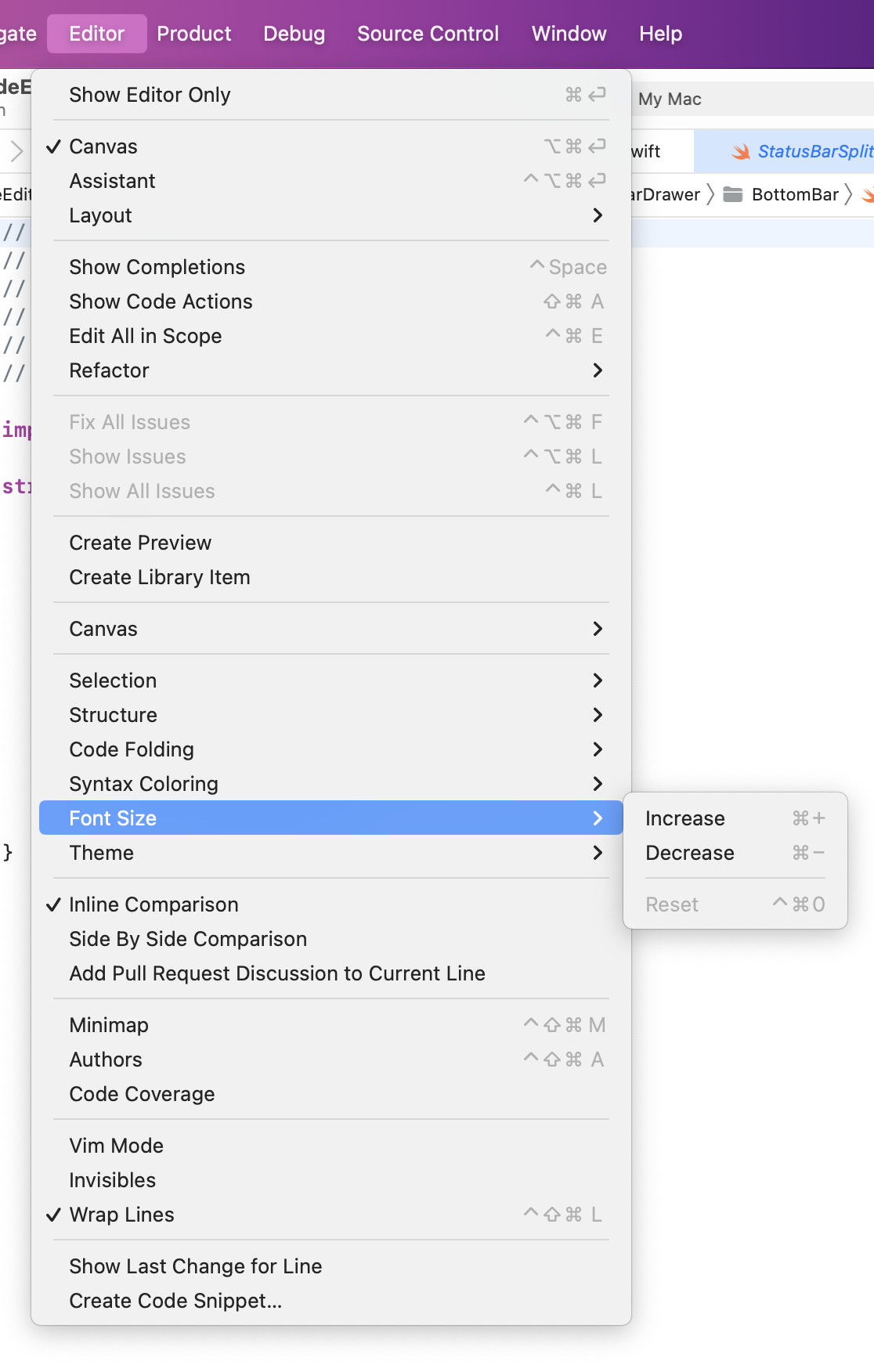
Well this a weird implantation now that I look at it. Zooming doesn't mean altering the fontsize, it means applying a multiplier to the fontsize. If it should alter the fontsize, then fine, but don't call it zooming. Personally I think using the trackpad to zoom with pinching is nice. Referring to reset: |
|
Increasing and decreasing the font size is how it works in Xcode and VS Code. We can do pinch-to-zoom, but it has to be super smooth. Perhaps we zoom (literally, not change the font size) while pinching to zoom, then after the gesture ends, reset the zoom and adjust the font size to the same visual size as the zoom level which would wrap the text as expected. |
i've looked into this and seems more of a bigger feature rather than something i can easily add to this PR. |


3 participants


Description
this
PRfurther builds on #1191 by adding the text-zoom feature to the terminal (to mimic xcode) and puts a small fix inTerminalEmulatorView.swift(that is related to text-zoom). I'm offline for tonight, but maintainers have edit accessRelated Issues
Checklist
Screenshots
shot.1.mov