Bug: File restriction still possible with setting PublicInstall #8757

Description

According to
https://guides.dataverse.org/en/latest/installation/config.html?highlight=restrict#publicinstall
file restriction is deactivated when setting :PublicInstall to true.
We are using the PublicInstall setting not because it is a public installation, just because we want to deactivate file restrictions.
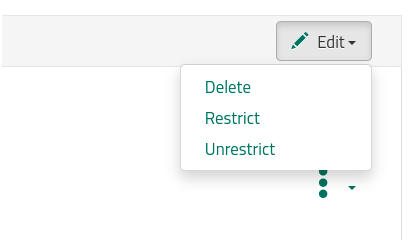
However, even if it is set to true, there's still a way to restrict the files via GUI.
- Select "File Options" (three dots) next to a file in the list.
- Select "Metadata"
- Click the checkbox of the file
- Click the "Edit" button and you can select "Restrict" and "Unrestrict"