








Depreciated and disabled extension (server has been shut down)
🔸 Want to see what all your friends are working on?
🔸 Want to see who else is coding with you at 3am the night before your project is due?
🔸 Want everyone to know you code in Rust or Julia?
Look no further, this is the extension for you (and your friends!).
VS Statuses is the latest extension for Visual Studio Code bringing a social element to the often lonesome task of programming. Keep in touch with all the friends you follow on Github, seeing their latest statuses containing their recent coding activity whilst also sharing your own status!
For the VS Statuses API click here.
Donations of any amount are greatly appreciated to help fund my uni-student diet of instant ramen packs and my bubble tea addiction 🍜 (along with servers - those are expensive af!)

Sharing this extension with your friends, family, colleagues or anyone is also a great way to help support this project and you have my thanks 🗣!
- See statuses of users that you follow on Github
- Transmit your own status so followers can see what you are working on
- Statuses are both automatically transmitted and received - even when not viewing the VS Statuses tab!
- Seamless integration with Github Authentication leverages their platform to create a social network with no need to create a profile to use VS Statuses. Follow more people to see their statuses!
- Ability to choose what data to share with your followers including obscuration of file names, folder names and the ability to enter "Ghost Mode"
- Bottom taskbar icon to set a custom message for your status
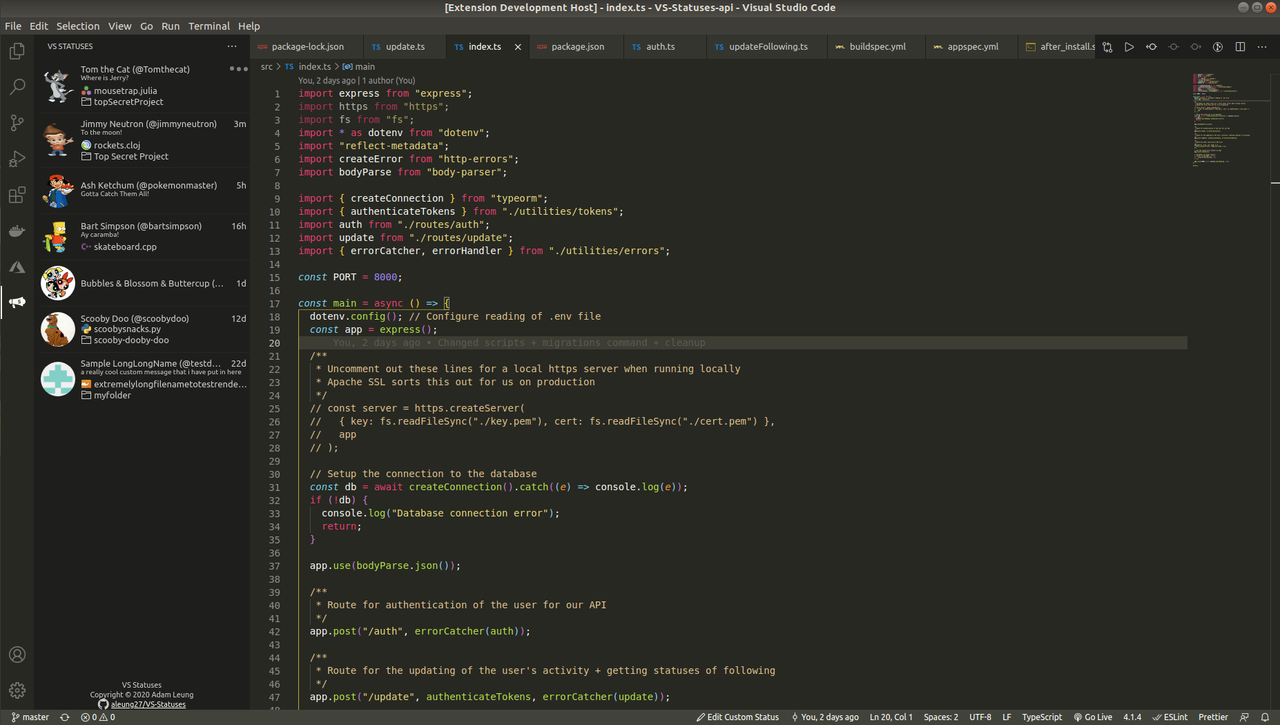
Click on the megaphone icon in the sidebar to use VS Statuses
Statuses consist of the following information:
- Github Username (with display name if set)
- Profile Picture from Github
- Activity timestamp showing last time the user was active
- A custom status message set by the user (optional)
- Filename with language icon (optional)
- Folder name with a folder icon (optional)

Update your custom status message in the bottom taskbar
🔹 More fine-grained detection of 'active' status to reflect when idle or when VS Code is minimised
🔹 Interactive features between users (e.g. poking)
Want to see something else not on the list? Head here and submit a ticket!
- In the sidebar of VS Code, click on the Extensions icon
- Type
VS Statusesinto the searchbar - Click on the Install button
- After installation, a new icon should appear on your sidebar. Click on it to use the
VS Statusesextension!
Alternatively, open up the Quick Open dialog using Ctrl + P and type:
ext install VS Statuses
Note that on initial installation you will need to authenticate with Github in order to use the extension!
Sometimes you just don't want everyone to know about that next big project you're making (or that you're STILL not done with that assignment 😣).
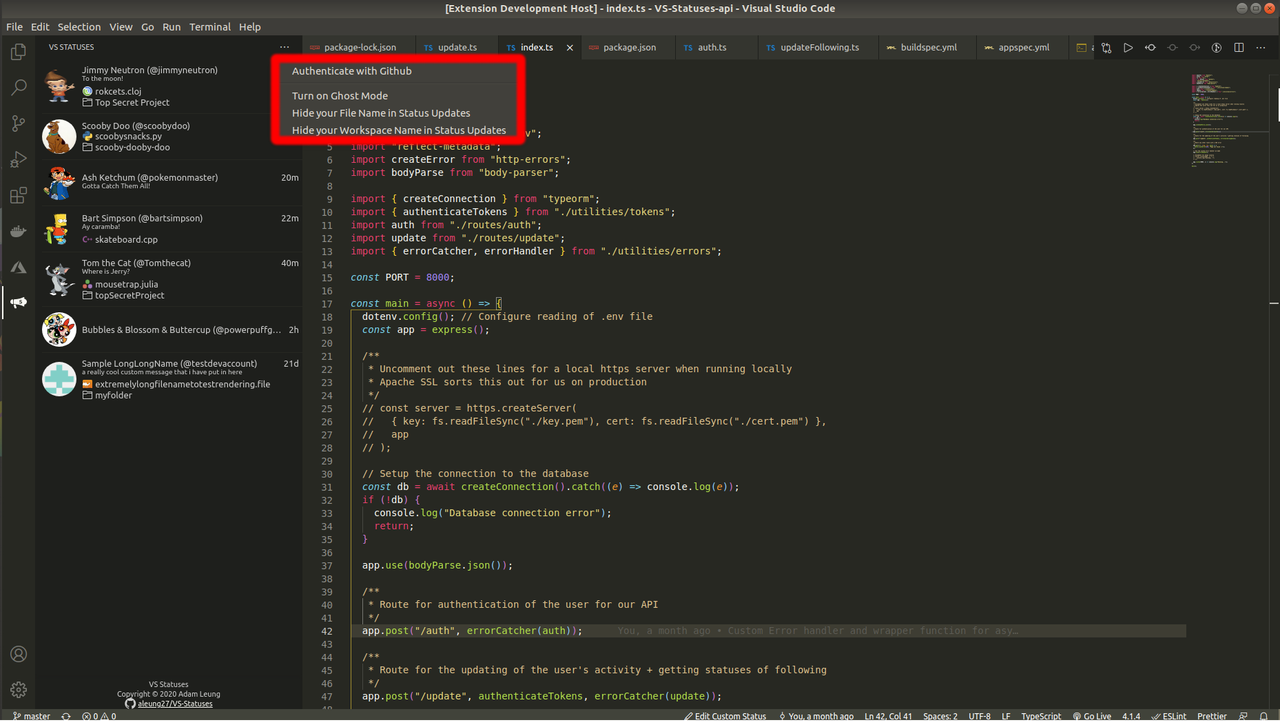
Luckily, we've got you covered with the following nifty settings:
- Ghost Mode (
vs-statuses.ghostMode): When you just gotta disappear off the face of the earth for a while, this one is for you. You stop sending status updates and appear offline to all your friends (they will see the last status you had before turning on Ghost Mode). It's a two way street though - you also won't be able to see any new status updates from people you are following. Spooky! 👻 - Hide Workspace Name (
vs-statuses.hideWorkspaceName): Hides your workspace folder from being transmitted in your status updates. - Hide File Name (
vs-statuses.hideFileandLanguageName): Hides your file name AND the language you are coding in from being transmitted in your status updates.
Not only this we make it super easy for you to toggle these settings on and off on the fly from the handy settings located in the top right of the VS Statuses panel.
💙 Great that you want to contribute; contributions are always very welcome! 💙
Usual Github contribution flow:
- Fork this repository
- Clone your fork to your local development environment
- Create a branch from
masterfor you to work off of - Commit and push your changes
- Open a pull request
- Wait to get approved!
✨ And your done! ✨
Make sure to add comments as you make your changes. Follow existing coding patterns and idioms already present in the project.
Found a bug or got a suggestion? Feel free to submit a new Issue