[Tour of Beam]: Welcome Screen frontend layout #22794
Conversation


* theme setup

* Replaced ThemeProvider with ThemeSwitchNotifier

* header with theme mode switcher and logo

* page container with header & footer

* theme mode tests

* renamed the directory to tour-of-beam

* compressed beam_logo.png

* added missing license comments

* rudimentary layout of the first screen

* review comments fixes #1

* moved notifyListeners inside then

* responsive todo

* split into 2 simple functions

* deleted redundant constants &
replaced 2018 text theme with 2021

* styling refinement

* home screen layout

* clickable sign in text

* font weights fix

* removed _getBaseFontTheme function

* fixed border and bg color

* color fixes

* difficulty component

* _LastModuleBody

* todo in test

* footer border

* fixed overflows

* replaced Project prefix with Tob

* replaced then with await

* inferred type

* started translation of the home screen

* sorted translations

* Complexity comments

* comment fixes

* home screen translations

* sign in overlay

* import fix

* integration test does not fail

* playground_components package with
dismissible_overlay

* missing license

* removed _dots from build

* widgets refinement

* renamed home screen to welcome screen

* deleted copyWith

* _SdkButton

* trailing comma & pubspec formatting

* license and lints

* license

* removed license from .metadata

* pubspec formatting

* total lints update

* changed from tour_of_beam to
tour-of-beam in build.gradle.kts

* license check

* _SdkButton mimics Radio button

* renamed MyApp to TourOfBeamApp

* onChanged mimics Radio button

Co-authored-by: darkhan.nausharipov <darkhan.nausharipov@kzn.akvelon.com>


|
Stopping reviewer notifications for this pull request: review requested by someone other than the bot, ceding control |

 damondouglas
left a comment
damondouglas
left a comment
damondouglas
left a comment
There was a problem hiding this comment.
@nausharipov Thank you for submitting this PR.
| --> | ||
|
|
||
| # Tour of Beam | ||
|
|
There was a problem hiding this comment.
May we add a README at: learning/tour-of-beam/README.md that explains the purpose of Tour of Beam to someone who has never heard of it?
Then, assuming that this learning/tour-of-beam/README.md exists, may we add:
# Overview

This folder holds code that supports the user interface for [Tour of Beam](../).

# Requirements

To develop, build and test code in this folder requires the following:

- https://flutter.dev/
| ], | ||
| ), | ||
| ), | ||
| Image.asset(TobAssets.welcomeLaptop), |
There was a problem hiding this comment.
May we consider removing this image?
There was a problem hiding this comment.
Why do you want it removed? This image is in the approved layout:
https://www.figma.com/file/gzeYx965q4DwV6ugDzp0iG/Apache-Beam-Playground?node-id=1475%3A5359
There is a problem with it however. It is cropped nicely on the mock, but looks awkward when scrolled down:
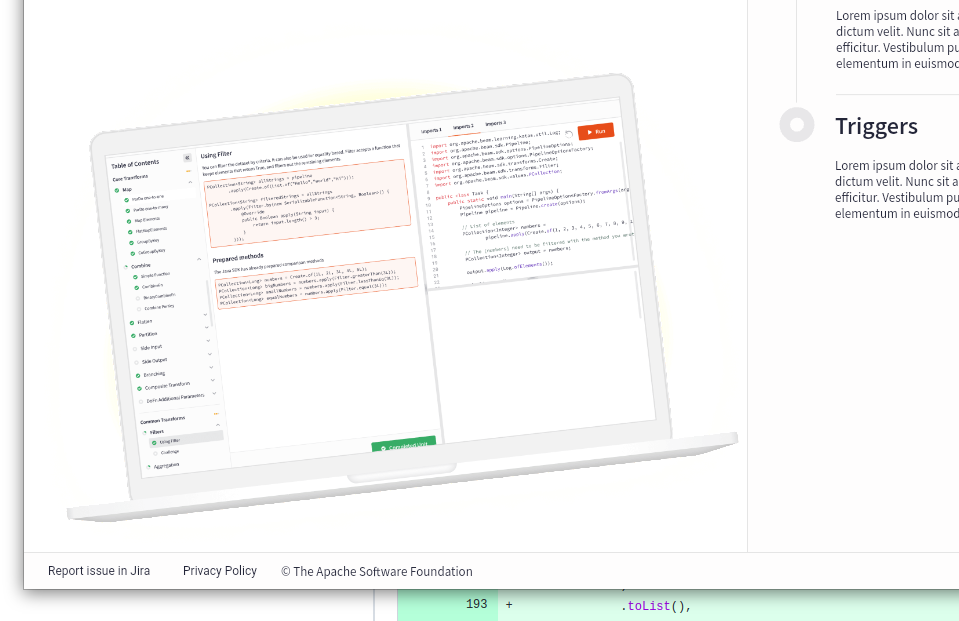
I suggest we keep it but stick to the bottom at the crop ratio from the mock so the user cannot scroll below this:
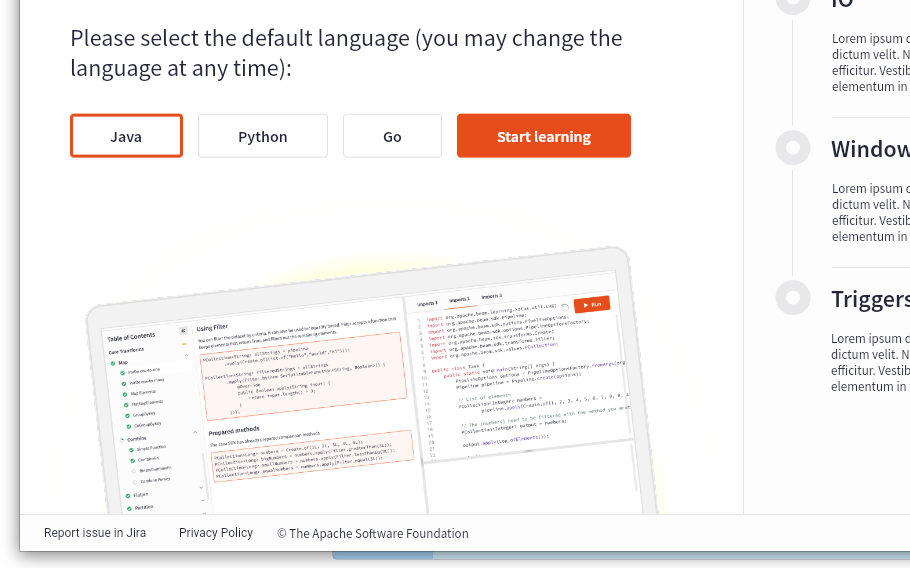
Also for some reason the border shows hard pixels, we should see how to get them smooth if we keep the image.
There was a problem hiding this comment.
The image is displayed properly if the html renderer is selected. I'll update README.
There was a problem hiding this comment.
Fixed the layout, keeping the cropped laptop.
| ) | ||
| .toList(), | ||
| ), | ||
| ElevatedButton( |
There was a problem hiding this comment.
On a wide screen, for me the "Start learning" button appeared on the right side of the "Java", "Python", and "Go" buttons. Yet, when I made the width more narrow, the "Start learning" button positioned below.
May we persist the "Start learning" below the language selection buttons?
There was a problem hiding this comment.
When "Start leaning" is below, it is off a module grid and is not aligned to anything, i.e. it is wider than Java and narrower than Java + Python. It is not that much of a problem, but one line looks better. So I prefer to break only when we have to.
Compare:

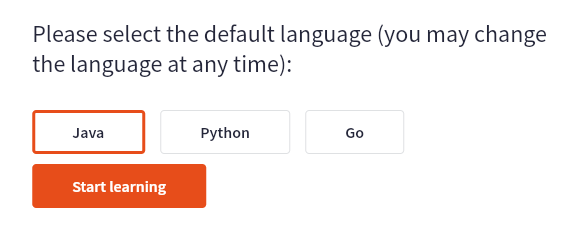
Also I don't think many people notice the switch as they do not normally resize splash screens like this.
| darkMode: 'Dark Mode' | ||
| lightMode: 'Light Mode' | ||
| privacyPolicy: 'Privacy Policy' | ||
| reportIssue: 'Report issue in Jira' |
There was a problem hiding this comment.
I think the Beam project uses GitHub issues now instead of Jira.
|
|
||
| static const Map<Complexity, List<Widget>> _dots = { | ||
| Complexity.basic: [_Dot.green, _Dot.grey, _Dot.grey], | ||
| Complexity.medium: [_Dot.orange, _Dot.orange, _Dot.grey], |
There was a problem hiding this comment.
Unless I was in dark mode, the two orange dots were not distinguishable from the grey.
There was a problem hiding this comment.
Let's do 0x30808080 that fits both light and dark?



grey dot with opacity,
footer link text style

| ? horizontalHalves | ||
| : verticalHalves, | ||
| ), | ||
| child: MediaQuery.of(context).size.width > ScreenSizes.medium |
There was a problem hiding this comment.
This should be a separate constant so that we do not guess which of ScreenSizes breaks the halves. Something like this:
class ScreenBreakpoints {
  static const twoColumns = ScreenSizes.medium;
}
But this is not final. I am struggling to come up with the name that will indicate that two columns are at or wider screen, and this is not clear yet. The same problem is also with ScreenSizes.medium.
There was a problem hiding this comment.
Done with the above naming.
| return ColoredBox( | ||
| return Container( | ||
| constraints: BoxConstraints( | ||
| minHeight: MediaQuery.of(context).size.height - |
There was a problem hiding this comment.
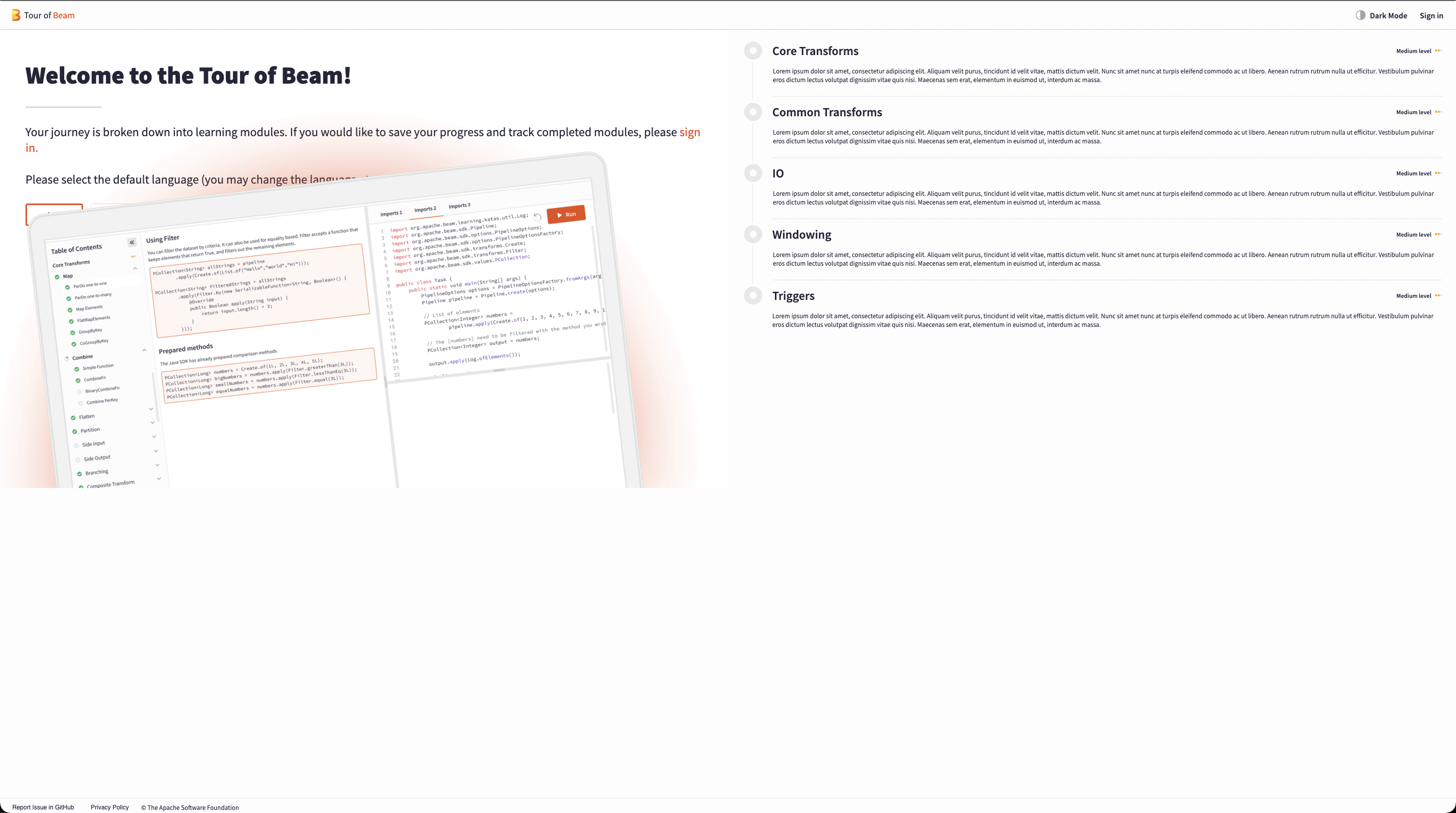
Explicit sizes should be the last resort. Can this be done with this?
For two columns:
WelcomeScreen
+- PageContainer
   +- SingleChildScrollView
      +- Stack
         +- Row
            +- Left column without laptop but with blank container with the height of the laptop
            +- Right column
         +- Laptop sticked to the bottom
For one column:
WelcomeScreen
+- PageContainer
   +- SingleChildScrollView
      +- Column
         +- Left column without laptop but with blank container
         +- Laptop
         +- Right column
There was a problem hiding this comment.
Screen.Recording.2022-09-01.at.14.40.55.mov
There was a problem hiding this comment.
in that case, the laptop is independent of the left column's size.
There was a problem hiding this comment.
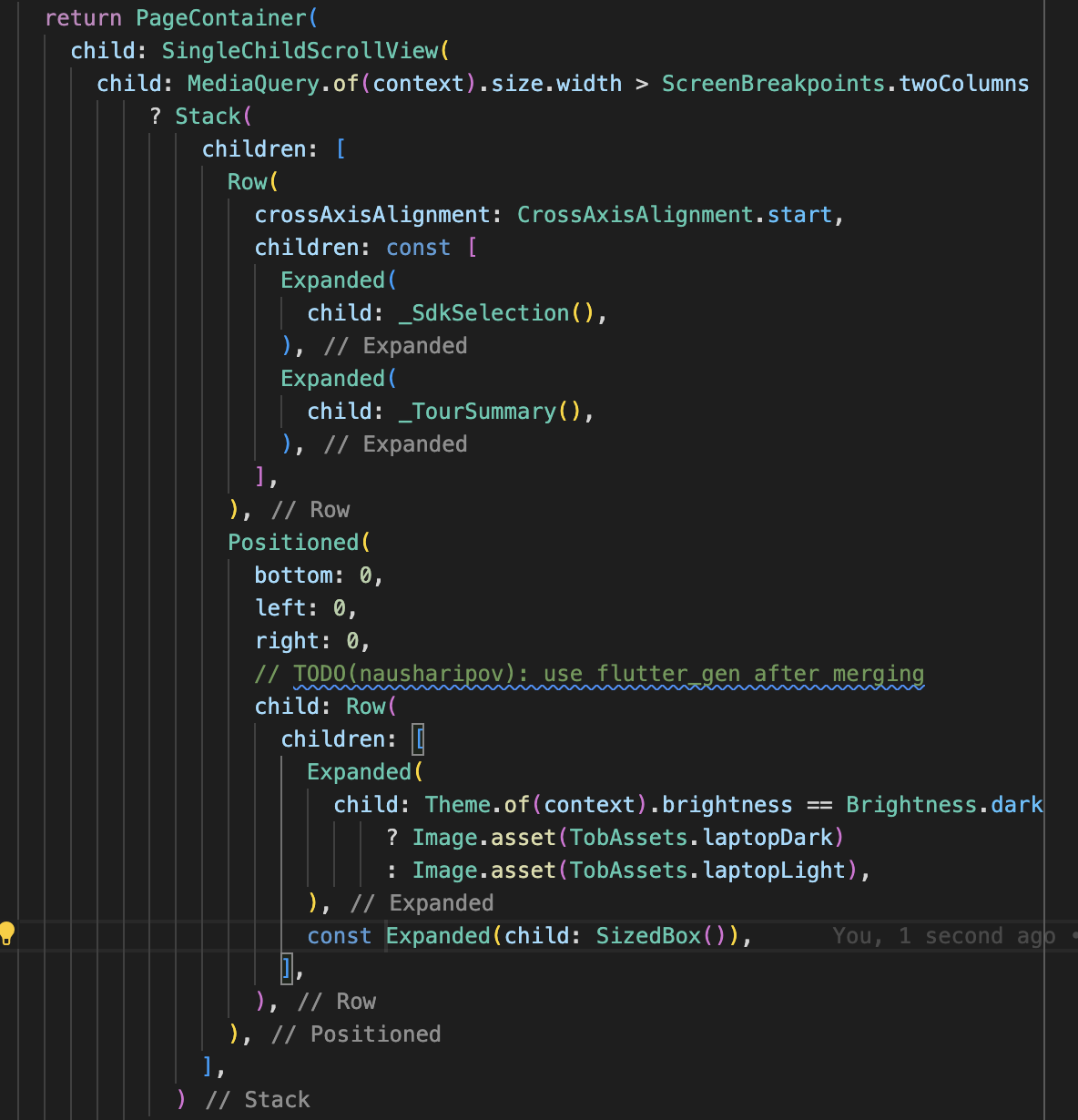
Can the Positioned contain something like this?
Row(
  children: [
    Expanded(/* laptop */),
    Expanded(/* empty SizedBox */),
  ],
),
The two Expandeds will split the full width in half. And the laptop will occupy the full width of its half.
If it works, we may need to put this under the content so that the right half does not make the content unclickable.
There was a problem hiding this comment.
the height of the laptop is completely dependent on the height of the sized box inside of the left column.
There was a problem hiding this comment.
OK, let's go with MediaQuery solution for now.
 alexeyinkin
left a comment
alexeyinkin
left a comment
alexeyinkin
left a comment
There was a problem hiding this comment.
LGTM (Internal review), thanks.

|
@damondouglas If any minor issues still stand, we still prefer this merged now and to work on them in the next PR. This is because I will next be extracting a lot of Playground internals into a package to be reused in both Playground and ToB apps. This extensive refactoring requires that there are no pending merges in the two frontentds. |
damondouglas
left a comment
damondouglas
left a comment
There was a problem hiding this comment.
@damccorm LGTM yet please see the comments below.
From a neurodivergent point of view, the positioning of the "Start Learning" button, vertical to the language selection buttons on a wider screen, may be slightly confusing and may exclude members of this community but I do not have any data to evaluate this hypothesis. Additionally, from a neurodivergent point of view, the image may present too much visual stimulus that distracts and fatiques said users. However, again, I have no data to evaluate this hypothesis.

 damccorm
left a comment
damccorm
left a comment
damccorm
left a comment
There was a problem hiding this comment.
Thanks for calling that out - with that said, I think the amount of visual stimulus is pretty consistent with our website more generally and AFAIK that hasn't posed any particular issues. I'm not sure I share your concern about the positioning of the start learning button, I don't think its location is obviously less clear to me (I too lack any data to back that up 🙃).
I'm inclined to leave it, but also to try to be sensitive to any feedback we might receive about it going forward. Other than that, this LGTM so I'm going to go ahead and merge.

4 participants


Resolves #22583
Thank you for your contribution! Follow this checklist to help us incorporate your contribution quickly and easily:
R: @username).addresses #123), if applicable. This will automatically add a link to the pull request in the issue. If you would like the issue to automatically close on merging the pull request, commentfixes #<ISSUE NUMBER>instead.CHANGES.mdwith noteworthy changes.See the Contributor Guide for more tips on how to make review process smoother.
To check the build health, please visit https://github.com/apache/beam/blob/master/.test-infra/BUILD_STATUS.md
GitHub Actions Tests Status (on master branch)
See CI.md for more information about GitHub Actions CI.