ability to generate variations in the space of seeds instead of latent space #81
Conversation


 bakkot
changed the title
bakkot
changed the title

|
I need to specify seed of initial image in dream-variations.py:41, right? |
|
@morganavr Yes. And the prompt on line 66. It should be possible to pull those out of the metadata for the init image but I haven't implemented that yet. |

|
Very interesting work. Have a look at #86 to see how these ideas can be combined with parameter morphing. Also, I can help with pulling metadata out of the init img, provided that the init_img was generated by dream.py. |

|
Yeah, another way of phrasing this is that it allows for you to interpolate between seeds. You can't really interpolate between the seeds themselves, since they're feed into an RNG which will destroy the relationships between any two seeds (that's one of the purposes of RNGs, after all). But the seeds are used internally to produce an array of noise, and you can interpolate between two such arrays; that's what this PR does. Perhaps if something like #86 lands this can go into that, and we can have a "generate variation of previously generated image" command which allows you to specify which parameter to tweak. |
|
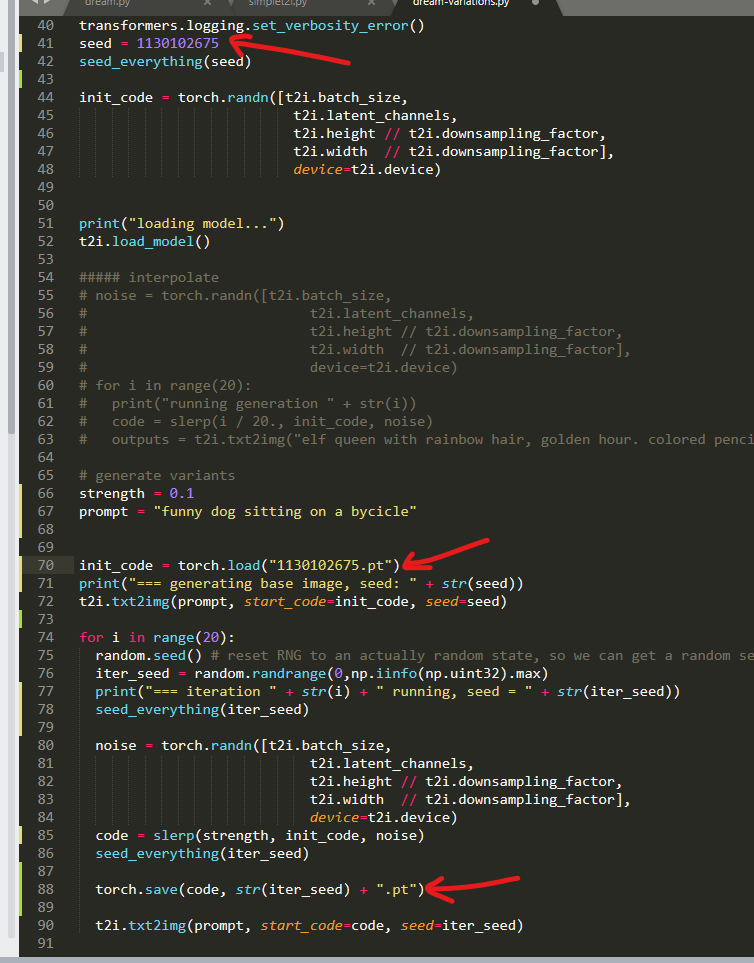
This feature is fantastic, just tested it! So much fun to look at variations of initial image! But I believe there is a bug - base image generated from seed value of any variant images is different every time but it should be always the same. The way I want to use your script is to run it and look at variants images, if I like some image (let's call it favorite) I want to stop the script and run it again using seed of the favorite image. This way I can iterate my initial image to make it more and more awesome for me :) Steps to reproduce:
You will get 3 images an seed value of the 1st image will be the same as in .py file. So far so good.
|
|
@morganavr That's not exactly a bug, it's just a deficiency in the naming. The seeds in the file names are actually being combined with the original seed. So you can't use them alone to produce the same image. You can think of the seeds in the output file names as being a "direction", and the script is moving from the original image "in the direction of" the image generated by the seed in the output filename. But it only moves a little way towards that image, not all the way. Btw, if you want to play with variations more, there's a img2img-based variation generator built in to the main branch already which you can use from the EDIT: actually it looks like that was just removed 😅 If you check out an earlier commit like dde2994 it should still be available. |
I looked at your source code more closely and modified it to fix this "bug". You need to save and restore tensors. |
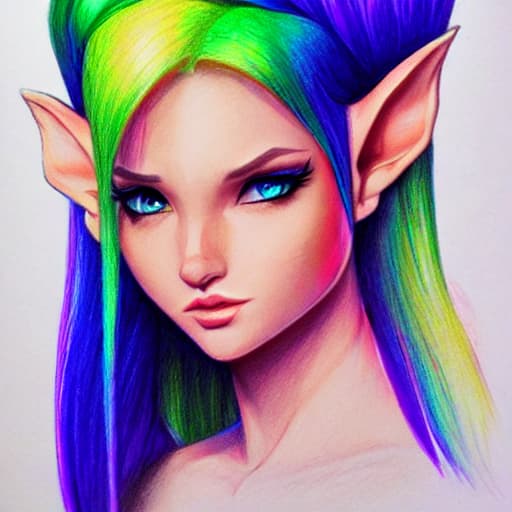
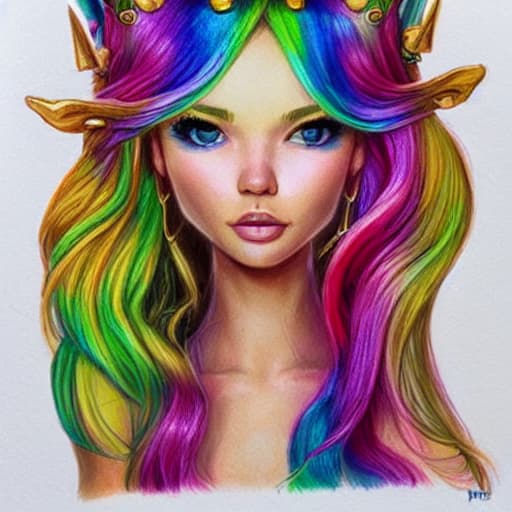
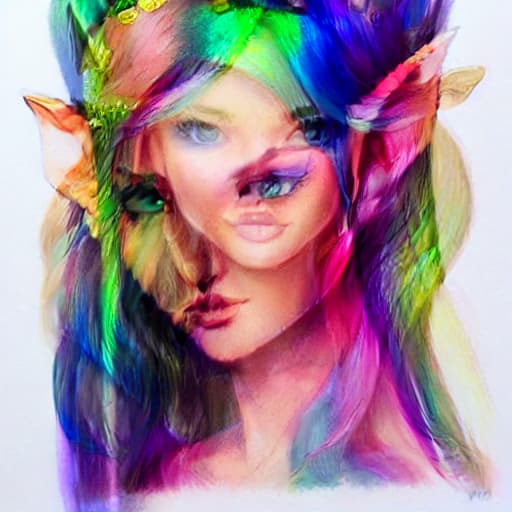
What do you think, if we move instead not a small distance to a different seed but all the way there (100% distance). Then we would get a series of images (like frames in a movie) that transforms 1st image into 2nd image? Like in this online service: And if such web services/tools already exist then there is no point to implement such feature inside dream-variations.py? For example, if we were to interpolate in SD these two images:
|
That's a fun thing to do but isn't what this PR was aiming at. The point of this PR is to let you get variations of an image you like in a different way than img2img.
Yup. The latent space for SD isn't interesting the way it is for GANs. If you interpolate between the representations in latent space it just looks like you've superimposed the images, like this:
|
So sorry @bakkot . The variants feature is going to come back soon. I think there's an opportunity to create general functionality that will take a user's prompt, switches, seed and output image, and generate a ton of variants on the original according to the user's specifications of how he wants to vary them. I'm thinking that it would look something like this: |
Not to worry, I've been content using img2img and my script from this PR manually. And yes I think a feature like that would be great. Note that there's two reasonable ways to vary the seed: either make a completely new seed, or do the thing in this PR where it tweaks the seed-generated noise. The former gives you a completely new image; the latter usually gives you something pretty close to the original. First thing is better if you're exploring the possibility space looking for good images, second thing is better if you've found something you like and are trying to iterate on it. Though the second thing scales up to the first thing if you increase the strength of the tweak enough, so maybe it's sufficient by itself. BTW It would be cool for such a feature to work with the subprompt weighting feature, so that it is able to vary the weights of the subprompts. |
This is exactly what I use your PR for. |
 ghost
mentioned this pull request
ghost
mentioned this pull request

3 participants


This pr is NOT READY TO MERGE. I'm opening it only so other people can iterate.
It's not quite the same as the img2img technique from #71, which works (if I understand correctly) by adding noise to the representation of the input image in the latent space. This PR instead is moving a small distance in the space of possible images you'd get for the same prompt by using a different seed. It's not really better or worse, but it's interestingly different.
I'm going to wait for the promised refactoring before cleaning this up. But it works: below there a sample image and a few non-cherry-picked variations generated by the script below. You can get more (or less) difference simply by increasing the strength.
initial image:
variations: