Touch Bar add submenu/title/emoji picker support #1084
Conversation


|
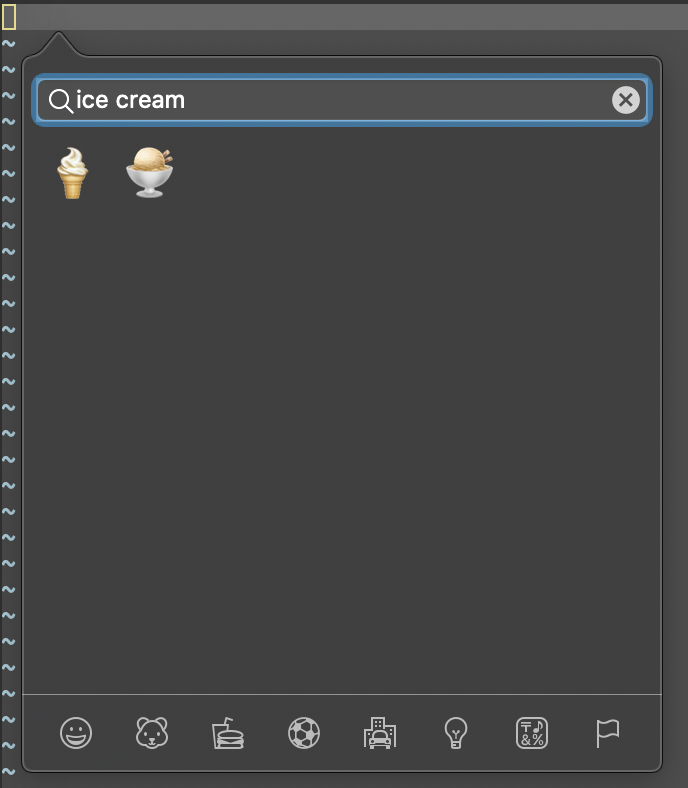
Just some examples of what it looks like. Here's some example configs in a vimrc: It looks like this in Normal mode (note that Tapping into When in Insert mode, the And you can use it to select emoji to enter: If you tap the search button on the Touch Bar emoji picker, it will bring up an interactive emoji picker that you can search and enter the emoji you want: |




Can now specify submenus. E.g. TouchBar.Debugger.Run. When trying to
create a submenu it will first create a popover item and then only
create the NSButton at the leaf.

- Unfortunatley macOS currently can't do multiple levels of submenus (the
  API will allow it, but it doesn't really work), presumably for
  usability concerns. Limit it to only one level of nesting for now.

Add ability to set a title on a Touch Bar button, using `tmenu`. This
allows us to override the displayed button name, and when an icon is
specified the override name will still be shown alongside the icon.

Add emoji picker support, and add it to the list of default Touch Bar
menus. Only enable it in modes where the user is typing (insert,
command, terminal, etc).

Fixed up the internal implementation of Touch Bar management so it's
easier to add metadata to it now.

Also, add documentation.

TODO:

- Using `tmenu` after `amenu` doesn't really work (unless it's specified
  in vimrc). This is because MacVim hasn't implemented
  `gui_mch_menu_set_tip`. Should fix it by adding support for it. For
  now, the user can just call `tmenu` before `amenu`.
- Disabling menus currently just hides the menu. Since the user can
  already do `aunmenu` to hide, should change the disable behavior to
  show the button but disabled instead, similar to how toolbars and
  normal menus work.
 ychin
force-pushed
the
touchbar_subfolders_title_emoji
branch
from
ychin
force-pushed
the
touchbar_subfolders_title_emoji
branch
from
129582e to
e13d237
Compare
Fix `tmenu` to work when it's called after the menu has already been
created, by implementing `gui_mch_menu_set_tip`. This works for menus,
tool bar, and Touch Bar (see macvim-dev#1084 which added tmenu support for
TouchBar).

Also, fix Touch Bar's submenu handling to reuse more common shared
function. Previously enabling/disabling/removing Touch Bar submenu items
didn't work as it had a hard-coded length check.
Updated to Vim 8.2.1719.

Features
====================

Touch Bar improvements
--------------------

Touch Bar now supports submenus, and allows mixed icon/text displays
using `tmenu`. When in edit modes (e.g. insert), it will also display an
emoji picker as well. See `:help touchbar` for documentation. #1084

Fixes
====================

- Window menu no longer shows duplicate "Enter Full Screen" or "Tile
  Window to Left of Screen" entries whenever the user switches among
  different MacVim windows. #566 #992
- Fix issue where going to full screen mode when titlebar appearance is
  set to "hidden" would result in lost focus of the window. #1078
- The password dialog box when using `:!sudo` or other commands that
  require password entry (`macvim-askpass`) will no longer focus on
  Finder, and will keep the focus on MacVim. #1091
- Fix minor wrong tooltip in the "Appearance" preference pane. #1087
- "General" preference pane will now be correctly sized when Sparkle
  updater is disabled (e.g. Homebrew builds). #1089
- Misc issues were fixed by Vim upstream, e.g. `vimgrep` causing a
  crash, and odd behaviors with using Shift-O on the first line. #1082
  #1083

Compatibility
====================

Requires macOS 10.9 or above.

Script interfaces have compatibility with these versions:

- Lua 5.3
- Perl 5.18
- Python2 2.7
- Python3 3.8
- Ruby 2.7

|
Any way to add custom icons? |
|
Yup. @DesantBucie, see
Also, see
What the above means is you just use the builtin Vim functionality to do something like: Currently you can't specify an image as a "template image" (see https://developer.apple.com/design/human-interface-guidelines/macos/touch-bar/touch-bar-icons-and-images/). If you want that feature, feel free to file another issue on it. |
|
Thank you very much. |
ychin
added
UI
2 participants


Touch Bar add submenu/title/emoji picker support
Can now specify submenus. E.g. TouchBar.Debugger.Run. When trying to create a submenu it will first create a popover item and then only create the NSButton at the leaf.
Add ability to set a title on a Touch Bar button, using
tmenu. This allows us to override the displayed button name, and when an icon is specified the override name will still be shown alongside the icon.Add emoji picker support, and add it to the list of default Touch Bar menus. Only enable it in modes where the user is typing (insert, command, terminal, etc).
Fixed up the internal implementation of Touch Bar management so it's easier to add metadata to it now.
Also, add documentation.
TODO:
tmenuafteramenudoesn't really work (unless it's specified in vimrc and loaded on initialization). This is because MacVim hasn't implementedgui_mch_menu_set_tip. Should fix it by adding support for it. For now, the user can just calltmenubeforeamenu.aunmenuto hide, should change the disable behavior to show the button but disabled instead, similar to how toolbars and normal menus work.imenu) would show up in normal mode, which is a waste of space. Vim doesn't let the GUI know whether a menu item is disabled via theamenu disablecommand or not.