List items are not showing selection highlight color #605

Description

Issue
When using keyboard navigation, Lists can be tabbed to and then the arrow keys can be used to move up and down through the items in the list. The return key will press the item.
In previous versions of react-native-macos, the currently selected row in a list would render with the system's accent color. In the current version, no background color changes at all. So although the keyboard gestures work, the user is "flying blind"
Steps to Reproduce
- Ensure that keyboard navigation is enabled in System Preferences > Keyboard > Shortcuts > "Use keyboard navigation to move focus between controls"
- Run RNTester
- Press tab until the List is selected (no visual indicator that it is selected will appear)
- Press down arrow a few times
- Press Return
Expected Behavior
When the List becomes first responder, the first row in the list should highlight with the system accent color. When pressing the down arrow key, the highlighted row should change.
Actual Behavior
Although rows in the List are invisibly changing selection, there is no visual feedback that this happening.
Reproducible Demo
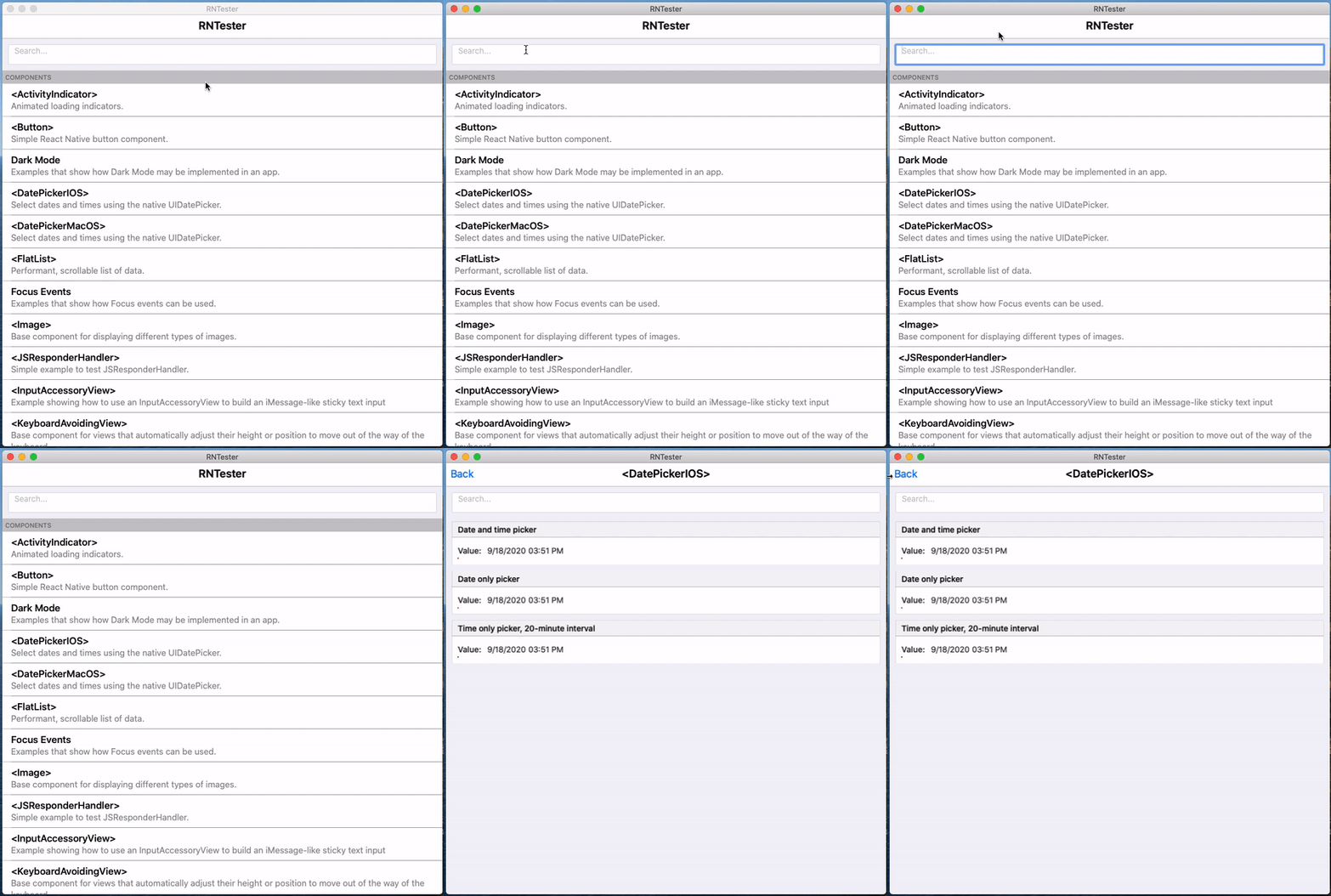
I found this issue while testing PR #603. FYI: @alloy , @HeyImChris , and @tido64